
Claude prompts for documents, writing, data and code
Prompt hub
3
What are the best prompts for Claude AI?
The best prompts for Claude AI are 12 tagged prompts on this page, from answering a document with quotes first to extracting fields as JavaScript Object Notation (JSON) and drafting an email in a set tone. Copy one into a chat or a Project: each wraps its parts in Extensible Markup Language (XML) style tags and puts long documents first.
Claude prompts by topic
A prompt generator and two guides sit under this hub: one guide on system prompts and one on Project instructions.
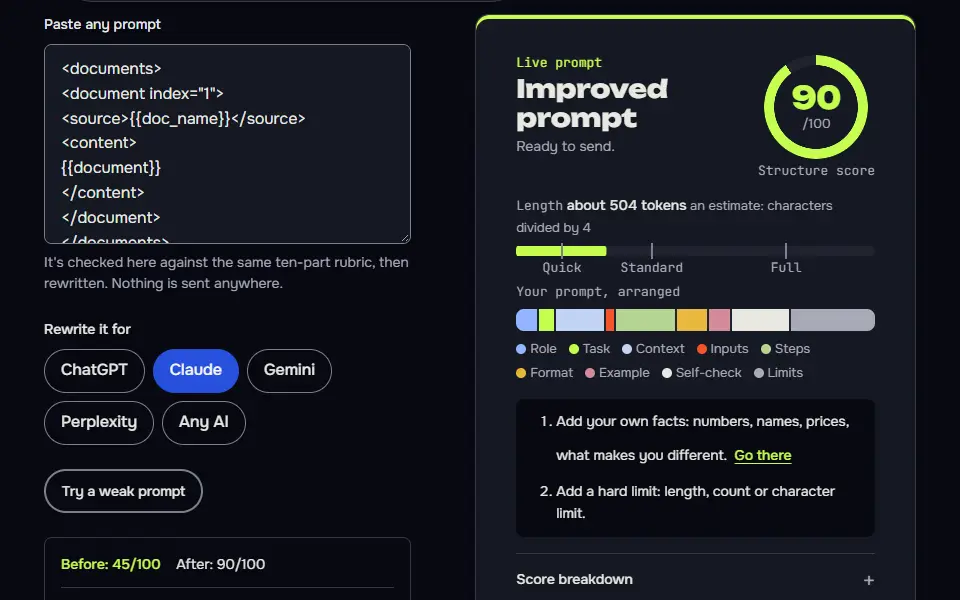
Claude prompt generator that sets a brief in XML tags to fit a chat, a Project or an API call…
Where to set it in the API, a 4 tag skeleton, what to put in it or the user turn, and 5 habits…
What fits in the field and what fits in files, a 6 part template, a state card for long jobs…
The best Claude prompts to start with
12 to try first. Switch the model once. Every card follows.
Answer from documents, quotes first
Long documents go first and the question last, and pulling quotes before answering keeps Claude anchored to the text.
<documents>
<document index="1">
<source>{{doc_name}}</source>
<content>
{{document}}
</content>
</document>
</documents>

<task>
Answer the question below using only the document above. Do it in two steps.
First, pull out the exact quotes that are relevant and put them in <quotes> tags, numbered, each followed by the section or page if the document shows one.
Then write the answer in <answer> tags, citing quote numbers in brackets. Keep it under {{max_words}} words.
If the document doesn't contain the answer, write "Not in the document." inside <answer> and stop. Don't use outside knowledge, and don't use em dashes or en dashes.
</task>

<question>
{{question}}
</question>
How to use
- Copy it with the button above.
- Fill the blanks in {{double braces}} with your own details.
- Paste it into ChatGPT, Claude or Gemini and send it.
- Then follow up: ask for one change at a time.
Before you run “Answer from documents, quotes first” for the first time, the lesson on how to use Claude prompts walks through copying, filling and sending it.
Starter instructions for a Claude Project
Project instructions are read at the start of every chat, so rules about sources, questions and format belong here instead of in each prompt.
<role>
You are the {{role}} for {{project}}. You work with {{user}}.
</role>

<what_this_project_is>
{{about}}
</what_this_project_is>

<how_to_work>
- Start from the files in this project's knowledge before using general knowledge, and say when you're relying on general knowledge.
- Ask one short clarifying question when a request could mean two different things. Otherwise, get on with it.
- Keep answers {{length}} unless I ask for more.
- Use {{format}} for outputs unless I say otherwise.
- When you're unsure, say so plainly. Never invent facts, numbers, quotes or sources.
- Don't use em dashes or en dashes.
</how_to_work>

<on_every_reply>
End with a one-line "Next step" that suggests the most useful follow-up.
</on_every_reply>
System prompt for a customer support assistant
A system prompt works best when each rule has a place. Tags separate what it knows, how it sounds and what it must never do.
<role>
You are the support assistant for {{company}}. You help customers with {{scope}}.
</role>

<knowledge>
Use only the information in <policies> and in the conversation. If an answer isn't there, say you don't know and offer to pass the question to a person.
</knowledge>

<policies>
{{policies}}
</policies>

<tone>
{{tone}}. Short sentences. Use the customer's name once, at the start. Never blame the customer.
</tone>

<rules>
- Never promise refunds, delivery dates or exceptions that aren't in <policies>.
- Never ask for full card numbers, passwords or ID numbers.
- If the customer is upset, acknowledge the problem in one sentence before you solve it.
- If a request is outside {{scope}}, say so kindly and give the correct contact: {{escalation}}.
</rules>

<format>
Reply in under 90 words. End with one question or one clear next step, never both.
</format>
Critique a prompt before you run it
Asking for quotes with each problem keeps the review specific and checkable.
<role>
You are a careful prompt reviewer. You find what will go wrong before anyone runs the prompt.
</role>

<prompt_to_review>
{{prompt}}
</prompt_to_review>

<context>
What it should achieve: {{goal}}
Model it will run on: {{model}}
</context>

<task>
Review the prompt. Don't run it. Give me:
1. Ambiguities: words or instructions that could be read two ways, quoted.
2. Contradictions between instructions, quoted.
3. Missing information the model would have to guess.
4. Instructions the model can't follow (for example, browsing or exact counting without tools).
5. The three changes that would improve results most, in order.
6. A revised prompt with those changes, keeping my wording where it was fine.
Don't use em dashes or en dashes.
</task>
Extract fields from messy text as JSON
'null, don't guess' and 'notes' for ambiguity give you data you can load without cleaning up invented values.
<text>
{{text}}
</text>

<schema>
{{schema}}
</schema>

<task>
Extract the fields in <schema> from <text>. Return only valid JSON that matches the schema, with no commentary and no code fences.
Rules:
- If a field is missing from the text, use null. Don't guess.
- Copy values as written, including capitalisation. Normalise dates to YYYY-MM-DD only when the full date is clear.
- If there are several matches, return an array for that field in the order they appear.
- Put anything ambiguous in a "notes" array of short strings.
</task>
Turn a transcript into decisions and actions
'Not stated' beats a confident guess, and unresolved disagreements are often the most useful part.
<transcript>
{{transcript}}
</transcript>

<task>
From the transcript, produce:
1. Decisions: each in one line, with the speaker who made or confirmed it.
2. Actions: a table with Owner, Task and Due date. If the owner or date isn't said, write "not stated". Don't infer.
3. Open questions that were raised but not answered.
4. Disagreements that weren't resolved, in one line each.
5. A three-line summary for people who weren't there.
Use only what's in the transcript, and quote a few words when a decision is unclear. Don't use em dashes or en dashes.
</task>Write something new in the style of my samples
Describing the style first makes Claude commit to what it saw before it writes, which makes the copy closer.
<examples>
<example>
{{sample_1}}
</example>
<example>
{{sample_2}}
</example>
</examples>

<task>
First, in <style> tags, describe my writing style in five bullets: sentence length, how I open, word choices, tone and what I avoid. Base it only on the examples.
Then write {{piece}} about {{topic}} in that style, at about {{length}}. Use contractions where my examples do.
Use only these facts: {{facts}}. If a fact is missing, write [add detail]. Don't copy phrases from my examples and don't use em dashes or en dashes.
</task>
Reason in tags, then give a short answer
Separating reasoning from the answer lets you skim the answer and audit the analysis only when you need to.
<situation>
{{situation}}
</situation>

<options>
{{options}}
</options>

<what_matters>
{{criteria}}
</what_matters>

<task>
Think it through inside <analysis> tags. In the analysis, compare each option against what matters, name the assumption each one depends on, and say what would change your view.
Then give your recommendation inside <answer> tags in under 80 words, with a confidence level (low, medium or high) and the single fact that would most change it.
If you need information I haven't given, ask for it inside <answer> instead of assuming. Don't use em dashes or en dashes.
</task>
Research brief from what Claude knows, with confidence levels
Asking where it might be wrong and what to verify makes the brief a map for your own research, not a replacement.
<topic>
{{topic}}
</topic>

<task>
Write a brief on the topic from your own knowledge only. You can't browse, so don't pretend to. Use these headings:
1. Well established: points experts broadly agree on.
2. Contested: points where credible sources disagree, with each side in one line.
3. Unknown or changing fast: things that may be out of date.
4. What I should verify first: the five claims most worth checking, and what kind of source would settle each.
Label each point high, medium or low confidence. Don't invent citations, quotes, statistics or URLs. If you recall a source, give only its name and say you can't confirm the details.
Keep it under {{length}}. Don't use em dashes or en dashes.
</task>
Draft an email with a precise tone
Describing the tone in a sentence plus specifics works better than a single word like 'professional'.
<context>
Who I'm writing to: {{recipient}}
Our relationship: {{relationship}}
What happened so far: {{history}}
What I want from this email: {{goal}}
</context>

<tone>
{{tone}}. Specifically: {{tone_detail}}.
</tone>

<task>
Write the email. Subject line first, then the body, under {{max_words}} words. Put the request in the first two sentences and make it one specific request with a date if there is one. Don't add apologies I didn't ask for, and don't promise anything that isn't in the context. Then, in <alternatives> tags, give me two different ways to open the email, and say in one line how each changes the tone. Don't use em dashes or en dashes.
</task>
Explain a failing test and fix it minimally
'Bug in the code or in the test?' is the question people forget, and it prevents quietly weakening a correct test.
<code>
{{code}}
</code>

<test>
{{test}}
</test>

<output>
{{output}}
</output>

<task>
Explain why the test is failing, in plain language, in under 100 words. Then say whether the bug is in the code or in the test, and why.
Give the smallest change that makes the test pass without weakening the test. Show only the changed lines with a little context.
List one other test I should add so this doesn't come back. If you can't tell from what I've pasted, say what you need to see. Don't invent library functions, and don't use em dashes or en dashes.
</task>
Interview me, then write a one-page brief
Asking before writing, and tagging assumptions, turns a vague idea into a brief the whole team can correct quickly.
<role>
You are a producer who turns a vague idea into a clear one-page brief.
</role>

<idea>
{{idea}}
</idea>

<process>
First, ask me up to seven short questions, numbered, covering: the goal, who it's for, what exists already, the deadline, the budget or limits, what success looks like, and what's out of scope. Skip any you can answer from <idea> and say what you assumed. Then wait for my answers. Don't write the brief yet.
After I answer, write the brief in <brief> tags with these headings: Goal, Audience, Scope, Out of scope, Deliverables, Timeline, Risks, Open questions. Keep it to one page.
</process>

<rules>
Use only what I tell you. Mark anything you had to assume with [assumed]. Don't use em dashes or en dashes.
</rules>How is prompting Claude different from ChatGPT?
Prompting Claude differs from ChatGPT in 3 habits: XML-style tags around each part, long documents before the question, and a rule for what to say when the answer is missing. ChatGPT copes with the same prompt, but Claude's own guidance leans on these three, and they're what keep a long prompt from getting mixed up.
- Tags around each part. Wrap the material in a tag such as <document> and the job in <task>, so Claude doesn't confuse your data with your rules.
- Documents first, question last. With long text, put the material at the top and your question at the end, so it's the last thing Claude reads.
- A rule for missing answers. "Answer only from the document and say 'not stated' when it's missing" removes most invented answers, and asking for quotes first makes the answer easy to check.
Tags aren't a cure-all: Claude does fine with plain instructions too. They help most when a prompt has 3 or more parts, long pasted text or rules that mustn't mix. You don't need them for a one-line question, and you won't lose anything by leaving them out there. Where they've earned their place on this page, they're already written in, so there's nothing for you to add.
Claude prompt examples by task
Claude prompt examples by task fall into 5 groups: documents and research, writing, data extraction, code and planning, each with tags already in place. Every one of the 12 cards sits in exactly one group:
- Documents and research: answer from documents with quotes first, turn a transcript into decisions and actions, and the research brief with confidence levels.
- Writing: write in the style of your samples, and draft an email with a precise tone.
- Data extraction: extract fields from messy text as JSON.
- Code: explain a failing test and fix it minimally, and critique a prompt before you run it.
- Planning: interview me, then write a one-page brief, reason in tags before a short answer, and the starter instructions for a Claude Project and a support-assistant system prompt.
For a task none of the 12 covers, the Claude prompt generator writes a tagged prompt in Claude's preferred order.
What are Claude Projects and system prompts?
Claude Projects hold standing instructions and files for every chat in the Project, and a system prompt sets the role and rules before the first user message; each has its own guide here. A Project suits ongoing work, like a newsletter or one client, since you won't re-explain it in each chat and Claude doesn't forget the brief between chats. A system prompt is what a developer sends through the Application Programming Interface (API) for something like a support bot, and Claude's apps run on system prompts of their own.
Standing instructions for a whole Project, and how they differ from a chat prompt, are set out in Claude project instructions. The rules for writing a role and limits that apply before every message are in the Claude system prompt guide.
Do Claude prompts work in ChatGPT or Gemini?
Yes, Claude prompts work in other models such as ChatGPT and Gemini, since both read the tags as plain labels, so keep them or swap them for headings. Portability isn't a worry: ChatGPT handles the tags as they are; for Gemini, plain headings in place of tags read a little cleaner, and the rest of the prompt doesn't change. You don't have to strip anything out, and the "not stated" rule works the same way there. For ChatGPT-first versions of the same jobs, see the ChatGPT prompts hub.
New to prompts in general? Start with the prompt guide for beginners, then come back for the Claude versions. If you prefer to practise step by step, the free lessons to learn prompt engineering use Claude examples too.
Claude prompts FAQ
Still stuck? Build it in Prompt Studio. It'll score each part as you go.
What is Claude's prompt?
Claude's prompt is the message you send, plus any system prompt or Project instructions behind it; Anthropic publishes its own app system prompts in its release notes. The system prompt in your own project is separate, and you write it yourself.
Is there a Claude prompt library?
Yes, this page works as a Claude prompt library, with 12 tested prompts plus task groups you can copy straight into Claude. Use any of them as a start, edit it to fit your task and test it on 3 real inputs; it's the quickest way to see where it'll need changing.
Is there a Claude prompt generator?
Yes, there is a Claude prompt generator on this site: it's free, it runs in your browser, and you don't need an account. It asks about your task and writes a tagged prompt in Claude's preferred order.
What are some cool things Claude can do with these prompts?
Some cool things Claude can do with these prompts on this page are turning a transcript into decisions and actions, extracting fields from messy text as JSON and interviewing you before writing a brief. Its answers still need checking, so keep the "not stated" rule in place.