
Suno prompt generator for songs and lyrics
A Suno prompt has three parts: a style prompt with tempo in beats per minute (BPM), lyrics with section tags and an exclude list.
Live prompt
Suno song prompt
Fill in the first box. The prompt builds and scores live.
0/100
Open the full Prompt Studio (Loop, Chain and Check).
Tempo and bars: how long a bar lasts and how many fit in your song
Bars in a 3:00 song, by tempo
- 60 BPM45 bars, 4.0 s each
- 80 BPM60 bars, 3.0 s each
- 90 BPM68 bars, 2.7 s each
- 100 BPM75 bars, 2.4 s each
- 120 BPM90 bars, 2.0 s each
- 140 BPM105 bars, 1.7 s each
- 160 BPM120 bars, 1.5 s each
- 180 BPM135 bars, 1.3 s each
In 4/4 time a bar has 4 beats, so one bar lasts 240 divided by the tempo in seconds. Bars in the song are its length in seconds times the tempo, divided by 240. The wave and the energy line are an illustration of a shape, not a measurement of any song.
The short answer
A Suno prompt has three parts: a style prompt with tempo in beats per minute (BPM), lyrics with section tags and an exclude list. The style prompt covers genre, mood, instruments and vocals. This page has no music mode: it builds the request, and ChatGPT, Claude or Gemini writes the parts for you to paste into Suno.
This page builds requests for a chat AI. It doesn't connect to Suno or check Suno's limits.
How to use it
Pick the part you need
Choose the style prompt, lyrics or instrumental example, and open it in the builder.
Fill in the song idea
Add the theme, genre, mood and anything you want left out.
Copy it into a chat AI
Paste it into ChatGPT, Claude or Gemini and ask for more options if the first set isn't right.
Paste the result into Suno
Put the style prompt, lyrics and exclude list into the matching boxes in Suno, and change one thing per try.
Suno prompt generator examples
Four Suno style prompts for one song idea
Fixing the order puts the genre first, and four distinct options give you something to compare.
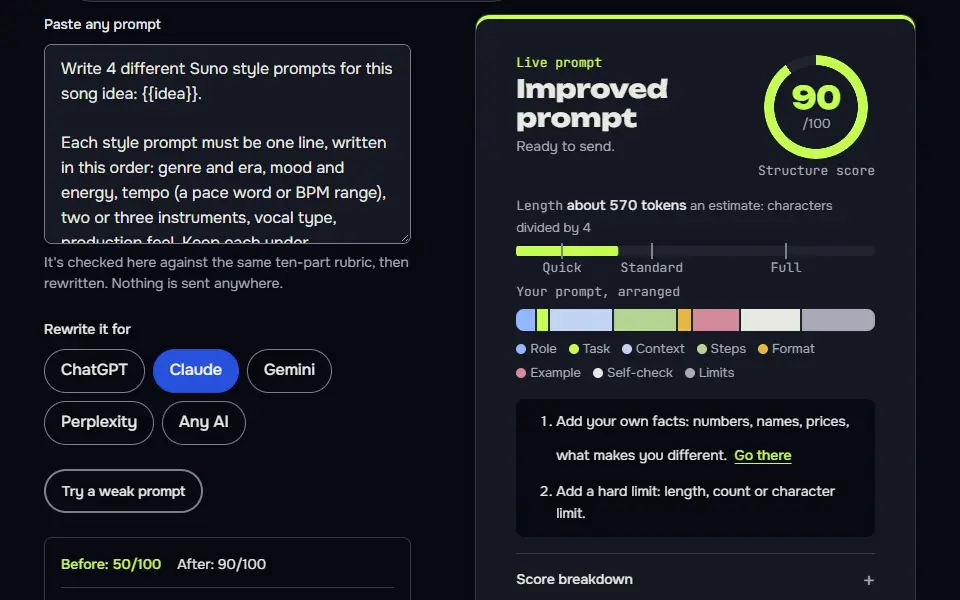
Write 4 different Suno style prompts for this song idea: {{idea}}.

Each style prompt must be one line, written in this order: genre and era, mood and energy, tempo (a pace word or BPM range), two or three instruments, vocal type, production feel. Keep each under {{max_chars}} characters, counting spaces, and print the count after each line. If a line is too long, shorten the production feel first, then use two instruments instead of three. Describe the sound only: don't name any real artist, band or song.

Make the four options clearly different from each other (for example one stripped back, one big and cinematic). After the list, tell me which one you'd try first and why, in one sentence.
How to use
- Copy it with the button above.
- Fill the blanks in {{double braces}} with your own details.
- Paste it into ChatGPT, Claude or Gemini and send it.
- Then follow up: ask for one change at a time.
Before you run “Four Suno style prompts for one song idea” for the first time, the lesson on how to use the prompts this tool writes walks through copying, filling and sending it.
Lyrics with section tags and short, singable lines
Short lines, a single hook and a pronunciation list fix the problems that most often ruin a generated vocal.
Write song lyrics for Suno about {{theme}}, in a {{genre}} style, from the point of view of {{narrator}}.

Structure: [Intro], [Verse 1], [Chorus], [Verse 2], [Chorus], [Bridge], [Chorus], [Outro]. Put each tag on its own line in square brackets.
- Verses are four lines each, choruses are four short lines built around one repeatable hook.
- Keep lines under 10 words and easy to sing. Avoid rare words and long tongue-twisters.
- Add a brief performance note only where it helps, in the tag, for example [Chorus, stripped back].
- Don't quote or echo lyrics from any existing song.
After the lyrics, list any words a singer might mispronounce and a phonetic spelling for each.
Instrumental brief with an exclude list
Keeping negatives out of the style text and in the exclude list follows how the field is meant to be used.
I want an instrumental track for {{use}}. Write three things for Suno's Custom Mode:
1. A style prompt, one line: genre, mood, tempo, two or three instruments, production feel.
2. A short structure plan using tags in square brackets, for example [Intro], [Build], [Drop], [Outro], with a note for each section.
3. An exclude list of up to 6 items to put in the exclude field, such as vocals, spoken word or a sound I don't want: {{avoid}}.
Keep the style prompt free of negatives. Everything I don't want goes in the exclude list only. Don't name real artists.
How the Suno prompt generator works
The Suno prompt generator works in 3 steps: you pick genre, mood, instruments, vocals and tempo, it writes one request, and ChatGPT, Claude or Gemini returns the style prompt, lyrics and exclude list for you to paste into Suno. It doesn't log in to Suno or make the song, since the Prompt Studio has no music mode.
- You fill in the song idea.Pick the style prompt, lyrics or instrumental example, then add the song topic, genre, mood, instruments, vocals and a tempo word with its beats per minute (BPM).
- A chat AI writes the parts.Paste the request into ChatGPT, Claude or Gemini, and ask for more options if the first set doesn't fit.
- You paste the parts into Suno.The style prompt, the lyrics and the exclude list go into the matching boxes on Suno's Create page, under your own plan, and you'll generate the song there.
The three examples on this page are ready-made requests, one per part. More ready-made styles live in the Suno prompts hub. Nothing here checks your result against Suno's limits. Suno's models and plan limits change, so look at the boxes on Suno's own Create page for the current ones.
Suno prompt formula
The Suno prompt formula is genre, mood, instruments, vocals, then tempo as a pace word plus a BPM, for example "indie folk, wistful, fingerpicked guitar, soft female vocal, mid-tempo 96 BPM". Each part says one thing, so nothing gets buried, and the genre leads since it sets the sound for everything after it.
Style: [genre], [mood], [instrument], [instrument], [vocals], [tempo word] [BPM]
Lyrics: [Intro] [Verse 1] [Chorus] [Verse 2] [Chorus] [Bridge] [Chorus] [Outro]
Exclude: [what to leave out]Another filled-in style line: "90s trip-hop, late-night and melancholic, sparse bass, breathy female vocal, slow, 70 BPM". Keep the list short, since each extra instrument thins the mix. Suno doesn't publish a required order for the style box, so treat this order as a working convention and move one part at a time when a result misses, so it's easier to see which change helped.
Suno's own glossary suggests being specific with musical vocabulary. Name genres, instruments and moods, and leave real artists out of the style box.
Suno tempo and BPM chart
The Suno tempo and BPM chart maps 4 tempo words to typical ranges: slow at about 60 to 80 BPM, mid-tempo at 90 to 110, upbeat at 115 to 130 and fast at 140 and over.
| Tempo word | Typical BPM | Write it as |
|---|---|---|
| Slow | About 60 to 80 | slow, 70 BPM |
| Mid-tempo | 90 to 110 | mid-tempo, 100 BPM |
| Upbeat | 115 to 130 | upbeat, 120 BPM |
| Fast | 140 and over | fast, 150 BPM |
These are typical ranges from our own table, not Suno's definitions: Suno doesn't publish how it reads a BPM. When your tempo isn't inside a range, pick the nearer word. Classical tempo markings, such as Andante and Allegro, overlap these ranges, and sources round their edges differently: Adagio starts at 66 in MasterClass's tempo guide and at 55 in another source.
How do Suno lyrics tags and the exclude list work?
Suno lyrics tags mark the song's sections in square brackets, and the exclude list names sounds to leave out; Suno follows tags as hints, so a [Chorus] tag doesn't guarantee a chorus. Common tags include [Intro], [Verse], [Chorus], [Bridge] and [Outro], though they're a community convention more than a documented rule.
The exclude list holds the instruments, vocals or styles to leave out. In Custom Mode, Suno has a field for things you want left out, so put them there and don't bury "no drums" inside the style text. The generator keeps the exclude list in its own part of the request, so you'll get it back as a separate box.
Which Suno prompt generator settings fix a weak song?
3 Suno prompt generator settings fix most weak songs: fewer instruments, one mood word instead of three, and a BPM next to the pace word. Each fix is one field change in the builder, so change one and run it again:
- Instruments. Keep 2 or 3 in the field, since it's the extras that thin the mix.
- Mood. Use one word, and keep it near the front. Three mood words fight each other and they'll blur the genre.
- Tempo. Write a pace word with a number, such as "upbeat, 120 BPM", so the model gets both signals.
How the order of tags in a style prompt matters, and how that changed by version, is covered in Suno prompt engineering. For a longer list of what to keep out, from autotune to crowd noise, see Suno exclude styles.
Suno prompt generator FAQ
Still stuck? Build it in Prompt Studio. It'll score each part as you go.
Can I put a BPM in a Suno style prompt?
Yes, you can put a BPM in a Suno style prompt, and it holds better next to a pace word, such as "upbeat, 120 BPM", than on its own. Suno doesn't document how it reads the number, so treat it as a request, not a guarantee.
Can this Suno prompt generator make the song?
No, this Suno prompt generator doesn't make the song or use your Suno account, and it writes the prompt only: you paste the result into Suno and generate there, under your own plan and its terms.
How do I make an instrumental track with a Suno prompt?
To make an instrumental track, turn on Suno's Instrumental switch and add "no vocals" to the style prompt; the generator adds the second part when you pick Instrumental. In Suno, the switch sits in Custom Mode, as Suno's help center describes.
Why does my Suno song ignore the mood I wrote?
A Suno song ignores the mood when the mood word sits after a long instrument list; move the mood to second place and keep one mood word per prompt. Drop contradictions such as "calm" with "aggressive" too.
Can ChatGPT generate Suno prompts from this tool's request?
Yes, ChatGPT generates Suno prompts from the tool's request, and so do Claude and Gemini; the request already names the 3 parts to return. Ask the chat AI for more options if the first set isn't right.