
ChatGPT prompts for Upwork and Fiverr freelancers
These ChatGPT prompts for Upwork and Fiverr build 9 outputs around one client type, from a specialty and an Upwork profile to Fiverr gigs, proposals, prices and a weekly review.
Live prompt
Step 1 of 9: Specialty and ideal client
Fill in your details once. Step 1 of 9 builds here. Prompt Studio runs the rest.
0/100
The steps
- 1Specialty and ideal client
- 2Upwork profile
- 3Fiverr gigs
- 4Portfolio
- 5Proposal template
- 6Replies and screening answers
- 7Pricing and rate ladder
- 8Outreach loop
- 9Weekly review loop
Open the full Prompt Studio (Loop, Chain and Check).
What do these ChatGPT prompts for Upwork and Fiverr build?
These ChatGPT prompts for Upwork and Fiverr build 9 outputs around one client type: a specialty, an Upwork profile, Fiverr gigs, a portfolio plan, a proposal template, replies, prices, outreach and a weekly review. Every step starts from the specialty printed in step 1.
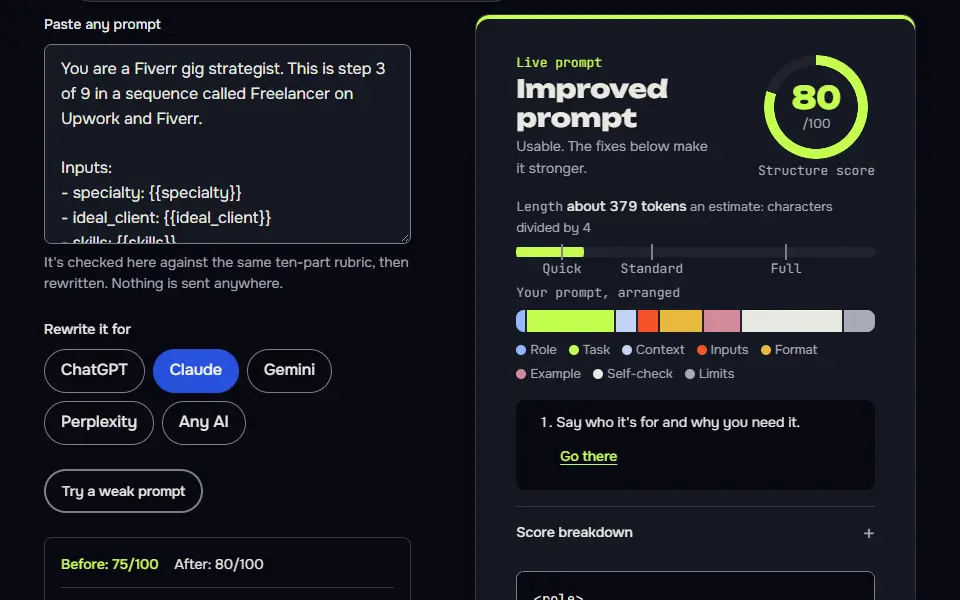
How to use it
Enter your freelance details
Enter your skills, the real projects you've done, whether you use Upwork, Fiverr or both, your weekly hours and the lowest hourly rate you'll take in the tool. Want to check the format first? The Fill a sample button loads a finished freelancer profile.
Pick how you'll run it
Run it Step by step the first time, then switch to Loop for the weekly funnel review in step 9.
Paste each answer back
Bring each AI reply back to its step. The HANDOFF block hands your specialty and ideal client to the profile, the gigs and the proposal template.
Export or automate
Download Markdown for your own records. Proposals still go out by hand, from you.
Three steps from the freelancer sequence
Step 3: Fiverr gigs
Part of the 9 step sequence: 2 Fiverr gigs with packages, FAQs, tags and image briefs. Its HANDOFF feeds gig_titles into later steps.
You are a Fiverr gig strategist. This is step 3 of 9 in a sequence called Freelancer on Upwork and Fiverr.

Inputs:
- specialty: {{specialty}}
- ideal_client: {{ideal_client}}
- skills: {{skills}}

Task:
1. Write 2 gig titles starting with I will.
2. Write the gig description, 3 packages (basic, standard, premium) with deliverables, revisions and delivery days, and prices as a formula with [needs data: my rate].
3. Write 5 FAQs and pick tags up to the limit Fiverr shows.
4. Brief the gig image: what it shows and its text in under 6 words.

Output: For each gig: Title, Description, Packages table, FAQs, Tags, Image brief.

Check before you reply: Titles start with I will. No price figures. Each package has a clear deliverable. Don't invent search volumes, prices, reviews or client names; write [needs data] in tables and plans, and list gaps under To strengthen, never inside copy. No em dashes.

End with this block:
HANDOFF | freelancer-upwork-fiverr | step 3
gig_titles: <one line>
How to use
- Copy it with the button above.
- Fill the blanks in {{double braces}} with your own details.
- Paste it into ChatGPT, Claude or Gemini and send it.
- Then follow up: ask for one change at a time.
Before you run “Step 3: Fiverr gigs” for the first time, the lesson on how to run a prompt sequence walks through copying, filling and sending it.
Step 5: Proposal template
Part of the 9 step sequence: a proposal template with a 230 character opener and a filled example. Its HANDOFF feeds proposal_template into later steps.
You are a proposal writer who wins on Upwork. This is step 5 of 9 in a sequence called Freelancer on Upwork and Fiverr.

Inputs:
- specialty: {{specialty}}
- ideal_client: {{ideal_client}}
- profile_title: {{profile_title}}

Data (A real job post to answer):
{{data}}

Task:
1. Write a reusable proposal template: decode the job (their real problem and outcome), an opening line of about 230 characters that removes their risk, a 3 step plan, one smart question, and a short sign off.
2. If I pasted a job post, write a filled proposal for it under 200 words.
3. Never open with lines like Not AI generated, and never promise results you can't control.

Output: Template with [slots], then a filled example if a job was pasted.

Check before you reply: The opening line is about 230 characters. One question only. Under 200 words when filled. Don't invent search volumes, prices, reviews or client names; write [needs data] in tables and plans, and list gaps under To strengthen, never inside copy. No em dashes.

End with this block:
HANDOFF | freelancer-upwork-fiverr | step 5
proposal_template: <one line>
Step 9: Weekly review loop
Part of the 9 step sequence: weekly funnel review with one change. Its HANDOFF feeds next_change into later steps.
You are a freelance business coach. This is step 9 of 9 in a sequence called Freelancer on Upwork and Fiverr.

Inputs:
- specialty: {{specialty}}
- rate_plan: {{rate_plan}}
- outreach_plan: {{outreach_plan}}

Data (This week's numbers: proposals sent, profile views, invites, replies, interviews, hires):
{{data}}

Task:
1. Read my numbers and find the weakest step: views, replies, interviews or hires.
2. Give one change for next week aimed at that step.
3. If I pasted nothing, list the numbers to collect and where to find them, then stop.

Output: Funnel table, Weakest step, One change, Next week's targets I control.

Check before you reply: Every point quotes a pasted number. One change only. Targets are actions, not outcomes. Don't invent search volumes, prices, reviews or client names; write [needs data] in tables and plans, and list gaps under To strengthen, never inside copy. No em dashes.

End with this block:
HANDOFF | freelancer-upwork-fiverr | step 9
next_change: <one line>
Freelancer step map for Upwork and Fiverr
The freelancer step map runs 9 steps, with the profile and proposal steps for Upwork, the gig step for Fiverr and the rest shared by both.
Step 1 is the only step that needs research: it asks you to search Upwork jobs and Fiverr gigs for the service and paste what you find, so the specialty comes from real results and not from what you'd like to be true. Steps 2 to 4 write the Upwork profile, 2 Fiverr gigs and a portfolio plan. Steps 5 and 6 write the proposal template and the reply and screening answers. In step 7 the AI sets a pricing formula from your hours and the lowest hourly rate you'll take, with a buffer, and it doesn't quote a market rate or a platform fee: read the current fee on each platform's help page. Step 8 plans outreach that doesn't touch clients you've met on Upwork, and in step 9 the AI reviews your funnel each week from your own numbers: proposals sent, replies, interviews and hires.
Specialty and ideal client
Narrow specialty from real Upwork and Fiverr searches. Passes on:
specialty,ideal_client.Upwork profile
Upwork title, overview with a hook, skills and project catalog ideas. Passes on:
profile_title.Fiverr gigs
2 Fiverr gigs with packages, FAQs, tags and image briefs. Passes on:
gig_titles.Portfolio
3 portfolio pieces, a sample project and a case study template. Passes on:
portfolio_plan.Proposal template
A proposal template with a 230 character opener and a filled example. Passes on:
proposal_template.Replies and screening answers
Reply templates and screening answers. Passes on:
replies.Pricing and rate ladder
Pricing formula, rate ladder and a fees note. Passes on:
rate_plan.Outreach loop
An outreach routine with messages and follow ups. Passes on:
outreach_plan.Weekly review loop
Weekly funnel review with one change. Passes on:
next_change.
The freelancer prompt formula is specialty + ideal client + real proof + platform rules, reused in the profile, gig, proposal and reply, so they sell the same thing to the same client, and you won't contradict yourself. A profile, a gig and a proposal written separately pull in different directions. The proof is always yours and never invented: past results come from what you enter, and a missing result stays as [add a real result].
Variables in the freelancer chain
1. reads skills, experience, platforms | prints specialty, ideal_client
2. reads specialty, ideal_client, experience, skills | prints profile_title
3. reads specialty, ideal_client, skills | prints gig_titles
4. reads specialty, experience | prints portfolio_plan
5. reads specialty, ideal_client, profile_title | prints proposal_template
6. reads specialty, proposal_template | prints replies
7. reads specialty, rate_floor, hours | prints rate_plan
8. reads specialty, ideal_client, hours | prints outreach_plan
9. reads specialty, rate_plan, outreach_plan | prints next_change
Upwork proposal prompt with a 230-character opener
The Upwork proposal prompt writes a 230-character opener that restates the client's problem and your proof, then a short plan, so the first lines a client sees answer the job post.
The 230 characters is this sequence's own rule, not an Upwork limit, and it isn't a promise of results: it keeps the opener short enough to name the problem and remove the client's risk in one go, and you can change the length in the template. The template in step 5 has 5 parts: the client's decoded problem, the opener, a 3 step plan, one smart question and a short sign off. A filled proposal for a pasted job post comes in under 200 words, and it isn't padded. In my test run step 1 hadn't got any Upwork or Fiverr data, said so, and wrote the check to run: search each specialty on Upwork with a 30 day posted date filter, write down the job count and open 10 to 15 jobs to note budgets, payment verification and experience level. It picked WooCommerce speed fixes for small online stores, marked provisional until that search is done.
Fiverr gig description prompt and gig packages
The Fiverr gig description prompt writes a gig title, a description, 3 packages and a gig FAQ from the specialty and pricing decided in earlier steps.
Step 3 writes 2 gigs, each with a title that starts with I will, an image brief and packages with deliverables and delivery days. Prices stay as a formula with your rate, so you aren't locked into a number you don't believe, and you should check Fiverr's current title and description limits in the gig editor before you paste. In the test run, step 2 wrote the Upwork title "Faster WooCommerce Stores | Speed Fixes for Small Shops", and step 3 wrote gigs such as "I will speed up your slow WooCommerce store with a before and after report".
What won't these freelancer prompts do?
These freelancer prompts won't write fake reviews, invent past clients or results, or move clients off the platform, which Upwork's terms don't allow.
Proof gets an [add a real result] placeholder, so nothing's invented. Market rates and platform fees change, so the sequence tells you to check the fee on each platform's help page. Its outreach plan targets your own network and new contacts, never clients you met on Upwork, since Upwork's Terms of Service ask you to keep those relationships on the platform.
Freelancers who teach their skill on video can add the YouTube channel launch prompts as a second lead source. Before the profile goes live, a name, colours and a voice from the brand identity prompt chain keep your gigs and portfolio consistent.
ChatGPT prompts for Upwork FAQ
Still stuck? Build it in Prompt Studio. It'll score each part as you go.
How long should an Upwork proposal be?
An Upwork proposal should be short enough to read in under a minute: a 230 character opener plus a plan of 3 to 5 lines, then one question for the client. A filled proposal from the step 5 template stays under 200 words, and long proposals bury the line a client reads first.
Can I use ChatGPT for Upwork proposals without sounding generic?
Yes, you can use ChatGPT for Upwork proposals without sounding generic, if the prompt gets the job post, one real result of yours and one question about the job; generic proposals come from prompts with none of those. The step 5 template has slots for each, and it never writes a result you didn't give it. Rewrite the draft in your own words before you send it.
Is the 230-character opener an Upwork limit?
No, 230 characters is this sequence's rule, not an Upwork limit: it keeps the opener short enough to name the client's problem and remove their risk in one go. You can change the length in the template.
Can I move an Upwork client to email to skip fees?
No, you can't move an Upwork client to email to skip fees: Upwork's terms ask you to keep communication and payment on the platform, and the sequence never writes a message that moves a client off it. That's why the outreach plan in step 8 covers your own network and new contacts only, never clients you met on Upwork.
Which ChatGPT prompt should I use for an Upwork proposal?
The ChatGPT prompt to use for an Upwork proposal is one that starts from a narrow specialty and a real client. Give ChatGPT your specialty, your real experience and the job post, and ask for a decoded problem, a risk-removing opener, a short plan and one question. Step 5 of this sequence is that prompt, and it's got a template you can reuse.