
Nano Banana prompt guide
Guide
5 min
- Plain English
The short answer
Nano Banana is Google's Gemini image model family. It responds best to natural sentences, and it doesn't favour keyword lists. For edits, say what to change and what to keep exactly. For a person, add a line to keep the face from your reference photo. Then refine in follow-up turns instead of rewriting the whole prompt.
Which Nano Banana model are you prompting?
You are prompting one model in Google's Nano Banana family of Gemini image models, and the model you pick sets the reference and resolution limits. Nano Banana is the family name, and it isn't one fixed model: in Google's Cloud guide, Gemini 3.1 Flash Image is Nano Banana 2 and Gemini 3 Pro Image is Nano Banana Pro.
Model names checked on 10 November 2026
| Model ID in AI Studio | Role | Reference images |
|---|---|---|
gemini-nano-banana-2.1 | Recommended for new projects | Up to 14 in total: 10 object and 4 character images (Nano Banana 2 line) |
gemini-3-pro-image | Pro, for complex tasks | Up to 14 in total: 6 object, 5 character and 3 style images |
gemini-2.5-flash-image | The original model | Check the model list |
Source: the AI Studio image generation docs; Google's blog says the usable number varies by surface. Names and limits change often, so check the model list in the app or the Application Programming Interface (API) you use; what's true today won't hold forever. The prompting rules on this page hold across the family; they come from Google Cloud's guide to prompting Nano Banana and Google's tips for Nano Banana Pro.
What are Google's Nano Banana prompt formulas?
Google's Nano Banana prompt formulas cover three jobs: text to image, generate with references and edit, each with its own order of parts.
| Job | Formula |
|---|---|
| Text to image | Subject + action + location/context + composition + style |
| Generate with references | Reference images + relationship instruction + new scenario |
| Edit | What changes, plus what stays exactly the same |
Google's other advice: be specific about subject, lighting and composition; describe what you want instead of what you don't ("empty street", not "no cars"); start with a strong verb; and iterate in follow-up turns. Write a short description of a scene, and don't hand it a pile of keywords.
How do you edit a photo in Nano Banana with change this, keep that?
To edit a photo in Nano Banana with change this, keep that, name the one change and then name what must stay exactly as it is. Google's guide describes edits by text alone, such as removing a person or recolouring an object, and you don't draw a mask, which makes it quicker than you'd think. The Nano Banana photo edit prompt builder writes both halves for you from a short form.
- Change one thing per turn. "Change the sofa to dark green leather. Keep the room, the light and everything else exactly the same."
- Say 'exactly'. Words like "exactly the same", "unchanged" and "identical" tell the model to leave regions alone.
- Refine in turns. A follow-up such as "make the light warmer" is quicker than a full rewrite, and it won't disturb the rest.
You can add an element from a second image or restyle a whole photo with the same change and keep pattern.
How does Nano Banana keep a face from a reference image?
Nano Banana keeps a face from a reference image when the prompt tells it to hold the face from the reference image exactly, with the same features and expression. A working identity lock reads: "Keep the face from my reference photo exactly: same facial structure, skin tone, hair and age. Change only the clothing and background."
With several references, give each one a role: "the person in the first image", "the jacket in the second image", "the lighting from the third". How many references you're allowed depends on the model, and the model table shows it.
Rights and safety note
Edit your own face, or the face of someone who's said yes; it's their likeness. Don't use photos of children you don't have rights to, or of public figures, and don't pass generated images off as photographs of real events. Every image from these models carries C2PA Content Credentials and a SynthID watermark, per Google's guide.
How do you control text and camera in a Nano Banana prompt?
Control text and camera in a Nano Banana prompt by putting the exact words in quotation marks and naming the lens, framing and light in plain photographic terms. Name the font style ("bold white sans-serif") and say where the text goes. Google notes that small text and exact spelling can still go wrong, so check every word in the result before you post it; a wrong letter's easy to miss.
For lens and light, write it the way a photographer would: "soft window light from the left", "85mm portrait lens, shallow depth of field", "low angle", "shot at golden hour". Resolution (1K, 2K or 4K) and aspect ratio are settings, or you can ask for them in the prompt, such as "a 9:16 vertical poster". Other image tools take the same ideas with a different syntax; compare them in the AI image prompt tips.
Text rendering and camera terms work best as separate clauses, so the model doesn't blend the words on a sign with the lens you asked for.
Nano Banana prompts guide before and after
The same request, asked two ways. Read the second one slowly. Each line does a job.
Make this photo of me look professional.
Keep the face from my reference photo exactly: same facial structure, skin tone, hair and age. Change only the clothing to a charcoal blazer over a white shirt, and the background to a softly blurred grey office. Soft window light from the left, 85mm portrait lens, shoulders-up framing. Leave everything else unchanged.
Why it works
The after version locks identity, lists the only two changes, and names the light and lens, so nothing important gets reinvented.
Nano Banana prompts guide examples
Portrait restyle with an identity lock
It follows Google's edit pattern: say what changes and what stays exactly the same.
Attach your photo first. “Portrait restyle with an identity lock” edits a photo you upload, so it won't work without one.
Any model
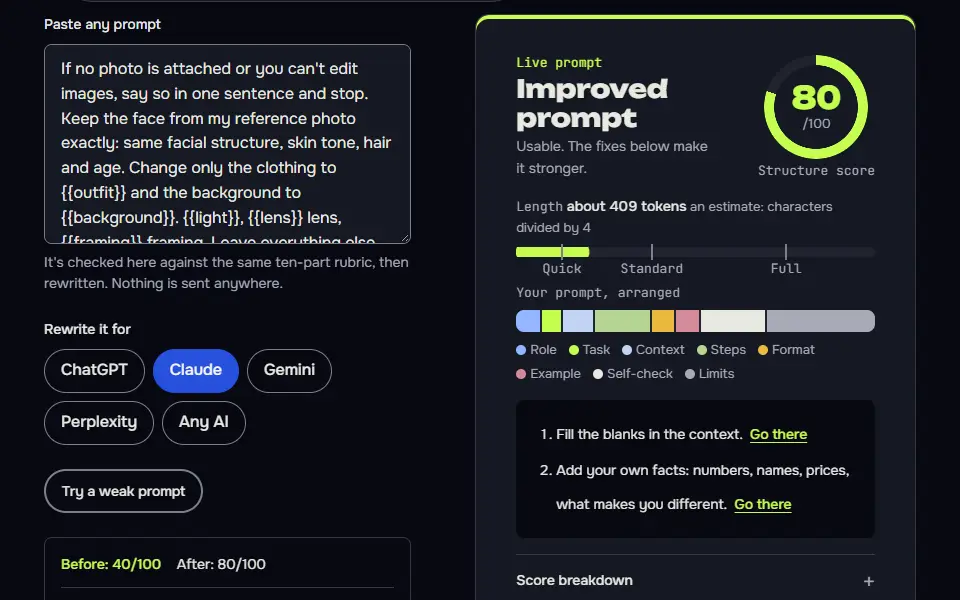
If no photo is attached or you can't edit images, say so in one sentence and stop. Keep the face from my reference photo exactly: same facial structure, skin tone, hair and age. Change only the clothing to {{outfit}} and the background to {{background}}. {{light}}, {{lens}} lens, {{framing}} framing. Leave everything else unchanged. No text, letters, numbers, logos or watermarks.
Gemini
If no photo is attached or you can't edit images, say so in one sentence and stop. Edit my attached photo. Keep the face from my reference photo exactly, including structure, skin tone, hair and age. Change only the clothing to {{outfit}} and the background to {{background}}. {{light}}, {{lens}} lens, {{framing}} framing. Don't change anything else. No text, letters, numbers, logos or watermarks.
Nano Banana
If no photo is attached or you can't edit images, say so in one sentence and stop. Using the attached photo of me as the only reference, keep my face exactly the same: facial structure, skin tone, hair and age. Change only my clothing to {{outfit}} and the background to {{background}}. Lighting: {{light}}. Camera: {{lens}} lens, {{framing}} framing. Everything else stays identical. No text, letters, numbers, logos or watermarks.
How to use
- Copy it with the button above.
- Fill the blanks in {{double braces}} with your own details.
- Paste it under your photo in your image AI and generate.
- Then ask for one change at a time, not a new prompt.
Before you run “Portrait restyle with an identity lock” for the first time, the lesson on how to use photo edit prompts walks through copying, filling and sending it.
One precise edit, everything else frozen
One change per turn plus an explicit 'keep' list is the most reliable way to stop drift.
Attach your photo first. “One precise edit, everything else frozen” edits a photo you upload, so it won't work without one.
Any model
If no photo is attached or you can't edit images, say so in one sentence and stop. In the attached photo, change {{target}} to {{change}}. Keep {{keep}} exactly the same. Don't add or remove any other objects, and don't change the lighting, the perspective or the colours of anything else. No text, letters, numbers, logos or watermarks.
Gemini
If no photo is attached or you can't edit images, say so in one sentence and stop. Edit the attached image: change {{target}} to {{change}}. Keep {{keep}} exactly as it is. Leave all other objects, the lighting and the perspective unchanged. No text, letters, numbers, logos or watermarks.
Nano Banana
If no photo is attached or you can't edit images, say so in one sentence and stop. In the attached photo, change {{target}} to {{change}}. Everything else, including {{keep}}, must stay exactly the same. No other objects added or removed, and no change to the lighting or perspective. No text, letters, numbers, logos or watermarks.
Combine references, giving each a role
Assigning each reference a job matches Google's 'reference images plus relationship instruction' formula.
Any model
Using the first image for the person, the second image for the jacket and the third image for the lighting and mood, create a photo of {{scene}}. Keep the person's face exactly as in the first image. The jacket should look like the second image in colour and cut. Match the third image's lighting. {{ratio}} aspect ratio, photorealistic. No text, letters, numbers, logos or watermarks.
Gemini
I'm attaching three images. Use image 1 for the person (keep the face exactly), image 2 for the jacket, and image 3 for the lighting and mood. Create a photorealistic picture of {{scene}} in {{ratio}}. No text, letters, numbers, logos or watermarks.
Nano Banana
Use the three attached images as references. Image 1 is the person: keep the face exactly. Image 2 is the jacket: match its colour and cut. Image 3 sets the lighting and mood. Create a photorealistic image of {{scene}}, {{ratio}} aspect ratio. No text, letters, numbers, logos or watermarks.
How to use
- Copy it with the button above.
- Fill the blanks in {{double braces}} with your own details.
- Paste it into your image AI and generate.
- Then ask for one change at a time, not a new prompt.
A poster with exact text
Quoted text, a named font style and a placement keep text legible and in the right spot.
Any model
A {{style}} poster with a solid {{colour}} background. The headline reads "{{headline}}" in a bold sans-serif font in a colour with strong contrast against the {{colour}} background, centred in the upper third. Below it, in smaller type, the line "{{subline}}". Clean layout, plenty of empty space, {{ratio}} aspect ratio. Spell the text exactly as written and add no other text.
Gemini
Create a {{style}} poster on a solid {{colour}} background with the headline "{{headline}}" in bold sans-serif in a colour with strong contrast against the background, centred in the upper third, and the smaller line "{{subline}}" beneath it. Plenty of empty space. {{ratio}}.
Nano Banana
Design a {{style}} poster on a solid {{colour}} background. Headline text, exactly: "{{headline}}", bold sans-serif in a colour with strong contrast against the background, centred in the upper third. Smaller line below, exactly: "{{subline}}". Lots of empty space, {{ratio}} aspect ratio. Check that the spelling matches what I wrote.
When do Nano Banana editing techniques help, and when do they not?
Nano Banana editing techniques help when you have a photo you want to keep, and you can skip them when you're inventing a scene from nothing. Restyling, removing things and changing clothes or backgrounds are edit jobs; a scene that doesn't exist yet is quicker with the text to image formula.
Decision line: edit when a photo exists, and generate from text when it doesn't, which is the edit versus generate choice in one sentence.
Don't load a complex edit into one huge prompt; it'll drift. Break it into turns, which is the image version of prompt chaining. Portrait jobs have their own packs too: for men's headshots and styled portraits, the AI prompts for men pack gives ready prompts you can run through these edit rules. Ready-made prompts for every Nano Banana job sit on the Nano Banana prompts hub.
Nano Banana prompts guide FAQ
Still stuck? Build it in Prompt Studio. It'll score each part as you go.
What are the best Nano Banana prompts to start with?
The best Nano Banana prompts to start with are full sentences that name the subject, the action, the setting and the light, not keyword lists. Add a composition note and a style, then refine in follow-up turns. You don't need to rewrite the whole prompt.
What's the prompt behind the Nano Banana figurine trend?
The prompt behind the Nano Banana figurine trend is an edit prompt that turns your photo into a figurine on a desk while keeping your face from the reference. It follows the edit formula: upload the photo, lock the face, then describe the figurine, its box and the desk scene. Use only photos of yourself or people who've agreed.
How many reference images can Nano Banana use in one prompt?
The number of reference images Nano Banana can use in one prompt is the cap Google lists for the model you picked, which the model table on this page shows with its check date. On 10 November 2026 that was up to 14 in total for both the Nano Banana 2 line and Pro, with different caps per type, and Google says the number varies by surface.
Does Nano Banana work better with keyword lists or sentences?
No, Nano Banana doesn't work better with keyword lists; it responds best to natural sentences that describe the scene. Google's own guide tells you to describe a scene, and a sentence carries the relationships a list can't.