
LinkedIn post generator prompt for ChatGPT
A good ChatGPT prompt for a LinkedIn post gives one real fact from your work, the reader you want, the goal of the post and a length, and bans stock phrases and invented numbers.
Task prompt
1+3
- ChatGPT
- Claude
- Gemini
The prompt
Fill in the fields and the prompt updates as you type.
LinkedIn post from a real story, with three openings
The real-facts rule keeps it honest: no invented story beats, no placeholders to delete. Three different openings give you a choice instead of one bland draft.
Your details
Type in any field. The prompt fills in as you go. Leave one empty? It stays a highlighted blank.
Your prompt
You are a ghostwriter for a working professional, not an influencer. Write a LinkedIn post from the material below.

Post type: {{post_type}}
What happened or what I want to say: {{topic}}
Real facts, numbers or details (I supply them, you don't add to them): {{real_fact}}
Who I want to read it: {{audience}}
What I want readers to do or think afterwards: {{goal}}
My voice: {{voice}}
Length: about {{length}} words. Hit it within 10 percent and give the word count after each version.

Write three versions of the post. Give each a different opening line and a different shape: one that starts in the middle of the moment, one that states the lesson, and one that asks a question I'd really ask. Don't repeat a line or a number within a version.

Rules for every version
- Plain text only. LinkedIn doesn't render bold or markdown, so no asterisks, no headings and no bullet symbols. Use short lines instead.
- The first two lines have to work on their own, because most people see only those before "see more".
- One idea per post. Short paragraphs of one to three lines.
- Use only the facts I gave you. Don't invent numbers, clients, quotes or results, and don't add events, motives, steps or habits I didn't give. If the story needs one, write around it. Every version must be ready to post as it stands, with no brackets or placeholders.
- No stock phrases: no "I'm thrilled to announce", "humbled", "next level", "let that sink in" and no "Agree?" at the end.
- End with one specific question or one clear next step, not both.
- Zero to three hashtags, all at the very end.
- Don't use em dashes or en dashes.

After the three versions, tell me which one you'd post and why in two lines, rewrite (don't just flag) any sentence that sounds like it was written by AI, and list under To strengthen any detail I could add to make it stronger (such as what the fix was).
How to use
- Copy it with the button above.
- Fill the blanks in {{double braces}} with your own details.
- Paste it into ChatGPT, Claude or Gemini and send it.
- Then follow up: ask for one change at a time.
Before you run “LinkedIn post from a real story, with three openings” for the first time, the lesson on how to use ChatGPT prompts walks through copying, filling and sending it.
What is a good ChatGPT prompt for a LinkedIn post?
A good ChatGPT prompt for a LinkedIn post gives one real fact from your work, the reader you want, the goal of the post and a length, and bans stock phrases and invented numbers. It returns 3 versions with different opening lines, in plain text, with a small set of 0 to 3 hashtags asked for at the end.
LinkedIn post generator variations
Carousel or document post, slide by slide
Slide-sized chunks with a word cap stop AI from turning a carousel into a wall of text.
Write the text for a LinkedIn carousel (a document post) on this topic: {{topic}}.

Audience: {{audience}}
My real points, steps or examples (use only these): {{points}}
What I want people to do on the last slide: {{cta}}

Format
- Slide 1: a cover line of at most {{cover_words}} words that promises a specific result, not a topic.
- From slide 2 to the second-to-last slide: one idea per slide, using only my points, a headline of at most 8 words and one or two short lines under it.
- The last slide (slide {{slides}}): the call to action, one line.
- The total is exactly {{slides}} slides, cover and call to action included. If my points don't fill them, tell me instead of adding filler.
- Then write the caption that goes with it: a first line that makes someone open the document, two short lines of context, and zero to three hashtags.

Output a numbered list of slides. Don't invent examples or numbers that aren't in my points. If a slide needs a detail I didn't give, leave it out and list it under To strengthen after the caption. Don't use em dashes or en dashes.
Announcement without the cringe
The ask-one-question rule makes the AI get your real reason instead of padding it.
Draft a LinkedIn post announcing this: {{news}}

What's true and can be mentioned: {{facts}}
People or organisations to thank, and for exactly what: {{thanks}}
What readers can do with the news: {{next_step}}

Write two versions, one short (under 80 words) and one medium (about 150 words).

Rules
- Lead with the news in the first line, in plain words.
- Say something specific about why it matters or what you learned. If I haven't given you that, ask me one question before you write.
- Thank people for something specific they did, not for "support".
- No "thrilled", "humbled", "excited to announce", "journey" or "grateful for this opportunity".
- Don't claim anything that isn't in my facts. Don't use em dashes or en dashes.
Turn an article or newsletter into one post
Posts that depend on a link get skipped. Pulling one idea out lets the post stand on its own.
Here is something I wrote. Turn one idea from it into a LinkedIn post that works on its own, without the link.

My text:
{{source}}

Pick the single most useful idea, tell me which one you picked and why in one line, then write the post.

Requirements
- Keep my phrasing for the sharpest sentences. Rewrite only to shorten.
- Open with the idea, not with "I recently wrote".
- {{length}} words. Plain text, short paragraphs, no markdown.
- Put the link request in the first comment, not in the post. Give me a one-line first comment that adds a detail from the text.
- Use nothing that isn't in my text. Don't use em dashes or en dashes.
What a good answer looks like
A good answer to “LinkedIn post from a real story, with three openings” looks like a finished piece in the format that prompt asks for, built only from your details. Yours will follow your own details.
Tell clients bad news the day you know it. Not the day you can't hide it any more. I learned that the slow way. I promised a client a two-week delivery. It took five. I told them on day 8, not day 13. By day 13 the news isn't a warning, it's a confession. On day 8 it was still a problem we could plan around. It was an uncomfortable thing to deliver. I'd have paid money to skip it. The client stayed. They renewed for a second year.
Notes for each model
ChatGPT
paste as it is. If it adds markdown, it's an easy fix: reply
plain text only, no asterisks.Claude
works as pasted. It tends to follow the banned-phrase list closely, so it's worth adding your own banned words to the rules.
Gemini
works as pasted. Ask it to show the three versions in separate blocks so they're easy to copy.
All models
they can't see your profile or past posts. Paste two of your old posts and add
match the voice of these examplesif you want closer matching.
Before you use it
Most free LinkedIn post generators are forms that hide the prompt. Here you'll see the whole prompt, so you can change it. The one rule that matters: you supply the facts, and the AI only shapes them. That's why you're asked for a real story and a true detail. You'll keep your own story in it, and it won't sound generic then.
Why do AI LinkedIn posts sound generic?
AI LinkedIn posts sound generic when the prompt holds no real detail, so the model fills the gap with stock openers, vague lessons and emoji lists. A prompt like "Write a LinkedIn post about leadership" gives the AI nothing to say. The prompt on this page needs a real moment and one real detail, such as a number, a date or what the client said. That detail is what readers remember, and a generic prompt can't supply it.
The prompt bans the phrases people scroll past too: "thrilled to announce", "humbled", "let that sink in". It keeps the output as plain text, since LinkedIn doesn't render markdown bold or headings. Unlike form-style generators, this prompt is visible and editable, so you can see every rule it follows.
How do you use the LinkedIn post generator prompt?
To use the LinkedIn post generator prompt, fill in your fact and audience, paste it into ChatGPT, pick one of the 3 hooks it writes and post the result as plain text.
- Pick a post type: story, lesson, announcement or how-to.
- Write the moment in two or three plain sentences, and add the one fact only you know.
- Run the prompt and choose the opening that sounds most like you. Don't settle for the first one.
- Read it aloud and change any sentence you wouldn't say, then post it as plain text.
For a Portable Document Format (PDF) style post, use the carousel version. Captions for another network are on the Instagram post prompt page, and more task prompts sit in the ChatGPT prompts hub.
LinkedIn carousel, comment and weekly batch prompts
The LinkedIn pack has 3 more prompts: a carousel outline, an announcement post and an article-to-post rewrite. That makes 4 prompts in all, the main one plus 3 variations.
A comment reply or a weekly batch doesn't need an extra prompt. Put "comment reply" in the post type field and paste the comment you're answering as the moment, or run the main prompt once for each note from your week and keep the best version of each.
What should you check before posting on LinkedIn?
Check 4 things before posting on LinkedIn: every fact is true, no markdown symbols remain, anyone named has agreed and the hook fits before the see-more cut.
- Every number and name is real and it's yours to share.
- No asterisks, hash signs or bullet symbols are left, since LinkedIn shows them as typed.
- No client or colleague is identifiable without permission.
- The first two lines work on their own, since most readers see only those before "see more".
Applying for a course instead of a job? The ChatGPT prompt for a personal statement uses the same real-fact rule. If the post still reads like a template, a pass with the prompt for ChatGPT to write like a human fixes rhythm and word choice.
LinkedIn post generator FAQ
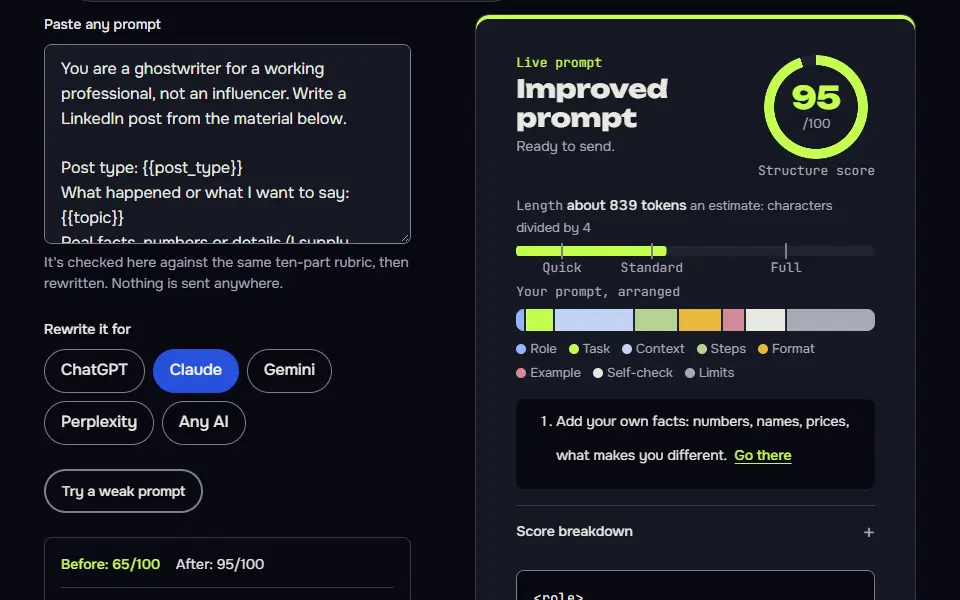
Still stuck? Build it in Prompt Studio. It'll score each part as you go.
Can ChatGPT write LinkedIn posts that don't sound generic?
Yes, ChatGPT can write LinkedIn posts that don't sound generic when the prompt holds a real fact, your audience and a ban on stock phrases. With only a topic, the draft comes out bland, so add a true detail and edit until you'd say it out loud.
How long should a LinkedIn post be?
A LinkedIn post should be as long as its one point needs, with the hook in the first line. The prompt asks for a word count, so you can test a short and a long version and keep the one that reads better.
Should I disclose AI use in a LinkedIn post?
No, you don't have to disclose AI use in a personal LinkedIn post unless your employer, client or contract says you must. You're still responsible for what you publish, so keep it your words and your facts, check everything and be straight about it if a reader asks.
Is this LinkedIn post generator free?
Yes, this LinkedIn post generator is free to copy and use, with no sign-up. It runs in the free ChatGPT plan, in Claude or in Gemini.