
ChatGPT prompt for Instagram post captions
An Instagram caption prompt should include what the photo shows, one real detail, the audience, the goal and the tone, and ask for 3 hooks, a caption, alt text and a hashtag set.
Task prompt
1+3
- ChatGPT
- Claude
- Gemini
The prompt
Fill in the fields and the prompt updates as you type.
Three caption options with hook, alt text and hashtags
A fixed hook for each option gives real choice, and the alt text line adds accessibility that most caption prompts skip.
Your details
Type in any field. The prompt fills in as you go. Leave one empty? It stays a highlighted blank.
Your prompt
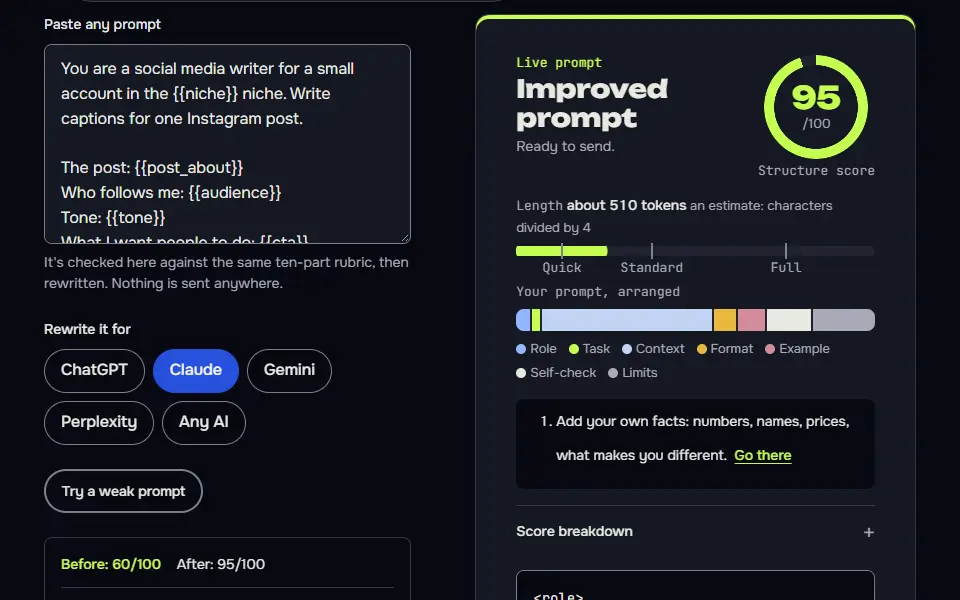
You are a social media writer for a small account in the {{niche}} niche. Write captions for one Instagram post.

The post: {{post_about}}
Who follows me: {{audience}}
Tone: {{tone}}
What I want people to do: {{cta}}
A real detail from this post that I'll supply and you must not change: {{real_detail}}

Write three captions, each with a different hook style
1. A question the follower would answer in their head.
2. A bold, specific statement I can back up with the detail above.
3. A short story opening.

For every caption
- The first line has to work alone, because most people see only that before "more". Keep it under 100 characters.
- Then {{length}} of body copy in short lines.
- End with the call to action in one line.
- Hashtags: exactly {{hashtag_count}}, relevant to the post and a mix of broad and niche, placed on a new line at the end.

After the three captions, write one line of alt text (under 125 characters) that describes what is in the image or video for someone who can't see it. Base it only on what I told you.

Rules: Use only the details I gave you. Don't invent offers, prices, results, dates or locations. Avoid "link in bio" unless I ask for it, and avoid stock phrases such as "obsessed" and "vibes". Don't use em dashes or en dashes.
How to use
- Copy it with the button above.
- Fill the blanks in {{double braces}} with your own details.
- Paste it into ChatGPT, Claude or Gemini and send it.
- Then follow up: ask for one change at a time.
Before you run “Three caption options with hook, alt text and hashtags” for the first time, the lesson on how to use ChatGPT prompts walks through copying, filling and sending it.
Preview where your Instagram caption cuts off
Instagram shows only about the first 125 characters of a caption before a "more" link. Paste a caption to see exactly what a follower reads first, and what stays hidden until they tap.
0 of 2,200 characters
What followers see in the feed
Your caption appears here, exactly as far as followers see it. ... more
Hidden until they tap "more"
Paste a caption to preview the cut-off.
The cut-off is approximate. Instagram doesn't publish the figure, and the point where "more" appears can shift with the phone, the app version and line breaks, so keep the hook well inside the first line.
What should an Instagram caption prompt include?
An Instagram caption prompt should include what the photo shows, one real detail, the audience, the goal and the tone, and ask for 3 hooks, a caption, alt text and a hashtag set. Four prompts are ready to paste: the main caption set, a carousel, a Story sequence and a voice match. Edit the winner and keep the real detail.
Prompt for Instagram post variations
Carousel slides plus caption
Slide-sized text with a word cap keeps carousels readable on a phone, and the save line fits how carousels are actually used.
Plan the text for an Instagram carousel on this topic: {{topic}}.

Account niche: {{niche}}
Audience: {{audience}}
My real points (use only these): {{points}}
Number of slides: {{slides}}

For the slides
- Slide 1: a cover line of at most 8 words that promises one clear benefit. It should make someone swipe.
- Slides 2 to {{slides}}: one point per slide, a headline of at most 6 words and one short line under it.
- Final slide: a single call to action: {{cta}}

Then write the caption. First line: a hook that doesn't repeat the cover. Two or three short lines of context. A line asking people to save it if it helps. {{hashtag_count}} hashtags at the end.

Finish with alt text for the cover slide in under 125 characters. Don't invent facts, numbers or examples; write [add detail] if a slide needs one. Don't use em dashes or en dashes.
Story sequence of 3 to 5 frames
Stories work through taps and replies, so every frame has an overlay limit and one interactive element.
Plan an Instagram Story sequence of {{frames}} frames about: {{topic}}.

Account niche: {{niche}}
Goal: {{goal}}
What I can show on camera: {{assets}}

For each frame give me
- What's on screen (the shot or the graphic).
- The text overlay, in 12 words or fewer.
- One interactive element where it fits, such as a poll, a quiz, a question box or an emoji slider, and the exact wording to put in it.

Frame 1 must give a reason to tap forward. The last frame should point to one action: {{cta}}. Use only what I can show and what I've told you. Don't invent offers, prices or results. Don't use em dashes or en dashes.
Write the caption in my past captions' voice
Describing the voice first, from evidence, makes the new caption sound like your account instead of a generic one.
Here are three captions I've posted before. Study how I write, then write a new caption for a new post in the same voice.

Caption 1:
{{caption_1}}

Caption 2:
{{caption_2}}

Caption 3:
{{caption_3}}

First, describe my voice in four bullet points: sentence length, how I open, how I use humour or questions, and the words I use often. Base this only on the captions.

The new post: {{post_about}}
Real details to include: {{details}}
Call to action: {{cta}}
Hashtags: {{hashtag_count}}

Then write two captions in my voice. Don't copy phrases from my old captions. Use only the details I've given, and don't invent offers or results. Add alt text under 125 characters. Don't use em dashes or en dashes.
What a good answer looks like
A good answer to “Three caption options with hook, alt text and hashtags” looks like a finished piece in the format that prompt asks for, built only from your details. Yours will follow your own details.
What does your 8am usually taste like? Ours now tastes like an oat cortado. The oat milk comes from a dairy two miles away. Small, smooth, and gone before your first email. Tell us your go-to order in the comments. oatcortado #coffeeshop #latteart #supportlocal #remoteworkcoffee
Notes for each model
ChatGPT
works as pasted. If you attach the photo, change the first field to
see the attached imageand keep the rest.Claude
works as pasted. It tends to keep captions tighter, so raise the body length if you'd like more.
Gemini
works as pasted. It can describe an uploaded photo, so use that for the alt text, then check it, since it's still a guess.
All models
they don't know your account's results. Test two hooks and keep what your followers actually answer.
Before you use it
This page is for captions and post copy, so you won't find photo ideas here. For prompts that create the picture, see the AI image prompts for social media.
How do you use the Instagram caption prompt?
To use the Instagram caption prompt, describe your photo in one line, add one true detail, paste it into ChatGPT and pick the hook that fits, then trim to your voice.
- Fill in the eight fields (niche, post, audience, tone, call to action, real detail, length and hashtag count), with a real detail from the post.
- Run it and pick the hook that sounds most like you, not the one that's cleverest. If you wouldn't say it out loud, don't post it.
- Check the facts, trim any line you wouldn't say, and add the alt text when you upload.
- Paste three old captions into the voice version, if you post often (it's the fastest way to a caption that doesn't sound generic), so it matches your real style.
Posting the same idea elsewhere? The LinkedIn post prompt reshapes it for a professional audience, and the video script prompt turns it into a Reel or Short. Other social and content prompts are in the ChatGPT prompts hub.
ChatGPT prompts for Instagram Stories and carousels
The ChatGPT prompts for Instagram Stories and carousels split one idea into frames: 3 to 5 short Story frames with one action, or carousel slides with a cover line, one idea per slide and a caption.
The Story version gives each frame its on-screen shot, a text overlay of 12 words or fewer and one interactive element such as a poll or question box. The carousel version asks for a cover line of at most 8 words, then a headline of at most 6 words and one short line per slide, and you set how many slides. Both use only the points you supply, so they can't invent offers, and you don't have to fix invented facts.
Why does the Instagram prompt write alt text?
The Instagram prompt writes alt text so people using screen readers know what the photo shows, and it takes one line of text, so there's no reason to skip it.
The prompt asks for one line under 125 characters, based only on what you've described, so it can't add things that aren't in the picture. It doesn't replace your own check, and you'll want to read it once. Paste it into the alt text field when you upload, and check it against the image first.
Instagram prompts vs Add Yours prompts
Instagram's Add Yours prompts are Story stickers that invite others to post, and they differ from the AI caption prompts on this page, which write the text for your own post.
Horoscope-style captions for a zodiac account start better from the ChatGPT prompt for zodiac signs. Writing for a dating profile instead of a feed? They're two different jobs. The best Bumble prompt answers stay true to you.
Prompt for Instagram post FAQ
Still stuck? Build it in Prompt Studio. It'll score each part as you go.
Can ChatGPT write Instagram captions that sound like me?
Yes, ChatGPT can write Instagram captions that sound like you if you paste 3 of your past captions into the voice-matching prompt. It describes your voice in four points first, then writes two new captions without copying your old phrases.
How many hashtags should an Instagram post use?
An Instagram post should use a small, relevant set of hashtags instead of the maximum. The prompt has a field where you set the exact count, and it asks for tags that fit the post, a mix of broad and niche.
Does the caption prompt make Instagram images too?
No, the caption prompt doesn't make Instagram images: it writes text only. For the photo itself, use the image prompts hub or the Nano Banana prompts.
What is a good caption prompt for a product post on Instagram?
A good caption prompt for a product post names the product, one real customer detail, the offer you're really running and the action you want, such as comment or save. Don't let the AI invent prices or results; that isn't something you can take back once it's posted.