
SEO audit prompt that starts from real exports
No, ChatGPT can't do a reliable Search Engine Optimization (SEO) audit from a Uniform Resource Locator (URL) alone.
Live prompt
Step 1 of 9: Evidence plan
Fill in your details once. Step 1 of 9 builds here. Prompt Studio runs the rest.
0/100
The steps
- 1Evidence plan
- 2Indexing
- 3Technical
- 4Speed and Core Web Vitals
- 5Content and on-page
- 6Internal links and structure
- 7Ranked fix list
- 8Fix steps for your CMS
- 9Verify and monitor
Open the full Prompt Studio (Loop, Chain and Check).
Can ChatGPT do an SEO audit from a URL alone?
No, ChatGPT can't do a reliable Search Engine Optimization (SEO) audit from a Uniform Resource Locator (URL) alone: it can't crawl your site or read Search Console, so this prompt chain works from exports you paste. Nine steps turn 5 exports into ranked fixes, and every finding quotes its evidence.
How to use it
Enter your site details
Enter the site's address, your content management system (CMS) or platform, what the site should do, what you can export and the problems you already see in the tool. Fill a sample loads a finished audit, so you can judge the output before you type.
Pick how you'll run it
Audit Step by step, since each step waits for its export, and use Loop for the 2, 4 and 8 week checks.
Paste each answer back
Paste your exports into the data box of the matching step, then bring the AI's reply back. The HANDOFF block carries the finding IDs forward, so the third step continues the numbering from step 2.
Export or automate
Download the audit steps as Markdown. Your exports stay in the browser tab and aren't sent anywhere.
Three steps from the SEO audit sequence
Step 3: Technical
Part of the 9 step sequence: technical findings from the crawl export. Its HANDOFF feeds tech_findings into later steps.
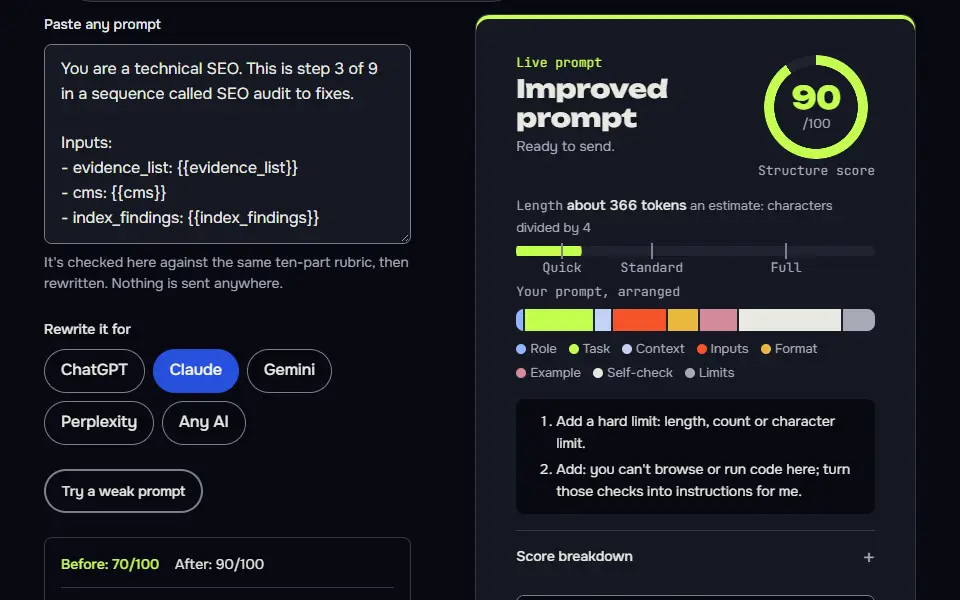
You are a technical SEO. This is step 3 of 9 in a sequence called SEO audit to fixes.

Inputs:
- evidence_list: {{evidence_list}}
- cms: {{cms}}
- index_findings: {{index_findings}}

Data (Rows pasted from your crawl exports: 4xx and 3xx, Directives, Page Titles and Canonicals):
{{data}}

Task:
1. Find technical problems in the crawl rows pasted under Data: 4xx and 5xx pages, redirect chains, canonicals pointing elsewhere, duplicate or missing titles, stray noindex.
2. Continue the finding IDs from the last step.
3. Only judge what's in the data.

Output: A findings table as before.

Check before you reply: IDs continue, never restart. Each finding quotes the data. No guessed counts. Don't invent search volumes, prices, reviews or client names; write [needs data] in tables and plans, and list gaps under To strengthen, never inside copy. No em dashes.

End with this block:
HANDOFF | seo-audit-to-fixes | step 3
tech_findings: <one line>
How to use
- Copy it with the button above.
- Fill the blanks in {{double braces}} with your own details.
- Paste it into ChatGPT, Claude or Gemini and send it.
- Then follow up: ask for one change at a time.
Before you run “Step 3: Technical” for the first time, the lesson on how to run a prompt sequence walks through copying, filling and sending it.
Step 7: Ranked fix list
Part of the 9 step sequence: every finding scored on impact and effort, top 10 picked. Its HANDOFF feeds fix_list into later steps.
You are an SEO lead who decides what to fix first. This is step 7 of 9 in a sequence called SEO audit to fixes.

Inputs:
- index_findings: {{index_findings}}
- tech_findings: {{tech_findings}}
- speed_findings: {{speed_findings}}
- content_findings: {{content_findings}}
- link_findings: {{link_findings}}
- goal: {{goal}}

Task:
1. Score every finding on impact on the goal and effort, 1 to 5 each, and rank them.
2. Pick the top 10 fixes and group the rest as later or ignore, with one line each.
3. Say what would change the order.

Output: A table: Rank | Finding ID | Fix | Impact | Effort. Then Later and Ignore lists.

Check before you reply: Every finding is placed. IDs match earlier steps. Top 10 only. Don't invent search volumes, prices, reviews or client names; write [needs data] in tables and plans, and list gaps under To strengthen, never inside copy. No em dashes.

End with this block:
HANDOFF | seo-audit-to-fixes | step 7
fix_list: <one line>
Step 8: Fix steps for your CMS
Part of the 9 step sequence: exact fix steps with backup, test and undo. Its HANDOFF feeds fix_steps into later steps.
You are a developer who fixes SEO problems safely. This is step 8 of 9 in a sequence called SEO audit to fixes.

Inputs:
- fix_list: {{fix_list}}
- cms: {{cms}}

Task:
1. For each top fix, write the exact steps in my CMS, starting with a backup and ending with a test.
2. Say which fixes need a developer and which I can do in settings.
3. Note any fix that could hurt rankings if done wrong, and how to undo it.

Output: For each fix: Steps, Test, Undo, Who.

Check before you reply: Every fix starts with a backup and ends with a test. Undo steps given. No plugin claims I can't verify are marked [check]. Don't invent search volumes, prices, reviews or client names; write [needs data] in tables and plans, and list gaps under To strengthen, never inside copy. No em dashes.

End with this block:
HANDOFF | seo-audit-to-fixes | step 8
fix_steps: <one line>
Which exports does the SEO audit prompt need?
The SEO audit prompt needs 5 exports from 3 sources: a site crawl (such as Screaming Frog), Search Console page and query reports, and PageSpeed Insights results, all listed by step 1.
A chat AI can't crawl your site or open Search Console, and one-shot audit prompts often fill that gap with guesses. Step 1 says so plainly and gives each export an ID from A1 to A5, so the later steps know what proves what, and you'll never wonder which file goes where. Screaming Frog's free version crawls up to 500 URLs, and anything you leave out is marked [needs data] and not guessed.
- A1, Search Console Pages report: proves which pages are indexed and why others aren't.
- A2, crawl export of status codes, titles, canonicals and directives: proves the technical state.
- A3, PageSpeed Insights for 3 key pages: proves speed and Core Web Vitals.
- A4, Search Console performance by page and query, last 3 months against the 3 before: proves what content wins and loses.
- A5, the crawl's inlinks per page: proves how internal links are spread.
SEO audit step map with the export each step reads
The SEO audit step map has 9 steps, and each reads one export and adds finding IDs: indexing reads Search Console, technical and links read the crawl and speed reads PageSpeed.
Step 4 judges speed against Google's Core Web Vitals thresholds, which are measured at the 75th percentile of page loads: Largest Contentful Paint (LCP) of 2.5 seconds or less, Interaction to Next Paint (INP) of 200 milliseconds or less and Cumulative Layout Shift (CLS) of 0.1 or less. It doesn't name a cause until it's separated field data from real users from lab data.
Evidence plan
The exact exports to make for indexing, technical, speed, content and links. Export needed: none yet, it lists the 5 exports to make (one for each area). Passes on:
evidence_list.Indexing
Indexing findings from the Pages report, each quoting evidence. Export needed: Search Console Pages report. Passes on:
index_findings.Technical
Technical findings from the crawl export. Export needed: crawl export: status codes, titles, canonicals, directives. Passes on:
tech_findings.Speed and Core Web Vitals
Core Web Vitals findings from PageSpeed Insights. Export needed: PageSpeed Insights for 3 key pages. Passes on:
speed_findings.Content and on-page
Content findings from Search Console performance data. Export needed: Search Console performance by page and query. Passes on:
content_findings.Internal links and structure
Internal link gaps and specific links to add. Export needed: crawl inlinks per page. Passes on:
link_findings.Ranked fix list
Every finding scored on impact and effort, top 10 picked. Export needed: the findings from steps 2 to 6. Passes on:
fix_list.Fix steps for your CMS
Exact fix steps with backup, test and undo. Export needed: your CMS and the ranked list. Passes on:
fix_steps.Verify and monitor
Verify each fix and a 2, 4, 8 week check. Export needed: your results after the fix. Passes on:
verify_plan.
SEO audit prompt template and formula
The SEO audit prompt template is role + pasted export + finding format (ID, quoted evidence, impact, effort) + a HANDOFF of open IDs, used in every audit step.
Each finding gets an ID such as F1 that never changes, a stable label that ties evidence, fix and verification together, so step 7 can score it and step 9 can verify it by the same name. A finding without a pasted line to quote isn't scored: it's listed as waiting for data, so it doesn't sneak into the ranking as a guess. The impact and effort scores each run from 1 to 5.
The test run showed why the IDs matter. With no exports pasted, step 2 asked for the exact table it needed, each reason in the Search Console Pages report with its count and example URLs. Step 3 then failed its own check: it couldn't continue the finding IDs, since the step hadn't received the last ID. Each step now receives the earlier findings with the last ID used, and a step that can't run without data still ends with its HANDOFF, marked waiting for data.
Variables in the audit chain
1. reads site_url, cms, goal, access, known_issues | prints evidence_list
2. reads evidence_list, site_url | prints index_findings
3. reads evidence_list, cms, index_findings | prints tech_findings
4. reads cms, tech_findings | prints speed_findings
5. reads goal, known_issues, speed_findings | prints content_findings
6. reads goal, content_findings | prints link_findings
7. reads index_findings, tech_findings, speed_findings, content_findings, link_findings, goal | prints fix_list
8. reads fix_list, cms | prints fix_steps
9. reads fix_list, fix_steps | prints verify_plan
How are SEO fixes ranked and verified?
SEO fixes are ranked by impact and effort, high impact and low effort first, and verified by rerunning the same export after the fix ships, matched by finding ID.
In step 7 the AI scores each finding on impact and effort and keeps the top 10, filing the rest under later or ignore. In step 8 it writes the fix steps for your content management system (CMS), written for the reader's own setup and starting with a backup and ending with a test and an undo. In step 9 it marks each fix verified, pending or failed from the results you paste, using the check that matches the fix: URL Inspection for a page that wasn't indexed, a re-crawl for a technical fix and PageSpeed Insights for speed. It then plans checks at the 2, 4 and 8 week marks.
For a shop or service with a map listing, the Google Business Profile prompts chain covers the local signals this audit leaves out. Selling audits as a service? The Fiverr gig description prompt step turns this chain into a gig you can list.
SEO audit prompt FAQ
Still stuck? Build it in Prompt Studio. It'll score each part as you go.
Can ChatGPT read a Screaming Frog export?
Yes, ChatGPT can read a Screaming Frog export pasted as text or uploaded as a file, within its file and length limits. A full crawl is too long for one reply, so export only the columns step 3 asks for, such as status codes, titles, canonicals and directives, plus the redirect chains report, and split large crawls by report.
How do finding IDs stop the AI from losing track of issues?
Finding IDs stop the AI from losing track by giving each issue a fixed label, such as F1 or F2, recorded once with its quoted evidence. The ranking, fix and verification steps then refer to the same issue by name, so a fix can't drift into a different issue halfway through a long chat, and you'll always know what's still open.
How do I verify that an SEO fix worked?
Verify an SEO fix by exporting the same report again after the fix ships and pasting it into step 9, which marks each finding ID fixed or still open. Use the check that matches the fix, such as Validate fix in the Pages report for an indexing issue.
How often should I run this SEO audit chain?
Run this SEO audit chain after any large site change and on a schedule you can keep, such as each quarter, so the verification step has fresh exports to compare. Step 9 plans checks at the 2, 4 and 8 week marks after a round of fixes.
What should an SEO audit prompt include?
An SEO audit prompt should include the site, the CMS, the goal, the data you have and what the AI can't see. The prompt needs the areas to cover, a findings format with evidence and impact, and a rule against inventing numbers. Splitting it into steps keeps each area thorough and the findings consistent.