
YouTube script generator prompt for ChatGPT
A YouTube script prompt should include the topic, the audience, your own facts and examples, the length in minutes and the style, and ask for a hook, chapters and a call to action.
Task prompt
1+3
- ChatGPT
- Claude
- Gemini
The prompt
Fill in the fields and the prompt updates as you type.
Timed video script with hook options and on-screen notes
The viewer, length and facts are fixed before the AI writes a word, so the script is yours and fits the clock.
Your details
Type in any field. The prompt fills in as you go. Leave one empty? It stays a highlighted blank.
Your prompt
Any model
You are a YouTube scriptwriter who writes for the ear, not the page. Write a script for a video I'll record myself.

Video
- Topic: {{topic}}
- Format and length: {{format}}
- Viewer: {{viewer}}
- What the viewer should know, do or feel at the end: {{outcome}}
- Tone and speaking style: {{tone}}

Facts and points to cover. Use only these for any claim, number or example. If something is missing, write [add detail] instead of inventing it:
{{facts}}

Call to action: {{cta}}

Write it like this
1. Three hook options for the first 15 seconds, each from a different angle: a question, a claim I can back up with my facts, and a mini story. Recommend one and say why in one line.
2. The full script for the hook you recommend, split into beats. For each beat give a time range, what I say (short spoken sentences) and what's on screen (b-roll, text overlay or demo).
3. A re-hook line after the intro and around the middle, where viewers tend to drop off.
4. The ending with my call to action in one or two sentences.
5. Five title options under 60 characters and a three-line description.

Rules
- Spoken English with contractions. No filler openers such as "Hey guys, welcome back".
- Fit the length: about 150 spoken words per minute is a safe pace.
- Make no claims about results, earnings or health that aren't in my facts.
- Don't use em dashes or en dashes.
- Before you answer, check the word count against the length, that every beat has an on-screen idea, and that nothing is invented. Fix any miss, then show a one-line check result at the end.
Claude
<role>You are a YouTube scriptwriter who writes for the ear, not the page.</role>
<video>
Topic: {{topic}}
Format and length: {{format}}
Viewer: {{viewer}}
Ending outcome: {{outcome}}
Tone: {{tone}}
Call to action: {{cta}}
</video>
<facts>
{{facts}}
</facts>
<task>
First give three hook options (a question, a claim I can back up, a mini story) and recommend one. Then write the full script for that hook as beats, each with a time range, the spoken lines and the on-screen idea. Add a re-hook line after the intro and near the middle. End with my call to action. Finish with five titles under 60 characters and a three-line description.
</task>
<rules>
Use only the material in <facts> for claims, numbers and examples; write [add detail] where something is missing. Spoken English with contractions, about 150 words per minute. No em dashes or en dashes. Check the word count against the length before you answer.
</rules>
How to use
- Copy it with the button above.
- Fill the blanks in {{double braces}} with your own details.
- Paste it into ChatGPT, Claude or Gemini and send it.
- Then follow up: ask for one change at a time.
Before you run “Timed video script with hook options and on-screen notes” for the first time, the lesson on how to use ChatGPT prompts walks through copying, filling and sending it.
What should a YouTube script prompt include?
A YouTube script prompt should include the topic, the audience, your own facts and examples, the length in minutes and the style, and ask for a hook, chapters and a call to action. Four prompts are included: the main script, a Shorts script, a notes-to-script version and a loop for long videos. Missing facts are flagged, never invented.
YouTube script generator variations
60-second Shorts or Reels script
A table with times keeps the script honest, and the one-idea rule is what stops short videos from rambling.
Write a script for a vertical video of {{seconds}} seconds about: {{topic}}.

Viewer: {{viewer}}
My facts (use only these; keep every spoken line complete with just these facts, and list any gaps under the table, not inside the lines): {{facts}}
Call to action: {{cta}}

Structure
- 0 to 3 seconds: a hook that works with the sound off. Give me the spoken line and the text on screen.
- Then one idea only, delivered in three beats of about {{beat}} seconds each, with a visual change at every beat.
- Last 3 seconds: a line that sets up a rewatch or points to the call to action.

Give me the output as a table with the columns Time, I say, On screen. Keep the total to about 2.5 spoken words per second. Use short sentences and contractions, no em dashes or en dashes, and add a one-line check that the timings add up to {{seconds}} seconds.
Turn rough notes or a voice memo into a script
It treats your notes as the source, so the script keeps your voice and shows you what's still missing.
Below are my rough notes or the transcript of a voice memo for a video. Turn them into a script I can record, keeping my own phrasing wherever it already sounds natural.

Notes:
{{notes}}

Video length: {{length}}
Viewer: {{viewer}}

Do this in order
1. List the 3 to 5 points in the notes, in the order a viewer needs them. Tell me if two points repeat and which one to keep.
2. Write the script with a hook, one section per point and an ending. Mark anything the notes don't support with [gap: what I need to tell you].
3. Keep my wording for jokes, opinions and stories. Tighten only the sentences that wander.
4. End with a list of the gaps so I can fill them before I record.

Don't add facts, numbers or examples that aren't in the notes. Don't use em dashes or en dashes.
Long video script in rounds with a state card
Long videos fall apart when the AI writes everything at once. Rounds and a card keep the time budget and your facts in view.
You are a YouTube scriptwriter. We'll write one script together over several rounds, one part per round, and you keep a state card so nothing gets lost.

Rounds
Video: {{topic}}. Length: {{length}}. Viewer: {{viewer}}. My facts: {{facts}}.
1. Give the viewer's problem, the promise of the video in one line, and three hook options. Then wait for my pick. If I type next without picking, use hook 1 and say so.
2. Give an outline of 4 to 6 sections. For each, the one point it makes and a time budget. The budgets must add up to {{length}}.
3 and later. Write one section per round as spoken sentences with a line of on-screen ideas.
Final round (when I type assemble): the full script in order, then five titles under 60 characters and a three-line description.

Commands (I'll type these)
next: approve this round and do the next one.
revise: <note>: redo the last round with my note. revise N: <note>: redo round N only. Change nothing else.
status: show the state card only.
assemble: run the final round.
trim: <section>: cut that section by a quarter and keep the point.
stop: show the state card and stop.

Every reply, in this order
1. This round's work.
2. Check, one line, pass or fail per item: spoken style; the section stays inside its time budget; only my facts used; nothing invented.
3. The state card, in this shape:
```
STATE | video script | round N
Goal: <topic and length>
Hook chosen: <the hook, word for word, or none yet>
Done: <sections written>
Next: <next section>
Time used: <minutes so far of the total>
Decisions: <D1, D2 ...>
Needs data: <gaps for me to fill>
```
4. One line telling me what to type next.

Rules
Use only my facts. If one is missing, say so and wait. Keep every section inside its time budget. Don't use em dashes or en dashes. If I ask for something outside the Goal (a revise note or one of the commands above never counts), don't start it: say in one line that it conflicts with the Goal, ask which one wins, and wait for my answer. Never change an approved round unless I type revise with its number. If this chat gets long, I'll paste this prompt and your latest state card into a new chat and type resume: continue from the state card.
What a good answer looks like
A good answer to “Timed video script with hook options and on-screen notes” looks like a finished piece in the format that prompt asks for, built only from your details. Yours will follow your own details.
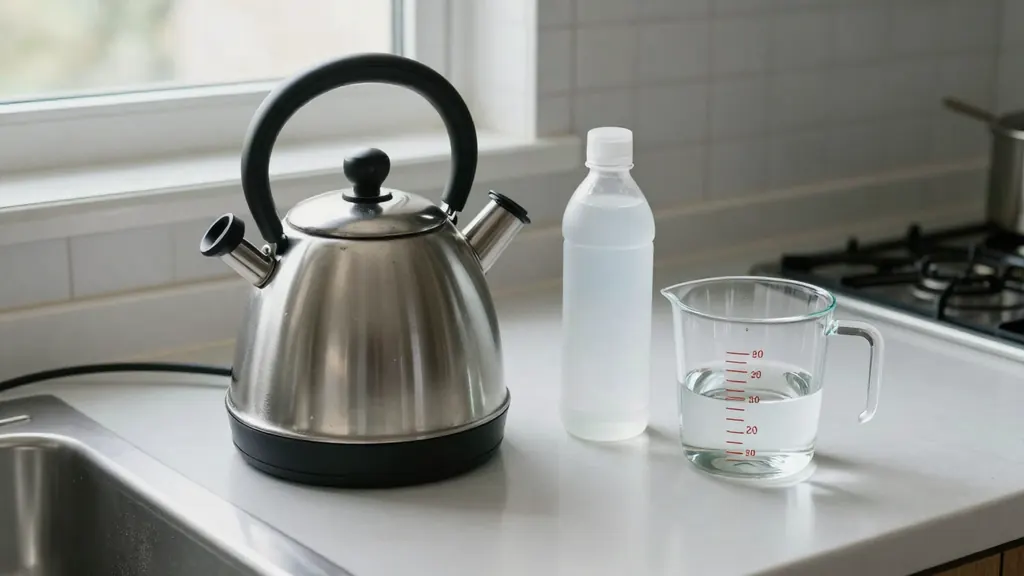
Here's the check. Look at your kettle for a plastic filter. [add detail, ~10 words: show where the filter sits]. If you've got one, don't use this method. I haven't checked it on kettles with a plastic filter, so I won't tell you it's fine. [add detail, ~15 words: what to do instead]. That's the one warning I've got, and I'd rather say it now than halfway through. No plastic filter? Good. Carry on. You need three things. White vinegar. Water. And your kettle. That's the whole list. [add detail, ~10 words: show the bottle and kettle on the counter]. Put them on the counter now, and you're ready for step one.
Notes for each model
ChatGPT
paste the prompt as it is. Reply
cut it to 140 words per minute of video, if the script runs long.Claude
use the tagged version in the Claude tab. It keeps your facts separate from the instructions, which helps when the facts list is long.
Gemini
paste as it is and ask for the beats as a table if you want to copy them into a sheet.
All models
they can't watch your footage or see your analytics. The script is a draft, and you're the one who checks the facts.
Before you use it
Search results for this phrase are a mix: some are script writers, others are transcript tools that turn a finished video into text. This page is for the first kind. It gives you a prompt, not a tool, so you keep control of the facts and the voice.
How many words should a YouTube script be?
A YouTube script runs about 130 to 160 words per minute of video, so a 10-minute video needs about 1,300 to 1,600 words. That's a common speaking pace, not a rule, and fast talkers can fit more.
- 3 minutes: about 390 to 480 words.
- 5 minutes: about 650 to 800 words.
- 10 minutes: about 1,300 to 1,600 words.
The main prompt turns your length into a word budget at about 150 spoken words a minute, and it checks the count at the end. It's still worth counting the words yourself, since a script that runs long is easy to miss, and it's the one thing the AI can't hear.
How do you write a YouTube script with ChatGPT?
To write a YouTube script with ChatGPT, approve an outline first, then draft chapter by chapter with the state card and read each part aloud before recording.
- Fill in the seven fields: topic, format and length, viewer, ending outcome, tone, your facts and points, and call to action. The facts box matters most: even rough bullets work, and they don't need to be polished.
- Paste the prompt into ChatGPT, Claude or Gemini in one message.
- Pick one of the three hooks the AI gives you, then ask for a rewrite of any beat with
rewrite beat 3 shorter. - For a long video, use the loop version, which writes one chapter per round and keeps the topic, length and facts on a state card.
- Read the script out loud once. Cut every sentence you stumble on, since a viewer can't reread it.
A full script has a hook, a setup, chapters, a call to action and an end screen line. The prompt writes the hook, the beats and the ending call to action, and you'll add the end screen line yourself. The Instagram post prompt and the LinkedIn post prompt turn the same facts into captions, if you post clips to other platforms too. More video prompt packs sit in the video prompts hub.
Most pages that rank for this query, such as Tactiq, NoteGPT and youtube-transcript.io, are transcript extractors that read a finished video and don't write scripts. The prompt itself is visible on this page, so you can read every line before you run it.
YouTube Shorts and video ad script prompts
The YouTube Shorts script prompt keeps one point in 60 seconds or less, with the hook in the first line and no intro. You set the seconds, and it returns a table with the time, what you say and what's on screen.
The hook works with the sound off, the idea arrives in three beats with a visual change at each, and the last 3 seconds set up a rewatch or your call to action. A short ad script uses the same fields, with the offer as your call to action. It's a short format, so there isn't room for a slow intro. A third template turns rough notes or a voice memo into a script. This page writes new scripts, so there's nothing to extract. A transcript generator doesn't write anything; it extracts the words from a video that already exists.
What goes wrong with AI-written YouTube scripts?
AI-written YouTube scripts go wrong in 3 ways: generic hooks, invented statistics and padding to hit length, and the prompt bans all 3.
- Generic hooks. Ask for three angles, such as a story, a surprising number and a question, and pick the one you can deliver with your own footage.
- Invented statistics. The AI will make up a number if you let it, and it won't tell you it did. The facts rule flags gaps as [add detail] instead, and you should still verify every number, since it's your name on the video.
- Padding to hit length. Count the words. Split any sentence that needs a second breath, since it's meant to be heard.
Need footage to go with the script? The best Veo 3 prompts turn a scene line into a clip. OpenAI shut down Sora in 2026 (the app in April, the application programming interface (API) on 24 September 2026), but the script-style scene blocks in the Sora prompt archive work as shot notes for your B-roll.
YouTube script generator FAQ
Still stuck? Build it in Prompt Studio. It'll score each part as you go.
Is this page a YouTube transcript generator?
No, this page writes new YouTube scripts. A transcript generator doesn't write anything: it turns an existing video into text. If you've got a voice memo or rough notes, use the notes version of the prompt to turn them into a script.
Can ChatGPT write a whole YouTube script?
Yes, ChatGPT can write a whole YouTube script from your outline and facts, and it works best in chapters for longer videos. Treat it as a first pass, since it doesn't know your viewers: check every claim, rewrite lines you wouldn't say out loud, and add your own stories before you record.
Is the YouTube script generator free?
Yes, the YouTube script generator prompt is free to copy, and you paste it into ChatGPT, Claude or Gemini. What your chat plan allows isn't something this page controls.
Can the script prompt add B-roll notes?
Yes, the script prompt can add B-roll notes for every beat, as a demo, a text overlay or footage to show.