
AI content workflow prompts: a weekly loop of 8 steps
An AI content workflow is a fixed chain of prompts that takes one topic to a published, repurposed piece every week; this one has 1 setup step and 7 weekly steps.
Live prompt
Step 1 of 8: Pillars and cadence (once)
Fill in your details once. Step 1 of 8 builds here. Prompt Studio runs the rest.
0/100
The steps
- 1Pillars and cadence (once)
- 2Topic research
- 3Brief
- 4Draft
- 5Edit
- 6Publish checklist
- 7Repurpose
- 8Weekly review
Open the full Prompt Studio (Loop, Chain and Check).
What is an AI content workflow?
An AI content workflow is a fixed chain of prompts that takes one topic to a published, repurposed piece every week; this one has 1 setup step and 7 weekly steps. The loop runs research, brief, draft, edit, publish, repurpose and review, and the review picks next week's topic.
How to use it
Enter your content setup
Enter your site or channel, who reads it, what you sell, the hours a week you have and where you'll repurpose in the tool. Press Fill a sample if you'd like to see a full week first.
Pick how you'll run it
Run step 1 once, then use Loop each week so the STATE card keeps the week number and the backlog.
Paste each answer back
Paste each reply under its step. The HANDOFF block carries the topic, target query and facts into the brief and the draft, so you can pick the week up again tomorrow.
Export or automate
Export the weekly cycle as JavaScript Object Notation (JSON) with every {{variable}} named, to build a Zapier, n8n or Make flow around research, brief and repurposing.
Three steps from the content engine sequence
Step 2: Topic research
Part of the 8 step sequence: find and score this week's topic from autocomplete, PAA, Search Console and customer questions. Its HANDOFF feeds topic, target_query, angle into later steps.
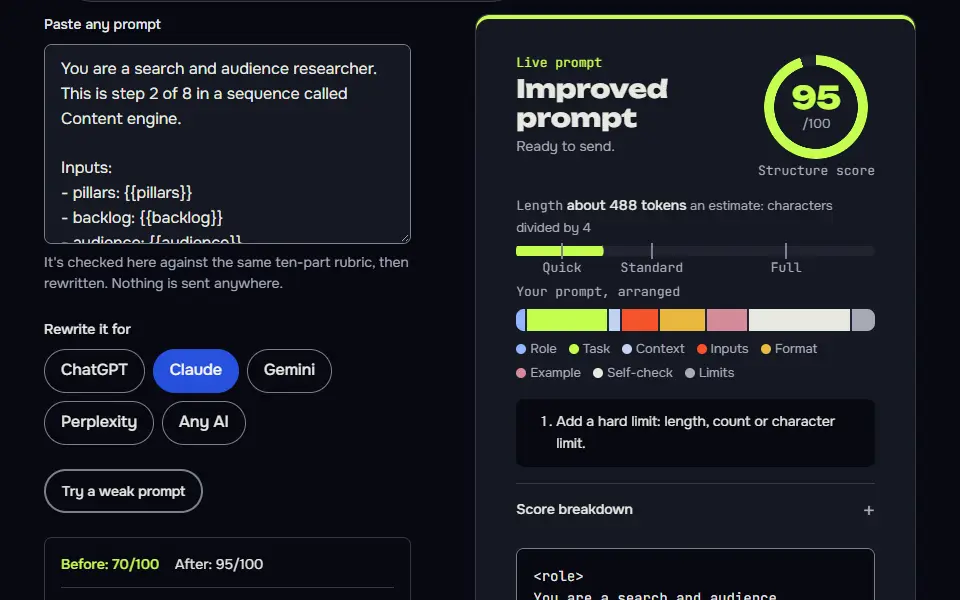
You are a search and audience researcher. This is step 2 of 8 in a sequence called Content engine.

Inputs:
- pillars: {{pillars}}
- backlog: {{backlog}}
- audience: {{audience}}

Data (Research you've done: autocomplete, People also ask, Search Console queries, customer questions):
{{data}}

Task:
1. Find this week's topic. Method: Google autocomplete for the pillar terms, People also ask on the results page, Search Console queries with impressions but few clicks, and questions customers really asked me.
2. Score up to 5 candidates on buyer intent, how well I can answer from experience, and the gap in current results, 1 to 5 each.
3. Pick one, with a target query and the angle that beats what ranks now.

Output: A candidates table: Topic | Source | Intent | Experience | Gap | Total. Then This week's pick, target query and angle.

Check before you reply: Every candidate names where it came from. No search volume I didn't paste. Any statement about what ranks or shows on page 1 now is marked [needs data] unless I pasted the results. One pick, one target query. Don't invent search volumes, prices, reviews or client names; write [needs data] in tables and plans, and list gaps under To strengthen, never inside copy. No em dashes.

End with this block:
HANDOFF | content-engine | step 2
topic: <one line>
target_query: <one line>
angle: <one line>
How to use
- Copy it with the button above.
- Fill the blanks in {{double braces}} with your own details.
- Paste it into ChatGPT, Claude or Gemini and send it.
- Then follow up: ask for one change at a time.
Before you run “Step 2: Topic research” for the first time, the lesson on how to run a prompt sequence walks through copying, filling and sending it.
Step 4: Draft
Part of the 8 step sequence: the full draft, with [needs source] tags for missing facts. Its HANDOFF feeds draft_words, open_sources into later steps.
You are a writer who writes like a practitioner. This is step 4 of 8 in a sequence called Content engine.

Inputs:
- topic: {{topic}}
- target_query: {{target_query}}
- outline: {{outline}}
- facts_needed: {{facts_needed}}

Data (Facts and sources you have for this article, one per line with an ID: F1, F2 ...):
{{data}}

Task:
1. Write the article from the outline. Answer first, short paragraphs, examples from my work where I gave them.
2. Use only the facts under Data, cited by ID. If Data is empty, ask me for the facts in one short list before drafting. Where one fact is still missing, leave that claim out of the article and list it under To strengthen.
3. Plenty of contractions, no filler, no em dashes.

Output: The full article in Markdown, ready to publish, then a To strengthen list of every claim you left out for lack of a source.

Check before you reply: Every claim is from Data, cited by ID. No data or source markers and no other notes anywhere in the article, tables included, and nothing between the article and the To strengthen list. The first paragraph answers the target query. At least 15 contractions. Don't invent search volumes, prices, reviews or client names; write [needs data] in tables and plans, and list gaps under To strengthen, never inside copy. No em dashes.

End with this block:
HANDOFF | content-engine | step 4
draft_words: <one line>
open_sources: <one line>
Step 8: Weekly review
Part of the 8 step sequence: read the week's numbers, decide one change and pick next week's topic. Its HANDOFF feeds next_topic, backlog into later steps.
You are a content analyst. This is step 8 of 8 in a sequence called Content engine.

Inputs:
- cadence: {{cadence}}
- backlog: {{backlog}}
- topic: {{topic}}

Data (This week's numbers: Search Console clicks and impressions, newsletter opens and replies, post stats):
{{data}}

Task:
1. Read the numbers I pasted and say what moved, what didn't, and what you can't tell yet.
2. Decide one change for next week, and update the backlog: mark this topic done and pick next week's candidate.
3. If I pasted nothing, give me the exact reports to open, then still pick a provisional next topic from the backlog and mark it [provisional].

Output: What moved, One change, Updated backlog (table), Next week's topic.

Check before you reply: Every observation quotes a pasted number. Exactly one change. The backlog keeps its format. Don't invent search volumes, prices, reviews or client names; write [needs data] in tables and plans, and list gaps under To strengthen, never inside copy. No em dashes.

End with this block:
HANDOFF | content-engine | step 8
next_topic: <one line>
backlog: <one line>
Content engine step map: setup plus 7 weekly steps
The content engine step map runs setup once, then research, brief, draft, edit, publish, repurpose and review every week, and the review hands the next topic back to research.
Step 1 sets 3 content pillars, a posting cadence that fits your hours, the measures to watch and a backlog. Step 2 finds this week's topic from Google's related questions box (PAA) for the pillar topic, autocomplete, Search Console and customer questions. One weekly cycle makes 1 article, and step 7 turns it into LinkedIn posts, a newsletter section and a short video script. Topics you didn't use stay in the backlog and carry over to next week, and step 8 closes the loop by naming one change. Every stage has a runnable prompt, not just a description of the stage.
Pillars and cadence (once)
3 pillars (topics that lead readers to your offer), a weekly cadence that fits my hours, measures and a backlog. Passes on:
pillars,cadence,backlog.Topic research
Find and score this week's topic from autocomplete, PAA, Search Console and customer questions. Passes on:
topic,target_query,angle.Brief
Intent, answer first, outline, facts to source and links. Passes on:
outline,facts_needed.Draft
The full draft from your facts, with gaps listed under To strengthen. Passes on:
draft_words,open_sources.Edit
Edit pass, claims audit, title and meta with counts. Passes on:
title,meta.Publish checklist
Publish checklist with a test for every item. Passes on:
published_url.Repurpose
LinkedIn posts, a newsletter section and a short video script. Passes on:
repurposed.Weekly review
Read the week's numbers, decide one change and pick next week's topic. Passes on:
next_topic,backlog.
Content calendar prompt formula
The content calendar prompt formula is role + audience + 3 content pillars + posting cadence + channels + a HANDOFF block, and the weekly steps read that block every time.
The topic term comes from step 2 and the review term from step 8, so the formula loops (it's a cycle, not a one-off): next week's topic is whatever step 8 chose from your numbers. Each weekly piece then follows topic + brief + facts F1 to Fn + draft + edit. The edit step turns the draft into the final article with a claims table and checks 2 lengths for Search Engine Optimization (SEO): a title of 50 to 60 characters and a meta description of 150 to 158 characters.
Variables in the content engine chain
1. reads site, audience, offer, weekly_hours, channels | prints pillars, cadence, backlog
2. reads pillars, backlog, audience | prints topic, target_query, angle
3. reads topic, target_query, angle, audience, offer | prints outline, facts_needed
4. reads topic, target_query, outline, facts_needed | prints draft_words, open_sources
5. reads target_query, draft_words, open_sources | prints title, meta
6. reads title, meta, target_query | prints published_url
7. reads topic, title, channels, audience | prints repurposed
8. reads cadence, backlog, topic | prints next_topic, backlog
How do fact IDs keep invented claims out of drafts?
Fact IDs keep invented claims out by tying every number and quote in the draft to a numbered source line; the edit step flags any sentence without an ID for you to source or cut.
The brief lists every fact the article needs as F1, F2 and so on. The draft step writes only from facts you paste, cited by ID, and it writes [needs source: F2] where one is missing. The edit step then runs a claims audit you can read in a minute, which is more reliable than asking the AI to grade itself. You'll spot a gap in seconds, and you won't publish a number nobody can source.
Where should a human check the AI content?
A human should check the AI content at 2 points: after the draft for facts and voice, and before publish for links and claims; steps 5 and 6 are where you read.
After the draft, the claims table in step 5 shows each claim with its fact ID or [needs source], so you check facts and voice in one pass, and you won't need a second read. It's quick, and it's the step you shouldn't skip. Before publish, the checklist in step 6 gives every item a pass test, such as a link that loads. You source the facts listed in step 3 before the draft, so it has something real to cite.
What did the content engine test run produce?
The content engine test run produced an article topic for roastery owners and caught 1 flaw in the research step. For a blog that sells WooCommerce speed fixes to coffee roasters, step 1 set pillars and a cadence that fits a 4 hour week. Step 2 had no live search, said so, and turned each candidate topic into an exact search to run: "woocommerce speed audit" in autocomplete, Search Console queries with high impressions and low clicks, and the related questions box for "woocommerce slow even with caching plugin". It picked an article on what a fixed price speed audit covers, written for roastery owners.
The test caught a flaw too. The first run said what currently ranks ("agency sales pages or generic checklists") without seeing any results. I've added a check to every research step that marks claims about the first page of results as [needs data] until you paste them. On the rerun, the AI wrote: "Most generic guides are written for developers and agencies. I'd assume that, but it's [needs data] until you check page 1."
If you still need a topic area to write about, the niche finder steps pick one from real demand before you set pillars. When older posts stop pulling traffic, run them through the SEO audit prompt sequence before writing new ones.
AI content workflow FAQ
Still stuck? Build it in Prompt Studio. It'll score each part as you go.
How many content pieces can one weekly cycle produce?
One weekly cycle can produce 1 main piece plus the repurposed versions you ask for in step 7, such as LinkedIn posts, a newsletter section and a short video script. The sequence plans 1 article a week since the brief, the facts and the review each need your attention, and that's the part a tool can't do for you. To publish more, raise the weekly hours you enter in step 1 and the cadence changes to match.
Can I export the content plan to Zapier, n8n or Make?
Yes, you can export the content plan to Zapier, n8n or Make as a starting point: Prompt Studio exports the sequence as JSON with every {{variable}} named, and as a messages array for Application Programming Interface (API) calls, both made in your browser. Which file types each tool imports is set by its own docs, so check them before you build the flow, and don't automate the facts, the claims audit or the publish checks.
How do I stop AI content from sounding generic?
Stop AI content from sounding generic by giving the draft step material only you have: your own examples, numbers and opinions. The draft step writes from facts you paste and lists gaps under To strengthen, where a filler paragraph would go. Add a real example or number from your own work in step 3, then cut flat lines in the edit step.
What are some common AI workflows for content creation?
Common AI workflows for content creation follow one path: research, brief, draft, edit, publish and repurpose. The parts people skip are the brief and the review: without a brief the draft drifts, and without a review you'll never learn what worked. This sequence makes both steps part of every week.