
Suno prompt guide for v5, v5.5 and v6
Guide
4 min
- Plain English
The short answer
In Suno, the style prompt describes how the song sounds (genre, mood, tempo, instruments, vocals) and the lyrics box holds what's sung, with section tags like [Verse] and [Chorus]. Keep the style prompt to specific descriptors, leave out real artist names, and alter a single detail per regeneration.
Which Suno versions does this prompt guide cover?
This Suno prompt guide covers the Suno versions v5, v5.5 and v6, checked against Suno's own help pages on the date shown in the byline. Suno's page for making songs from text names v6 as its newest model and calls v5.5 its best and most personalised model in the FAQ, so version names in the wild are mixed.
Version note
The rules here are about how to describe music, so they carry across v5, v5.5 and v6. What Suno documents and what users report aren't the same thing, and this guide labels each: the help-centre glossary is the documented layer, and tag habits from forums are the reported layer. I couldn't find an official help page that lists character limits, so check the app for any limit that depends on version or plan.
What goes in a Suno style prompt?
A Suno style prompt holds 6 things in order: genre and era, mood and energy, tempo, instruments, vocals and production. Suno's help-centre glossary suggests pairing a pace word with a genre, naming instruments to set texture and adding effect terms for mood, and it says the more specific your musical vocabulary, the more control you get (Music Glossary for Suno). One example line per slot:
- Genre and era: "90s trip-hop", "modern country".
- Mood and energy: "late-night, melancholic, slow build".
- Tempo: a pace word or a range in beats per minute (BPM), such as 85 to 90 BPM.
- Instruments: two or three, not ten.
- Vocals: "breathy female vocal, close-mic".
- Production: "tape warmth, sparse mix".
Users report that words near the start count for more, so lead with the genre. That's a reported habit, not a documented rule, and it isn't guaranteed. Describe the sound instead of naming real artists; it's more reliable, and it keeps the song your own.
How do Suno lyrics and structure tags work?
Suno lyrics and structure tags work by putting the sung words in the lyrics box and marking each section with a tag in square brackets, such as [Verse] or [Chorus]. To skip the hand assembly, the Suno prompt builder fills the style line and a tagged lyric template from a few choices.
The usual section tags are [Intro], [Verse], [Chorus], [Bridge] and [Outro]. Users rely on them widely, but the help pages I checked don't describe them, so they're a reported convention, not a documented feature. A tagged example:
[Verse]
Streetlights hum on an empty road
I'm counting miles I've never owed

[Chorus]
Take me home, take me slow
Take me where the night lights go
- Keep line length short: four-line verses and choruses you can repeat.
- Put performance notes inside the brackets, such as
[Chorus, stripped back], and keep them brief. - Spell unusual words phonetically when the singer doesn't say them right.
- Suno's V4.5 help article advises adding context in the lyrics box as well, when the style field carries the genre details.
What does the Suno exclude field leave out?
The Suno exclude field leaves out the instruments, vocals or styles you name in it, so the track drops them without a long style line. It's Suno's version of a negative prompt: Suno's create page lists exclusions next to Voices, Inspo, vocal gender and the weirdness and style sliders. Put "drums" or "autotune" there instead of burying "no drums" in the style text, where the word "drums" can pull the model the wrong way. A page of ready exclude lists is in draft and will be linked here when it's released.
Section metatags, for example [Intro], [Verse], [Chorus], [Bridge] or [Outro], mark where each part of the song starts.
How do you fix common Suno prompt problems?
Fix common Suno prompt problems by changing one descriptor at a time: move the genre to the front, cut instruments, or shorten the chorus lines. Change four things at once and you won't know which one worked.
| Problem | Try |
|---|---|
| Wrong genre | Move the genre to the front and cut other descriptors |
| Muddy mix | Fewer instruments, add "sparse arrangement" |
| Chorus doesn't land | Shorten it and repeat the hook line |
| Vocals sound off | Name vocal type and delivery, then regenerate once |
| Too similar every time | Change one descriptor, not all of them |
To drop a sound you keep getting, the Suno Exclude field page lists what to put in that field and what to leave in the style line. It's the same loop used for text prompts, covered in iterative prompting.
Suno prompt guide before and after
The same request, asked two ways. Read the second one slowly. Each line does a job.
A sad song about leaving home.
Style: slow acoustic folk, 70 BPM, fingerpicked guitar and soft cello, breathy female vocal, intimate close-mic, sparse arrangement, melancholic.
Lyrics: [Verse] four lines about packing a car at dawn. [Chorus] a short repeatable hook about leaving the porch light on.
Why it works
The after version says how the song sounds and how it's laid out, so Suno has far less to guess.
Suno prompt guide examples
Style prompt builder
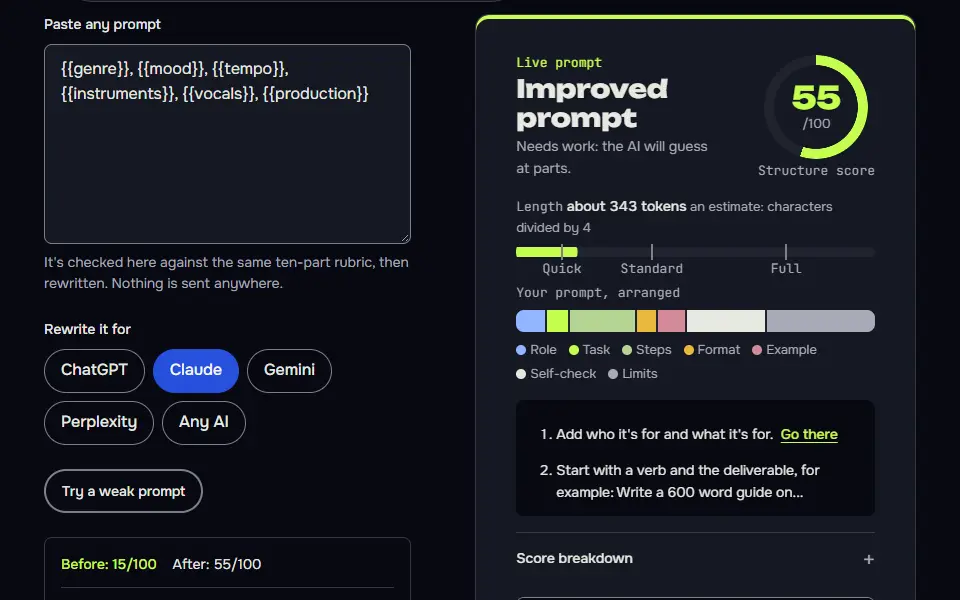
Six slots in order: genre, mood, tempo, instruments, vocals and production, cover what Suno's glossary says to specify.
{{genre}}, {{mood}}, {{tempo}}, {{instruments}}, {{vocals}}, {{production}}
How to use
- Copy it with the button above.
- Fill the blanks in {{double braces}} with your own details.
- Paste it into Suno or Udio (the style box for the tags).
- Then change one tag per try and compare takes.
Before you run “Style prompt builder” for the first time, the lesson on how to use AI music prompts walks through copying, filling and sending it.
Lyrics with section tags
Short section tags with brief performance notes give structure without cluttering the lyrics.
[Intro, soft guitar]

[Verse]
{{verse}}

[Chorus]
{{chorus}}

[Verse 2]
{{verse2}}

[Chorus, stripped back]
{{chorus}}

[Outro, fading]
Ask an AI to diagnose a Suno result
One change per variant turns guessing into a small experiment.
I made a song in Suno with this style prompt:
{{style}}

And these lyrics:
{{lyrics}}

What I got: {{result}}
What I wanted: {{wanted}}

Diagnose the likely cause in two sentences, then give me three revised style prompts. Each must change only one thing from the original, and say in a few words what that change is testing. Don't name real artists. Keep each style prompt under 30 words.
How to use
- Copy it with the button above.
- Fill the blanks in {{double braces}} with your own details.
- Paste it into ChatGPT, Claude or Gemini and send it.
- Then follow up: ask for one change at a time.
When should a Suno prompt be detailed and when should it stay loose?
A Suno prompt should be detailed when you know the sound you want or need a matching series, and loose when you're exploring in simple mode. Simple mode takes a plain description of genre, mood, theme or a line or two of lyrics, and that's the quickest way to hear what Suno does with an idea.
A matching series, like an album's worth of tracks or a podcast intro set, needs the full six-slot style line copied from track to track. Ready-made styles sit on the Suno prompts hub, and habits that work across models are in how to write a good prompt. Check Suno's current terms for what you can do with a song on your plan.
Suno prompt guide FAQ
Still stuck? Build it in Prompt Studio. It'll score each part as you go.
What are the best Suno prompts for a first song?
The best Suno prompts for a first song are short style lines with one genre, one mood, a tempo and one lead instrument, then a tagged verse and chorus. Something like "modern folk, hopeful, mid-tempo, acoustic guitar" is enough for a first run, and you'll hear what to change from there. Don't add a second genre yet.
Should a Suno style prompt name real artists?
No, a Suno style prompt shouldn't name real artists; describe the genre, era and vocal tone instead. A description is more reliable than a name, and the song stays your own.
What are quick Suno prompt tips for better results?
Quick Suno prompt tips for better results are to put the genre first, keep descriptors specific, tag every section and regenerate after one change. Use the exclude field for what you don't want, and keep choruses short so they'll repeat well.
Does every Suno version read prompts the same way?
No, every Suno version doesn't read prompts the same way, so check the version note at the top before you copy a rule. Limits and features can depend on version and plan, and Suno doesn't publish one list of them.