
AI image prompt tips and engineering
Free prompt courseLesson 10 of 229 minVideoGo to the lesson
Guide
4 min
- Plain English
The short answer
The biggest AI image prompt tips: name the subject first, then the light, lens, framing and mood. Describe what you want, not what you don't, set the aspect ratio, and change one thing per attempt. Syntax differs by tool: Midjourney uses parameters like --ar, Stable Diffusion uses weights and a negative prompt, Gemini likes sentences.
Which AI image prompt tips work in every model (tips 1 to 8)?
The AI image prompt tips that work in every model are tips 1 to 8: subject first, then light, lens, framing and mood, positive wording, a set aspect ratio and one change per attempt. You don't need all twenty; they're a menu, and the first five fix most images. Each tip lists its effect, so you'll know what it's doing:
- Lead with the subject. Effect: the model anchors on what the picture is about.
- Name the light. "Soft window light from the left" or "golden hour backlight" changes mood more than any adjective.
- Name the lens or camera. "85mm portrait lens" or "wide-angle" shifts perspective and depth of field.
- State the framing. "Close-up", "waist-up" and "aerial view" stop random crops.
- Pick a palette or mood. "Muted teal and cream, calm" narrows colour choices, and textures such as "brushed steel" give the model something tangible.
- Say what you want, not what you don't. "Empty street" beats "no cars".
- Set the aspect ratio on purpose. Portrait for people, wide for landscapes and banners.
- Change one thing at a time. Effect: you learn what each word does, and you won't chase two changes at once.
Which AI image prompt tips are only for Midjourney (tips 9 to 12)?
Tips 9 to 12 are only for Midjourney, and their parameters depend on the model version you run. Midjourney's docs list the current model line as V8.1 and V8.2, so check the parameter list for your version before relying on a flag; a flag that's gone won't throw an error, it'll just be ignored. These four tips are long-standing:
- Keep the prompt short and put settings in parameters. Effect: text carries the idea; parameters carry the controls.
- Use
--arfor shape. For example--ar 4:5. Effect: a fixed frame instead of a default square. - Use
--nofor exclusions.--no textworks better than writing "no text" in the sentence. - Use
--stylizeand--chaosto vary results. Lower values stay closer to your words; higher values add the tool's own taste or variety.
Reference features (style, character and object references) have changed between versions. Don't worry if a flag doesn't do what you expect; it's usually a version difference, not your wording.
How do Stable Diffusion prompt tips use weights and negative prompts?
Stable Diffusion prompt tips use weights to boost a term and a negative prompt to exclude one, with syntax that depends on the front end. The points here hold in common front ends such as AUTOMATIC1111 and ComfyUI.
- Use the negative prompt box. Effect: it lists what to exclude (blur, extra fingers, watermark) without cluttering the main prompt. That's where it's supported best: Midjourney and Gemini don't have the box.
- Weight with
(word:1.3). Effect: raises the weight of that term; values below 1 lower it. Go in small steps, since you'll often see a jump at 1.2 and a mess at 1.6. - Front-load the important words. Effect: earlier terms usually count for more.
- Match your prompt style to the checkpoint. Some models like comma-separated tags, newer ones like sentences. The model matters more than extra adjectives, and a checkpoint that's trained on tags won't follow long sentences.
How should you prompt Gemini and Nano Banana for images?
You should prompt Gemini and Nano Banana for images in full sentences that describe the scene, then edit one change at a time. The four tips come from Google's own guides: the Cloud guide and the 7 tips post.
- Write sentence prompts, not keyword piles. Effect: the model reads it as a scene, so you'll do better describing one than listing ten nouns.
- Use positive framing. "A quiet library" beats "no people".
- Give edit instructions that name the part to change and the part to leave untouched. Effect: less drift between versions.
- Put exact text in quotes and name the font style. Effect: better odds of the words you want, though small text can still fail.
How do you test AI image prompt tips on your own prompt?
To test AI image prompt tips on your own prompt, change one element per attempt and compare the two images side by side. Start from a draft: the art prompt generator builds one from a style, subject and model, and the image prompt describer turns a picture you like into a prompt you can test against.
Don't change the light and the lens together, or you can't tell which one helped. The three worked prompts make the test routine. The first writes one scene in five models' formats, so you can see which tips each model reads. The second debugs an image prompt: you paste the prompt and say what went wrong, and it names the one element to change. The third keeps a series consistent by fixing the light, lens and palette across every image.
AI image prompt tips before and after
The same request, asked two ways. Read the second one slowly. Each line does a job.
a coffee shop interior
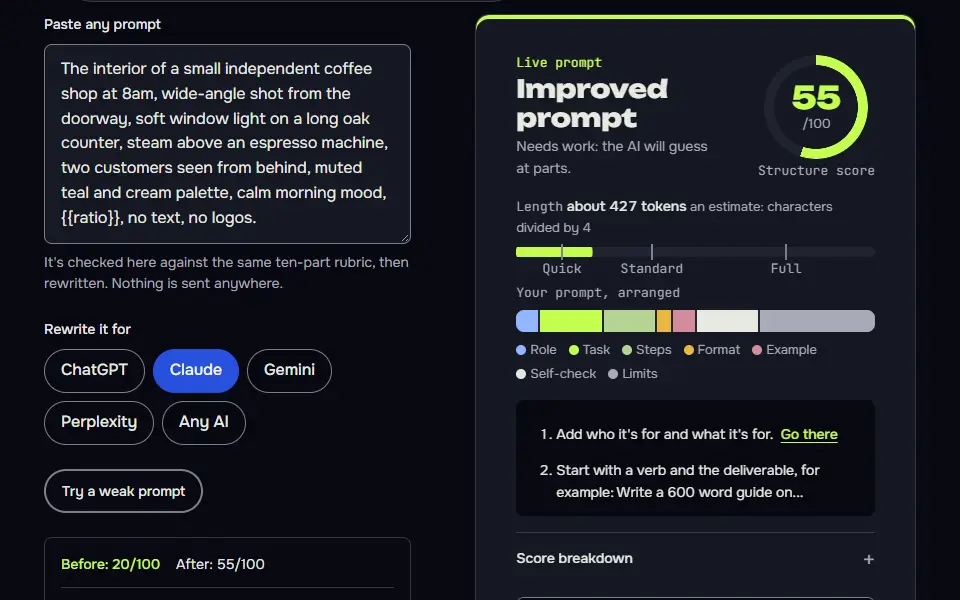
The interior of a small independent coffee shop at 8am, wide-angle shot from the doorway, soft window light on a long oak counter, steam above an espresso machine, two customers seen from behind, muted teal and cream palette, calm morning mood, 16:9.
Why it works
The after version fixes the viewpoint, light, subject details, palette and shape, so the model isn't inventing them.
AI image prompt tips examples
One scene, five models
The scene is identical, and only the syntax changes: parameters for Midjourney, a negative box and weights for Stable Diffusion, sentences for Gemini.
Any model
The interior of a small independent coffee shop at 8am, wide-angle shot from the doorway, soft window light on a long oak counter, steam above an espresso machine, two customers seen from behind, muted teal and cream palette, calm morning mood, {{ratio}}, no text, no logos.ChatGPT
Create a photorealistic image of the interior of a small independent coffee shop at 8am. Wide-angle shot from the doorway, soft window light on a long oak counter, steam above an espresso machine, two customers seen from behind. Muted teal and cream palette, calm morning mood. Aspect ratio {{ratio}}. No text and no logos.Gemini
A photorealistic wide-angle photograph taken from the doorway of a small independent coffee shop at 8am. Soft window light falls on a long oak counter, steam rises above the espresso machine, and two customers are seen from behind. Muted teal and cream palette, calm morning mood, {{ratio}} format. Keep the image free of text and logos.Midjourney
interior of a small independent coffee shop at 8am, wide-angle from the doorway, soft window light on long oak counter, steam above espresso machine, two customers from behind, muted teal and cream palette, calm morning mood --ar 16:9 --no text, logos
Stable Diffusion
photo of the interior of a small independent coffee shop, 8am, wide-angle from the doorway, soft window light, long oak counter, (steam above espresso machine:1.2), two customers seen from behind, muted teal and cream palette, calm mood
Negative prompt: text, logo, watermark, blurry, distorted hands No text, letters, numbers, logos or watermarks.
How to use
- Copy it with the button above.
- Fill the blanks in {{double braces}} with your own details.
- Paste it into your image AI and generate.
- Then ask for one change at a time, not a new prompt.
Before you run “One scene, five models” for the first time, the lesson on how to use AI image prompts walks through copying, filling and sending it.
Debug an image prompt
A fixed checklist of seven things turns 'it looks wrong' into a specific edit.
Here is an image prompt I used with {{model}}, and what I got.

Prompt: {{prompt}}
What I got: {{got}}
What I wanted: {{wanted}}

List which of these my prompt left unspecified: subject, light, lens or camera, framing, materials, palette or mood, aspect ratio. Then rewrite the prompt in the current syntax for {{model}} (for Midjourney: --ar and --raw for the look, and no version flag), changing only what's needed to fix the gap. Don't add new subjects. Explain each change in under 10 words.
How to use
- Copy it with the button above.
- Fill the blanks in {{double braces}} with your own details.
- Paste it into ChatGPT, Claude or Gemini and send it.
- Then follow up: ask for one change at a time.
Keep a series consistent
Repeating one style block verbatim is the simplest way to keep a set of images looking related.
Set 1: the fixed style block I'll reuse in every image: {{style_block}}

Write {{count}} image prompts for a series on {{theme}}. Each prompt must open with a different subject and then repeat the style block word for word. Vary only the subject, the framing and the time of day. End each with the same aspect ratio: {{ratio}}. Number them and keep each under 60 words.
Lesson 10 of 22Structure9 min
Lesson: Image prompts
An image prompt describes a picture: subject, setting, style, light, lens, framing and shape, plus what to leave out. When an image comes back wrong, the fastest fix is to find which of those you left unspecified.
Use it when
- You're using Midjourney, ChatGPT images, Gemini's Nano Banana or Stable Diffusion.
- Results look generic, cluttered or oddly framed.
- You need a series of images that look consistent.
Skip it when
- You need exact text, logos or a real person's likeness: image models still struggle, and some uses aren't allowed.
- A stock photo would do the job.
Here is an image prompt I used with Midjourney, and what I got.

Prompt: a coffee shop interior
What I got: A dark, cluttered room with odd perspective
What I wanted: A bright, calm morning scene seen from the door

List which of these my prompt left unspecified: subject, light, lens or camera, framing, materials, palette or mood, aspect ratio. Then rewrite the prompt in the right syntax for Midjourney, changing only what's needed to fix the gap. Don't add new subjects. Explain each change in under 10 words.
**Left unspecified**
- Light: yes (no time of day or lighting)
- Lens or camera: yes (caused the odd perspective)
- Framing: yes (no viewpoint; "from the door" missing)
- Palette or mood: yes (no bright, calm cue)
- Aspect ratio: yes (no `--ar`)

**Specified or acceptable**
- Subject: coffee shop interior (given, and you want it kept)
- Materials: not specified, but you didn't ask for any and the gap isn't causing your problem, so I left it alone

**Rewritten prompt**

```
a coffee shop interior, viewed from the entrance doorway, soft morning sunlight through windows, 35mm lens, eye-level, bright airy calm palette, tidy and uncluttered --ar 3:2
```

**Changes**
- `viewed from the entrance doorway`: Sets your wanted viewpoint.
- `soft morning sunlight through windows`: Fixes the dark lighting, adds morning.
- `35mm lens`: Natural perspective, reduces distortion.
[...]
- `bright airy calm palette`: Conveys the mood you wanted.
- `tidy and uncluttered`: Counters the cluttered result; it describes the mood and adds no new subject.
- `--ar 3:2`: Sets a standard photographic aspect ratio.

**Note:** Midjourney parameters like `--ar` must go at the end of the prompt. If clutter persists, you can add `--no clutter`.
What to notice: This is a text answer, not an image: we asked Claude to debug an image prompt. It traced the dark, cluttered result to missing light, lens, framing and mood, and kept the subject unchanged as asked. Our grader caught two slips: one explanation runs past the 10 word limit, and it filed materials as acceptable instead of unspecified.
Try it in Prompt StudioOpens the studio with the Image prompts technique already selected.
Quick check: 3 questions
Practice: write your own
Write an image prompt for a picture you'd use: a product shot, a hero image or a social post. Cover subject, setting, style, light, framing and shape, and say what to leave out.
Prompt Studio's rubric scores it right here. Nothing's sent anywhere.
Your progress is saved in this browser only. No sign-up.
When are detailed AI image prompts worth the effort?
Detailed AI image prompts are worth the effort when the image has a job, such as a product shot or a matching series. Stay loose when you're exploring: quick rough prompts show you what the model does with little guidance, and that's useful too.
Keep faces of real people, children and public figures out of it unless you have the right to use them. Text models follow a different set of habits, gathered in ChatGPT, Grok and Copilot prompts, and the one-page ChatGPT prompt cheat sheet lists 12 patterns for writing tasks. You won't regret keeping a swipe file of image prompts that worked.
AI image prompt tips FAQ
Still stuck? Build it in Prompt Studio. It'll score each part as you go.
How do you write a realistic AI image prompt?
To write a realistic AI image prompt, name the camera, lens, light source and time of day, and describe skin, fabric or surface texture. For example: '85mm portrait lens, soft window light from the left, late afternoon, visible linen weave'. Don't stack vague words like 'beautiful'; they don't change the image.
Do AI image prompt tips change between Midjourney and Gemini?
Yes, AI image prompt tips change between Midjourney and Gemini in syntax: Midjourney reads parameters, and Gemini reads full sentences. The universal tips (subject, light, lens, framing) hold in both.
What is a negative prompt in AI image generation?
A negative prompt in AI image generation is a list of things the model should leave out, supported in Stable Diffusion front ends. Midjourney's closest match is the --no parameter, and Gemini works better with positive wording.