
AI art prompt generator: pick a style, medium and light
An AI art prompt generator turns an idea into a prompt an image model can follow.
Live prompt
Image
Fill in the first box. The prompt builds and scores live.
0/100
Open the full Prompt Studio (Loop, Chain and Check).
Your picture: the shape of the frame and the words the builder writes for style, light and framing
- Stylephotograph (default)
- Lightnot picked yet
- Framingnot picked yet
- Shape1:1 (default)
The frame is drawn at the ratio you pick. A choice you haven't made uses the builder's default: a square photograph.
The short answer
An AI art prompt generator turns an idea into a prompt an image model can follow: the subject, the medium, the light and the shape of the picture. Pick them in the builder on this page and copy the result for ChatGPT, Gemini or Midjourney. The third example builds drawing ideas instead, if you're a human artist.
How to use it
Say what the picture shows
Write one clear subject in the first box, such as "a heron standing in a frozen marsh at dawn".
Choose medium, light and shape
Pick the style, the light, the framing and the aspect ratio. Add a palette if you have one in mind.
Pick the image model and copy
Choose ChatGPT images, Gemini images or Midjourney, then copy the prompt into that tool.
Adjust one thing
If the result is close, change one choice, such as the light, and run it again so you can see what made the difference.
Prompt generator art examples
Gouache storybook scene
Naming the medium and its look (flat blocks, visible brush edges) does the work an artist's name would do.
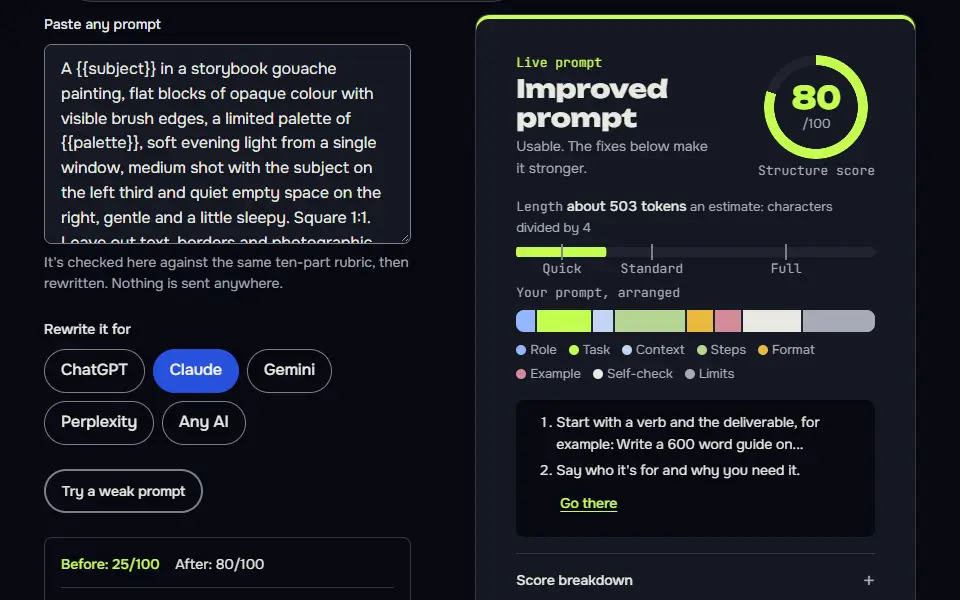
A {{subject}} in a storybook gouache painting, flat blocks of opaque colour with visible brush edges, a limited palette of {{palette}}, soft evening light from a single window, medium shot with the subject on the left third and quiet empty space on the right, gentle and a little sleepy. Square 1:1. Leave out text, borders and photographic detail. No text, letters, numbers, logos or watermarks.
How to use
- Copy it with the button above.
- Fill the blanks in {{double braces}} with your own details.
- Paste it into your image AI and generate.
- Then ask for one change at a time, not a new prompt.
Before you run “Gouache storybook scene” for the first time, the lesson on how to use AI image prompts walks through copying, filling and sending it.
Layered paper-cut poster
Counting layers and fixing the light direction gives the depth that makes paper-cut work.
A layered paper-cut illustration of {{scene}}, five distinct paper layers with soft shadows between them, crisp cut edges, a colour palette of {{colours}}, lit from the top left as if photographed on a craft table, centred composition with a clear foreground, middle and background. Portrait 2:3. No text, no people's faces, no logos.
A week of drawing challenges for a human artist
Pairing an ordinary object with a rule gives you a prompt you can start immediately, not a theme to think about.
I draw in {{medium}} and have about {{minutes}} minutes a day. Write 7 drawing prompts, one for each day of a week. Each prompt should pair an everyday object with a limit, such as a restricted palette, a single line weight, or a tight time box, and finish with a twist that makes it a little harder on the later days.

Format: Day / Object / Limit / Twist. Keep each line short. Don't suggest copying any existing character or artwork, and don't tell me how to draw it. I just want the challenge. No text, letters, numbers, logos or watermarks.
How the AI art prompt generator works
The AI art prompt generator works by letting you pick a subject, medium, style, light and ratio, then writing one image prompt for ChatGPT, Gemini or Midjourney. Medium and style share one list, and you choose from these:
- Style (8):photograph, illustration, 3D render, watercolour, flat vector, oil painting, anime or pixel art.
- Light (6):soft window light, golden hour, overcast, dramatic studio, neon at night or bright studio.
- Framing (6):close-up, medium shot, wide shot, overhead, low angle or centred.
- Shape (5):square, portrait, story, wide or photo.
- Camera, colours and leave-outs,as free text.
Switch the model and the same fields come out as full sentences for ChatGPT or Gemini, a phrase list with --ar for Midjourney, or a prompt plus a negative prompt for Stable Diffusion. Each version is a ready text to image prompt for the tool you picked. There's no artist picker, and there's none on purpose: naming a living artist copies their style, and a medium plus a light does the job better.
For full parameter control on one model, switch to the Midjourney prompt creator.
AI art prompt formula
The AI art prompt formula is subject, medium, style, light, then aspect ratio, as in "old harbour town, gouache, art nouveau, low winter sun, 4:5". For ChatGPT and Gemini the builder writes those parts as short sentences and puts the medium first, so every later detail is read against it, then adds framing, camera and colours when you fill them. You don't need every slot: empty ones drop out, and the prompt still reads cleanly.
Create a [medium] of [subject], [setting]. Composition: [framing]. Light it with [light]. Camera: [camera]. Colours: [colours]. Make the image [shape]. Leave out: [leave out].A filled-in version: "Create a watercolour painting of a fox asleep under a lantern, a quiet forest at night. Composition: wide establishing shot. Light it with golden hour sunlight. Colours: warm amber and deep blue. Make the image wide landscape (16:9)." Empty slots drop out, so a short idea still gives a clean prompt, and you'll never see a stray label.
AI art style and medium chart
The AI art style and medium chart pairs the builder's mediums, including oil paint, watercolour, pixel art and 3D render, with style cues and the exact phrase each one writes, taken from the pack code's word lists. They're the words it'll actually write. It covers 8 styles and 6 light choices, so you can reuse them as a text to image prompt in tools such as Adobe Firefly. They're plain phrases, and nothing in them is locked to one model.
| Style choice | Words written into the prompt | Kind | Midjourney adds --raw? |
|---|---|---|---|
| Photograph | photograph | Camera image | Yes |
| Illustration | digital illustration | Digital | No |
| 3D render | 3D render | Digital | No |
| Watercolour | watercolour painting | Traditional paint | No |
| Flat vector | flat vector illustration | Digital graphic | No |
| Oil painting | oil painting | Traditional paint | No |
| Anime | anime illustration | Illustration style | No |
| Pixel art | pixel art | Digital graphic | No |
| Light choice | Words written into the prompt |
|---|---|
| Soft window light | soft natural window light |
| Golden hour | golden hour sunlight |
| Overcast | overcast diffused daylight |
| Dramatic studio | dramatic low-key studio light |
| Neon at night | neon night light |
| Bright studio | bright even studio light |
AI image or a drawing prompt: which do you need?
You need an AI image prompt when a model will draw the picture, and a drawing prompt when you'll draw it yourself; the builder's third example makes the second kind. People who ask for an AI art prompt mean one of two things: a prompt for an image generator, or something to draw today. The builder and the first two examples are for image models. The third example doesn't make an image. It asks an AI to write drawing challenges for a person (sketch prompts and art ideas, each with a medium, a time limit and a twist), so it's the one to use if you're the artist. For ready-made photo-style prompts, see the AI image prompts.
What makes an AI art prompt work better?
An AI art prompt works better with one medium and one light source than with a long list of adjectives, since the model reads the medium as the strongest style signal. "Watercolour" and "3D render" change everything else, and that's why the medium leads. Three well-chosen details beat ten style words, so don't pile them on. Put the unwanted things in the leave-out box, if your result's too busy. The AI image prompt tips show these changes side by side.
Here are three before and after pairs, and you'll see the pattern straight away. "A beautiful, stunning, detailed castle" becomes "a castle on a sea cliff, gouache, low winter sun". "Cool futuristic city, amazing colours" becomes "a rainy city street at night, 3D render, neon light". "Cute, adorable cat, high quality" becomes "a cat asleep on a windowsill, watercolour, soft window light".
Don't worry if the first image misses; it's one change per try that teaches you the most. Notes on the styles you liked can go into a shareable document with the report maker. To make your assistant reply as a fixed art director every time, set it up with AI persona prompts.
Prompt generator art FAQ
Still stuck? Build it in Prompt Studio. It'll score each part as you go.
Can I use artist names in AI art prompts?
No, this generator doesn't use artist names in AI art prompts: it describes the medium, style and light instead, which gives a look without copying a living artist. Some tools restrict artist names, and some artists object to it.
What is the difference between a style word and a medium word?
The difference between a style word and a medium word is that a style word names the look, such as art nouveau, and a medium word names the material, such as watercolour; good prompts use one of each. Ukiyo-e and flat vector are style words too, while oil paint, pixel art and 3D render name a medium.
Should I add a negative prompt for AI art?
Yes, add a negative prompt for AI art when the model supports one, such as Midjourney's --no, and list only 2 or 3 things you keep getting by mistake. The leave-out box becomes a "Leave out:" line for ChatGPT and Gemini, a --no list for Midjourney and a Negative prompt block for Stable Diffusion.
Can I reuse one AI art prompt in Midjourney and ChatGPT?
Yes, you can reuse one AI art prompt in Midjourney and ChatGPT, but move the ratio to a --ar flag for Midjourney and write it in words for ChatGPT. Switch the model in the builder and the same fields come out in the right form.
How do I write an AI art prompt?
To write an AI art prompt, start with what's in the picture, then add the medium, the light, the framing and the mood, in that order. For example: "a fox asleep under a lantern, gouache painting, warm night light, wide shot, calm". Change one detail per try to see what each change does.