
Writing prompt generator for your genre and word count
A writing prompt generator gives you a new starting point for a story, essay or journal entry.
Live prompt
Writing prompts
Fill in the first box. The prompt builds and scores live.
0/100
Open the full Prompt Studio (Loop, Chain and Check).
Word budget: split a target length across the blocks of a story, essay or journal entry
- HookA person, a place and a problem in the first lines.50 words
- SetupWhat the character wants and what stands in the way.100 words
- ConflictThe attempts, each one costing something.150 words
- TurnThe choice or discovery that changes the situation.125 words
- EndingWhat changed, shown in one last image or line.75 words
The split is a starting point you can move, not a rule. It adds up to the total you pick, rounded to 5 words per block.
The short answer
A writing prompt generator gives you a new starting point for a story, essay or journal entry. For a quick random idea, use the one-click lists. For a prompt built to your genre, point of view, conflict and word count, use the builder, which writes a request you paste into ChatGPT, Claude or Gemini.
How to use it
Choose instant or made to order
For an instant random idea, open one of the human-written lists. For prompts to your own spec, use the builder.
Fill in the builder
Say what you want the AI to produce: the number of prompts, the genre or theme, the reader, and a length for the finished piece.
Pick your AI and copy
Choose ChatGPT, Claude or Gemini, copy the request and paste it in. Ask for more, or say "darker" or "shorter" until it fits.
Write for ten minutes
Pick one prompt, set a timer (10 or 15 minutes) and write without editing. Save the ones that work in My prompts.
Writing prompt generator examples
Story starters built from genre, viewpoint and conflict
Each starter needs a want, an obstacle and a limit, so you never get a bare setting.
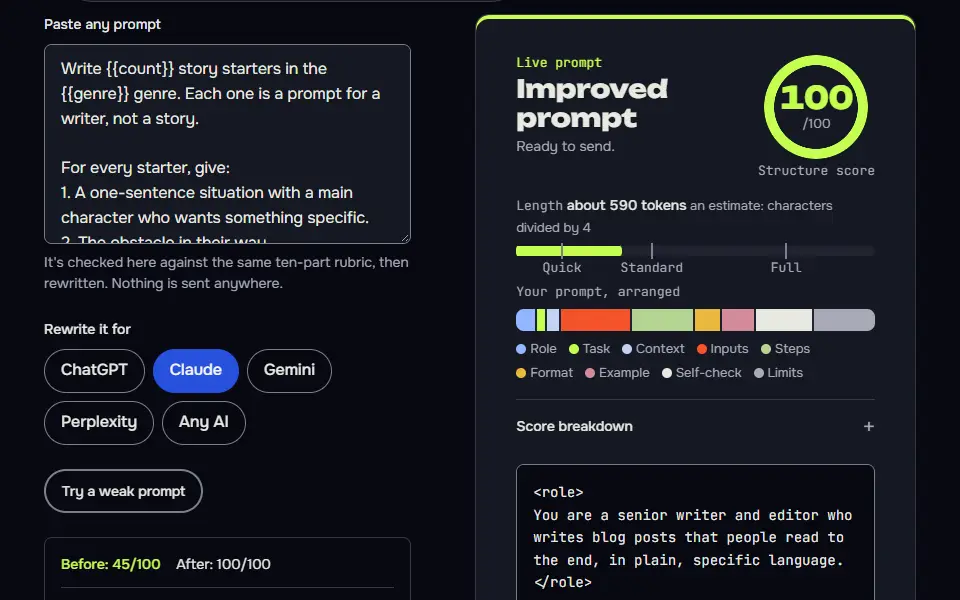
Write {{count}} story starters in the {{genre}} genre. Each one is a prompt for a writer, not a story.

For every starter, give:
1. A one-sentence situation with a main character who wants something specific.
2. The obstacle in their way.
3. A point of view to write it in: {{pov}}.
4. One limit that keeps it small, such as a single place, one night or one object.

Target length for the finished piece: about {{words}} words. Reader: {{reader}}.
Don't use real people or existing characters. Number the starters, and keep each under 60 words.
How to use
- Copy it with the button above.
- Fill the blanks in {{double braces}} with your own details.
- Paste it into ChatGPT, Claude or Gemini and send it.
- Then follow up: ask for one change at a time.
Before you run “Story starters built from genre, viewpoint and conflict” for the first time, the lesson on how to use the prompts this tool writes walks through copying, filling and sending it.
Essay prompts that ask for a view, not a summary
Asking for a position or a reflection keeps the prompts from being answered by a quick summary.
Write {{count}} essay prompts on the theme of {{theme}} for {{level}} students. Each prompt must ask the student to take and defend a position, or to reflect on their own experience, so it can't be answered with a summary.

For each prompt, add: the type of essay (argument, personal or narrative), a suggested length, and one sentence on what a strong answer would do. Use plain words and avoid trick questions. Don't write the essays.
Constraint prompts that break writer's block
A rule about the writing itself, like a word limit, takes the pressure off having a good idea.
I'm stuck on my writing. Give me {{count}} short prompts that work by constraint. Each one should combine an ordinary object, a feeling and a rule about the writing itself, for example "no adjectives" or "every sentence under eight words".

Format each as: Object / Feeling / Rule / Time to write (5 to 15 minutes). Keep them playful, not precious. I mostly write {{kind}}. Don't explain the prompts afterwards, just list them.
Random writing prompt or a made-to-order one?
Pick a random writing prompt when you want to start in 10 seconds, and a made-to-order one when the genre, point of view or word count matters. The web mixes them up, so this page gives you both in one place. Pick the one you need:
- Random and instant, no AI. Our human-written lists have a random button and filters. Try short story prompts, daily prompts for every date, writing prompts for kids or romance prompts.
- Made to order, with AI. You choose genre, viewpoint, conflict, setting and length, and the builder writes the request. Your AI then returns a set of prompts that fit.
The builder doesn't produce the prompts itself. It builds the instructions, and the AI you paste them into does the writing. That's worth knowing: a creative writing prompt is only as good as the details you give the AI.
The site's writing prompts section bridges here: every list on /writing-prompts/ links to this builder for when you'd like a prompt built to order.
How the writing prompt generator works
The writing prompt generator works in 2 ways: the one-click lists pick a prompt with no AI, and the builder writes a request that ChatGPT, Claude or Gemini turns into prompts. The builder takes your count, genre, reader and word length, and it doesn't call an AI, so it runs in your browser with no account and no daily cap. Set the genre to fiction and it's a story prompt generator; set it to essay or journal and it writes reflection prompts instead.
- ChooseHow many prompts, the genre or theme, the reader and the length.
- BuildThe tool writes one clear request, with a score.
- PasteChatGPT, Claude or Gemini writes the starters.
- WritePick one, set a timer and write without editing.
Pick one of 3 AIs before you copy: ChatGPT, Claude or Gemini. The same request is laid out for the AI you choose. Ask for more, or say "darker" or "shorter", until the prompts fit, since you're in charge of the result.
Writing prompt formula
The writing prompt formula is a character, what they want, what stops them, where it happens and one turn, as in "A night nurse wants a quiet shift, but a patient insists it's 1987." The builder asks the AI for the same core in every starter: a character with a want, the obstacle in the way, a point of view and one limit that keeps it small, plus a target length.
- CharacterA person with one specific want.
- ObstacleThe thing in their way.
- Point of viewWho tells it.
- LimitOne place, one night or one object.
- LengthAbout the word count you set.
- writing prompt
Write [count] story starters in the [genre] genre.
For every starter, give:
1. A one-sentence situation with a main character who wants something specific.
2. The obstacle in their way.
3. A point of view to write it in: [point of view].
4. One limit that keeps it small.
Target length for the finished piece: about [words] words. Reader: [reader].The builder fills the brackets from your answers.
The point of view says who tells the story, such as first person or a close third person, and it isn't the same as the genre. The limit keeps the piece small: a single place, one night or one object.
Writing prompt word budget chart
The writing prompt word budget chart splits your word count into 4 parts: setup, conflict, turn and ending, so a 500-word piece gets a set number of words per part. The word budget is computed for the length you set; for 500 words that's about 100 words of setup, 200 of conflict, 125 for the turn and 75 for the ending. The split is a planning aid, not a rule, and it keeps a short piece from spending its whole length on the opening, which isn't where the story lives. The 300-word and 500-word rows suit flash fiction.
| Part | Words | Share | What it does |
|---|---|---|---|
| Setup | 100 | 20% | Who the character is, what they want and where. |
| Conflict | 200 | 40% | The obstacle, and the first try that fails. |
| Turn | 125 | 25% | The choice or the surprise that changes things. |
| Ending | 75 | 15% | What changed, in a few lines. |
| Total | 500 | 100% |
| Story length | Setup | Conflict | Turn | Ending |
|---|---|---|---|---|
| 300 words | 60 | 120 | 75 | 45 |
| 500 words | 100 | 200 | 125 | 75 |
| 1,000 words | 200 | 400 | 250 | 150 |
The table has 3 rows: 300 words, 500 words and 1,000 words. A 1,000-word story splits into 4 parts, including 200 words of setup, 400 of conflict, 250 for the turn and 150 for the ending. Set the word count in the builder, then use the split from the word budget bar to turn one starter into a full draft, since it's the length that sets the pace. Write the conflict first when the opening line won't come.
What makes a writing prompt worth using?
A writing prompt is worth using when it gives a character a want, a cost and a choice, which turns a topic into a scene. Weak prompts name a topic; strong ones name a person who has to decide something. "Write about a lighthouse" gives you a place. "A lighthouse keeper has one night to hide a secret before the inspector arrives" gives you a character with a problem, and the story starts by itself. In the lighthouse example, the person is the keeper, the want is to hide a secret, the thing in the way is the inspector, and the limit is one night. Spend your effort on three things when you fill in the builder, including the conflict, a limit and the reader:
- The conflict. What does the main character want, and what's stopping them?
- A limit. One setting, one night, one object. Limits make writers more creative, not less.
- Who's it for. A class of 12-year-olds needs different prompts from a novelist stuck on chapter 9.
Two more weak and strong pairs show the same fix. "Write about winter" becomes "A snowplough driver can clear the road to the hospital or to her daughter's school, not both." "Write about a letter" becomes "A man finds the resignation letter he never sent, and his old boss has just phoned."
Can students and teachers use the writing prompt generator?
Yes, students and teachers can use the writing prompt generator with the audience set to students or kids, and the grade lists on the site give ready sets per year. Essay and journal settings ask for a point of view or a personal reflection, not a plot. Choose "essay" or "journal" in the examples to get journaling prompts of that kind. Use the prompts as a starting point and write the piece yourself. The essay prompts and narrative prompts pages have ready-to-print lists by grade and type for the classroom, so teachers don't have to run an AI at all.
Want the scene filmed instead of written? The Kling AI prompt generator turns it into a shot plan. A cover or scene picture for your story can come from the online AI image prompt builder.
Writing prompt generator FAQ
Still stuck? Build it in Prompt Studio. It'll score each part as you go.
Is there a writing prompt generator that doesn't use AI?
Yes, the one-click lists on this writing prompt generator don't use AI: they pick from prompts written by hand, in your browser. Use the builder only when you want prompts built for a genre, a viewpoint or a word count.
Can I choose the genre of a writing prompt?
Yes, you can choose the genre of a writing prompt in the builder, from fantasy and mystery to romance, horror and literary fiction. The builder takes the genre, a reader and a word length, and asks the AI for starters that fit.
How do I turn a writing prompt into a full story?
To turn a writing prompt into a full story, write the turn first, then the ending, then the setup, and use the word budget to size each part. For 500 words, that's about 125 for the turn, 75 for the ending and 100 for the setup, with 200 left for the conflict that joins them.
Are AI writing prompts free to use in my own work?
Yes, AI writing prompts are free to use in your own work: a prompt is a short starting idea instead of finished text, and the story you write from it is yours. If you publish text an AI wrote, check that service's terms and the rules of the contest or publisher first.
How do I use a writing prompt generator?
To use a writing prompt generator, pick a prompt, set a timer and write without stopping to edit. Set the timer for 10 or 15 minutes: that's one short session. Treat the prompt as a starting point, not a rule. Follow it, if it takes you somewhere else. You can tidy the piece afterwards, or throw it away and try another prompt.