
Product launch checklist from 9 connected prompts
A product launch checklist is a dated list of every task before, during and after a launch, each with a test that proves it is done; this one runs from 30 days before to 14 days after.
Live prompt
Step 1 of 9: Message house
Fill in your details once. Step 1 of 9 builds here. Prompt Studio runs the rest.
0/100
The steps
- 1Message house
- 2Audience and objections
- 3Launch goals
- 4Launch offer
- 5Launch page
- 6Email sequence
- 7Channel plan
- 8Dated launch checklist
- 9Post-launch review
Open the full Prompt Studio (Loop, Chain and Check).
What is a product launch checklist?
A product launch checklist is a dated list of every task before, during and after a launch, each with a test that proves it is done; this one runs from 30 days before to 14 days after. Nine connected prompts write it, from your message and offer to the page, 6 emails and a review.
How to use it
Enter your launch details
Enter the product, who it's for, your launch date, what you already have in real numbers and where you can reach buyers in the tool. Press Fill a sample to see a launch plan take shape.
Pick how you'll run it
Plan Step by step, then drive the launch days in Loop with next, revise or back.
Paste each answer back
Return each AI answer to its step. The HANDOFF block carries the message, objections and offer into the page, the emails and the checklist.
Export or automate
Download the plan as Markdown to share with whoever sends the emails, or as JavaScript Object Notation (JSON) if you schedule them from a tool.
Three steps from the product launch sequence
Step 4: Launch offer
Part of the 9 step sequence: launch offer, bonus, deadline and price structure. Its HANDOFF feeds launch_offer into later steps.
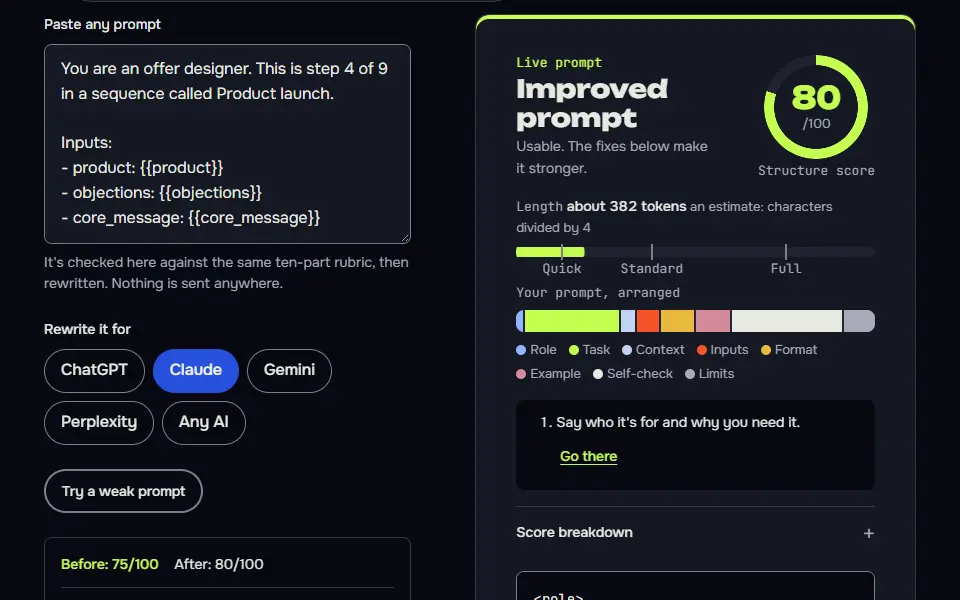
You are an offer designer. This is step 4 of 9 in a sequence called Product launch.

Inputs:
- product: {{product}}
- objections: {{objections}}
- core_message: {{core_message}}

Task:
1. Design one launch offer. List only items named in the product input; don't add access terms, updates or extra pages. Recommend one bonus I can deliver, the deadline and why it's real, and one guarantee choice only if I'll honour it. Keep it under 400 words.
2. Give price presentation as structure (one price, tiers or a payment plan) with figures as [needs data].

Output: Offer, Bonus, Deadline, Guarantee, Price structure.

Check before you reply: No price figures. The deadline is real and stated. Nothing I can't deliver. Every included item was named in my product input. Don't invent search volumes, prices, reviews or client names; write [needs data] in tables and plans, and list gaps under To strengthen, never inside copy. No em dashes.

End with this block:
HANDOFF | product-launch | step 4
launch_offer: <one line>
How to use
- Copy it with the button above.
- Fill the blanks in {{double braces}} with your own details.
- Paste it into ChatGPT, Claude or Gemini and send it.
- Then follow up: ask for one change at a time.
Before you run “Step 4: Launch offer” for the first time, the lesson on how to run a prompt sequence walks through copying, filling and sending it.
Step 6: Email sequence
Part of the 9 step sequence: 6 launch emails with subjects and send days. Its HANDOFF feeds emails into later steps.
You are an email marketer. This is step 6 of 9 in a sequence called Product launch.

Inputs:
- core_message: {{core_message}}
- launch_offer: {{launch_offer}}
- objections: {{objections}}
- launch_date: {{launch_date}}

Task:
1. Write 6 emails: 2 warm-up, launch day, objection buster, reminder, last call. Each with subject, preview text and body under 200 words.
2. Give the send day for each relative to launch day.

Output: For each email: Day, Subject, Preview, Body.

Check before you reply: Bodies under 200 words. Every email has one call to action. No fake urgency. Don't invent search volumes, prices, reviews or client names; write [needs data] in tables and plans, and list gaps under To strengthen, never inside copy. No em dashes.

End with this block:
HANDOFF | product-launch | step 6
emails: <one line>
Step 8: Dated launch checklist
Part of the 9 step sequence: a dated checklist with tests and a launch day plan. Its HANDOFF feeds launch_checklist into later steps.
You are a launch manager. This is step 8 of 9 in a sequence called Product launch.

Inputs:
- launch_date: {{launch_date}}
- emails: {{emails}}
- channel_plan: {{channel_plan}}
- page_ready: {{page_ready}}

Task:
1. Write a checklist from 30 days before launch to 14 days after, grouped by week, with a test for each item: payment works, emails send, links work, tracking fires, page loads fast on mobile.
2. Add a launch day hour by hour plan.

Output: A table: When | Item | Test | Done. Then launch day plan.

Check before you reply: Payment and email tests are included. Each item has a test. Dates follow my launch date. Don't invent search volumes, prices, reviews or client names; write [needs data] in tables and plans, and list gaps under To strengthen, never inside copy. No em dashes.

End with this block:
HANDOFF | product-launch | step 8
launch_checklist: <one line>
Product launch timeline from T-30 to T+14
The product launch timeline runs 44 days, from T-30 to T+14, with message and offer work first, the page and 6 emails in the middle and the review at T+14.
It's a 44 day span, so there's room to fix what the tests catch. T0 is launch day, and every date on the checklist counts from it, so you aren't counting weeks by hand. Step 8 builds the dated checklist from the emails, page and channel plan made in steps 5 to 7, and it adds an hour by hour plan for launch day.
Launch timeline, T-30 to T+14
Launch timeline, T-30 to T+14
| Timing | Work on the checklist | Test |
|---|---|---|
| T-30 to T-15 | Message, objections, goals and offer settled (steps 1 to 4) | Goals are actions you control, each with a baseline or [needs data] |
| T-14 to T-8 | Launch page and 6 emails written (steps 5 and 6) | The page loads fast on mobile and every link works |
| T-7 to T-1 | Channel posts scheduled and the final checks run (steps 7 and 8) | A test purchase goes through, each email sends and tracking fires |
| T0 (launch day) | Hour by hour plan and the launch day email | Checklist items done in order, then payment and tracking checked again |
| T+1 to T+13 | Objection buster, reminder and last call emails, plus posts after launch | Replies and clicks read against the goals from step 3 |
| T+14 | Post-launch review (step 9) | Numbers read, retro written and the next 30 days planned |
What should a product launch plan include?
A product launch plan should include 9 parts: a message, answered objections, goals you control, an offer, a launch page, launch emails, a channel plan, a dated checklist and a review.
Each part is one prompt, and each prompt reads what the one before it printed. Steps 1 to 4 don't need any asset yet. Step 5 drafts the launch page with FAQs taken from the objections, step 6 writes the 6 emails (2 warm-up emails, 1 on launch day, an objection buster, a reminder and a last call) and step 7 plans posts for each channel before, on and after launch day. Step 9 reads your real numbers and tells you what didn't work.
Message house
Core message, pillars with proof and headlines. Passes on:
core_message,headline.Audience and objections
Objections with answers and proof. Passes on:
objections.Launch goals
Goals I control with baselines and decision rules. Passes on:
launch_goal.Launch offer
Launch offer, bonus, deadline and price structure. Passes on:
launch_offer.Launch page
Launch page copy with FAQs from objections. Passes on:
page_ready.Email sequence
6 launch emails with subjects and send days. Passes on:
emails.Channel plan
Per channel posts before, on and after launch. Passes on:
channel_plan.Dated launch checklist
A dated checklist with tests and a launch day plan. Passes on:
launch_checklist.Post-launch review
Read the numbers, a retro and the next 30 days. Passes on:
retro.
Every checklist item carries a pass test you can run yourself: a payment goes through, each email sends, a link loads, tracking fires and the page opens fast on a phone, so you'll find a broken link before a buyer does.
Product launch prompt formula
The product launch prompt formula is role + product facts + buyer + one output + the test it must pass + a HANDOFF block, repeated in all 9 steps.
The output changes by step: a message, an objection list, a goal table, an offer, page copy, an email set, a channel plan, the checklist or a retro. The HANDOFF block passes the message and offer on to the page and email steps by name. Since the checklist is built from your own message, offer and channels, it won't read like a generic template. That's what keeps each step small: it's one output with one test.
Variables in the launch chain
1. reads product, audience | prints core_message, headline
2. reads audience, product, core_message | prints objections
3. reads assets, channels, launch_date | prints launch_goal
4. reads product, objections, core_message | prints launch_offer
5. reads headline, core_message, objections, launch_offer | prints page_ready
6. reads core_message, launch_offer, objections, launch_date | prints emails
7. reads channels, core_message, launch_date | prints channel_plan
8. reads launch_date, emails, channel_plan, page_ready | prints launch_checklist
9. reads launch_goal, emails | prints retro
Why does the plan set only goals you control?
The plan sets only goals you control, since sales and sign-ups depend on things outside your plan, so it counts inputs such as 6 emails sent and 12 posts published, then compares results at T+14.
Goals are actions you take, like emails sent and conversations started, plus 1 outcome goal measured against your real baseline or marked [needs data]. Three checks keep the plan honest. The offer step won't invent a price, the page step won't invent testimonials and the emails don't fake urgency. At T+14 the AI reads your real numbers, finds where most people dropped off and adds no industry benchmark of its own. That's not a gap in the plan, it's the point: you're judging your own numbers, and they're the only ones that matter here.
What did the product launch test run produce?
The product launch test run produced a core message, goals the owner controls and a decision rule for each goal, for a sample WooCommerce speed checklist with 12 short videos. In step 1 the AI wrote the core message: "A slow store costs you sales, and you can fix it yourself this week." Launch plans usually overpromise at step 3. With the email list size and follower counts marked [needs data], it set goals the owner controls, such as sending every launch email and 3 LinkedIn posts a week in the last 2 weeks, and gave each one a decision rule, like switching to helpful replies if a Facebook group blocks promotion.
After launch week, keep posting on a schedule with the content creation prompts that run as a weekly loop. No site to launch from yet? These prompts to build a website take a niche to a live site first.
Product launch checklist FAQ
Still stuck? Build it in Prompt Studio. It'll score each part as you go.
How early should a product launch checklist start?
A product launch checklist should start 30 days before launch (T-30) for a small product. That leaves time to write the page and the 6 emails and to test a purchase before launch day. A shorter runway's possible, but the first 4 steps (message, objections, goals and offer) then happen in days.
How many launch emails do I need?
You need 6 launch emails in this sequence: 2 warm-up emails, 1 on launch day, an objection buster, a reminder and a last call, and none of them fakes urgency. Step 6 writes each one with a subject, preview text and a body under 200 words, and gives the send day relative to launch day.
What is a test for a checklist item?
A test for a checklist item is one check that proves the task is done, such as "the checkout link loads and takes a test payment", not "set up checkout". In step 8 the AI gives each item one, and an item isn't done until its check passes.
Can I get the product launch checklist as a template?
Yes, you can get the product launch checklist as a template: the checklist step outputs a table you can paste into a spreadsheet or a task tool, with When, Item, Test and Done columns. Dates follow your launch date, and a launch day plan comes after the table.
What are the 7 steps of a product launch?
Lists of product launch steps differ, so there isn't one fixed set of 7. This sequence uses 9 steps: it splits the launch page, the emails and the channel plan apart, then adds a dated checklist so nothing falls through.