
Prompt engineering for developers
Guide
4 min
- Plain English
The short answer
Prompt engineering for developers means writing prompts that behave predictably inside code: a clear task, the exact files or inputs, hard limits, and a fixed output shape you can parse. Then you test them like code. Keep prompts in version control, pin the model version, and run a small eval before every change.
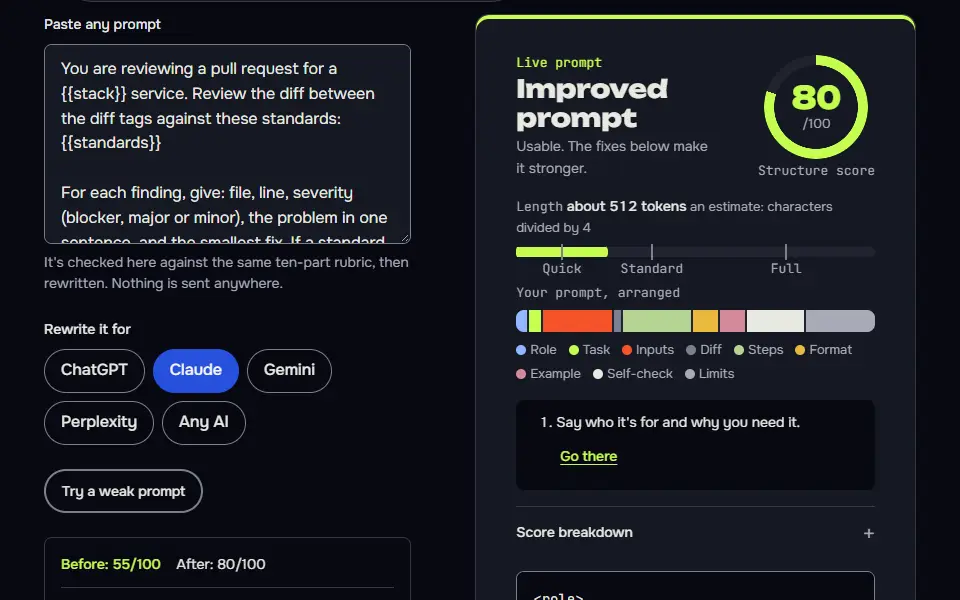
What changes when developers write prompts for code?
What changes when developers write prompts for code is that the prompt has to work on the first run, as a pipeline can't ask a follow-up question. A pipeline prompt runs thousands of times on inputs you haven't seen, and a parser reads the result, so you'll care about three things chat users don't: a predictable output, a parseable format and repeatable tests.
OpenAI's guide adds three production habits worth copying: pin applications to specific model snapshots, build evals that measure prompt behaviour as you iterate, and keep production prompts in your application code, under version control. The same guide notes it's deprecating reusable prompt objects, with v1/prompts set to be switched off on 30 November 2026 (source).
Which text goes in which message role for developers?
Text goes in each message role by its job, and for developers that means rules and format in the developer or system role, with the variable input in the user message. OpenAI's docs describe developer messages as instructions from the application developer, ranked ahead of user messages. Anthropic's equivalent is the system parameter, covered in the Claude system prompt guide.
Wrap the input in a tag or delimiter so a pasted file can't be mistaken for an instruction. That's the cheapest defence there is, and it doesn't cost a token you'd miss.
What are four coding prompt patterns for developers?
Four coding prompt patterns for developers are code review, test generation, refactors and agent tasks, each with its own output shape. For ready-made versions of these jobs, the coding prompt generator pack has prompts you can paste and adapt.
Pattern 1: code review
Give the diff, the standards and the severity scale. A standard can be as concrete as banning Structured Query Language (SQL) string building. Ask for findings with line references, and don't reject "no finding" as a valid answer.
Pattern 2: tests
Give the function and the framework. Ask for edge cases first, then the tests, and tell it to say so when the code looks wrong instead of writing tests that pass anyway.
Pattern 3: refactor
State what mustn't change, such as the public Application Programming Interface (API) and behaviour, and what you want improved. Ask for one change at a time with a short reason.
Pattern 4: agent task
Define the goal, the allowed tools, what "done" means, and when to stop and ask. ReAct prompting explains the reason, act and observe loop behind most agents.
Which guardrails do coding agents need in a developer prompt?
Coding agents need 3 guardrails in a developer prompt: no features nobody asked for, no hard-coded test answers and a fixed scope. Anthropic's best-practices page flags the matching behaviours: adding abstractions nobody asked for, hard-coding values so tests pass, and answering about code the model hasn't read (source).
Three short rules cover most of it: "change only what the task requires", "write a general solution, not one that only satisfies the test inputs", and "read the file before you answer questions about it". Keep the tool list short and describe each tool's use; an agent won't use a tool well if it doesn't know what it's for.
Two lines belong in almost every coding prompt: no unasked features, so the model doesn't add a library you didn't request, and a pinned model version in the call, so a silent model update can't change your output.
How do developers test prompts like code?
Developers test prompts like code in 4 steps: collect 10 to 30 real inputs, write the expected output, pin the model version and rerun the set before every change.
Eval checklist
- Collect 10 to 30 real inputs, awkward ones included.
- Write what a correct output looks like for each, as a check you can run, such as valid JavaScript Object Notation (JSON), a required phrase or a word limit.
- Pin the model version so a silent upgrade can't change results.
- Rerun the set before and after every change, and keep it in version control with the prompt.
Don't trust a prompt that only read well in a demo; trust the pass rate this test method gives you. Track two numbers: the pass rate and the cost per run.
ChatGPT prompt engineering for developers before and after
The same request, asked two ways. Read the second one slowly. Each line does a job.
Review this code and tell me what's wrong.
You are reviewing a pull request for a Python web service. Review the diff between the diff tags against these standards: no bare except, no SQL string building, public functions need type hints. For each finding give: file, line, severity (blocker, major, minor), the problem in one sentence and the smallest fix. If you find nothing for a standard, write "no finding" for it. Don't comment on style that isn't in the standards. End with a verdict: approve or request changes.

<diff>
(paste diff)
</diff>
Why it works
The after version fixes the standards, the finding format and the verdict, so the output is consistent from one review to the next and a script could read it.
ChatGPT prompt engineering for developers examples
Pull request review with a fixed finding format
A closed list of standards and an allowed 'no finding' answer stops invented nitpicks.
You are reviewing a pull request for a {{stack}} service. Review the diff between the diff tags against these standards:
{{standards}}

For each finding, give: file, line, severity (blocker, major or minor), the problem in one sentence, and the smallest fix. If a standard has no finding, write "no finding" for it. Don't comment on anything that isn't in the standards. Don't invent line numbers; if you can't tell, say "line unclear". End with a verdict: approve or request changes.

<diff>
{{diff}}
</diff>
How to use
- Copy it with the button above.
- Fill the blanks in {{double braces}} with your own details.
- Paste it into ChatGPT, Claude or Gemini and send it.
- Then follow up: ask for one change at a time.
Before you run “Pull request review with a fixed finding format” for the first time, the lesson on how to use AI prompts step by step walks through copying, filling and sending it.
Edge cases first, then tests
Listing cases first and testing intended behaviour stops tests that merely bless a bug.
Here is a function and its context.

<function>
{{code}}
</function>

Test framework: {{framework}}.

Step 1: list the edge cases a careful reviewer would test, grouped as normal, boundary, invalid input and failure. Step 2: write the tests. Each test name should state the behaviour it checks. Write tests for what the function should do according to its name and docs, not just what it currently does. If you think the function has a bug, say so before writing the tests and mark any test that fails as a result of it. Don't modify the function.
Scoped refactor, one change at a time
One reviewable change per turn, with a verification step, keeps refactors safe.
Refactor the code below for {{goal}}.

Must not change: {{frozen}}.
Only change what the goal requires. Don't add features, helpers or abstractions beyond it, and don't touch code that doesn't need to change.

Proceed in steps. Give me the first change only: the diff, a one-sentence reason, and how I can check behaviour hasn't changed. Then stop and wait for me to say next.

<code>
{{code}}
</code>
Agent task brief with tools and a stop rule
It sets scope, a done condition, a stop rule and a verifiable summary, the four things agent prompts most often omit.
If you can't open files or run commands in this chat, say so in one line and stop: this brief is for a coding agent.

Goal: {{goal}}

Tools you may use: {{tools}}
Tools you must not use: {{banned}}

Done means: {{done}}

Work in a loop. Before each action, write one line starting "Thought:" saying what you're trying to learn or do. Then take the action. Then write "Observation:" with what you saw. Read any file before making claims about it. Make the smallest change that meets the goal.

Stop and ask me if: you need a credential or a decision I haven't given, an action would delete or overwrite data, or you've taken {{limit}} actions without finishing. End with a summary: what you changed, what you checked, and what you couldn't verify.
How to use
- Copy it with the button above.
- Fill the blanks in {{double braces}} with your own details.
- Paste “Agent task brief with tools and a stop rule” into a coding agent that can open your files, such as Claude Code, Codex or Cursor's agent mode, not a plain chat.
- Then review each change before you keep it.
When is prompt engineering worth it for developers?
Prompt engineering is worth it for developers on any prompt in production, run by other people or run at volume. A personal script you'll run once doesn't need it, and you shouldn't feel bad about that; a rough prompt and a manual check are faster there.
Two layout habits pay off on every production prompt. Keep the variable parts as named slots, the way a prompt template does, so the code fills them and the wording never drifts. Fix the response structure with a clear AI prompt format, such as tagged sections and a JSON schema, so the parser won't meet a surprise. For the wider picture, prompt engineering examples shows the same levers on chat prompts.
ChatGPT prompt engineering for developers FAQ
Still stuck? Build it in Prompt Studio. It'll score each part as you go.
Is there a free ChatGPT prompt engineering course for developers?
Yes, DeepLearning.AI offers 'ChatGPT Prompt Engineering for Developers' as a short course; check its page for current access terms. On 18 November 2026 its page said access is free for a limited time during the platform's beta, with the graded assignment and certificate on the paid PRO plan. It's taught by Isa Fulford of OpenAI and Andrew Ng, in partnership with OpenAI.
Is prompt engineering still relevant for developers?
Yes, prompt engineering is still relevant for developers, as every prompt in a pipeline needs a fixed output shape and tests. Newer models follow plain instructions well, so tricks matter less, but scope, format and evals matter more than ever.
Is ChatGPT good for coding tasks?
Yes, ChatGPT is good for coding tasks with a clear scope, the exact files and a test to pass. It can write plausible code that's wrong, so run the tests and read the diff yourself before you merge.
Should developers keep prompts in version control?
Yes, developers should keep prompts in version control next to the code that calls them. Store the eval set beside the prompt so every change gets the same test.