
ReAct prompting: reason, act, observe
Free prompt courseLesson 22 of 229 minVideoGo to the lesson
Guide
4 min
- Plain English
The short answer
ReAct prompting makes an AI alternate between three things: a short thought about what to do, an action such as a search or a calculation, and an observation of the result. It repeats until it can answer. It's the pattern behind most tool-using agents, and it cuts guessing on questions that need fresh facts.
What is ReAct prompting?
ReAct prompting is a method where the model alternates between a short thought, an action such as a search, and an observation of the result, until it can answer. ReAct is short for Reasoning and Acting, and it comes from ReAct: Synergizing Reasoning and Acting in Language Models (Yao et al., 2022). The authors had models interleave reasoning traces with actions that reach the outside world, so each step rests on what the last action returned, not on what the model'd guess.
The rule behind it is short: don't let the model guess what it could check. The loop repeats until there's enough to answer, and you'll recognise it from your own research:
Thought: what do I need to find out next?
Action: search[query]  (or any tool you allow)
Observation: (the result comes back here)
... repeat ...
Final answer: ...
How does ReAct prompting work with built-in tool calling?
ReAct prompting works with built-in tool calling by letting the Application Programming Interface (API) run the act and observe steps as tool calls, so you rarely type the format yourself. Most model APIs now have tool calling built in: the model asks for a tool, your code runs it, and the result goes back as the observation.
The written form still earns its keep in 2 places. One is an agent with a text interface, where you describe tools in the prompt and parse the actions yourself. The other is a plain chat where there aren't any tools at all, and “What does a ReAct prompt template look like?” shows that version. Real agents add step limits and stop rules, and the developer view is in prompt engineering for developers.
What does a ReAct prompt template look like?
A ReAct prompt template looks like a task line, a list of allowed actions and a fixed Thought, Action, Observation, Answer format. You'll find that template in worked prompt 1, with a rule that bans unsourced facts. To turn it into standing agent instructions, paste it into the system prompt writing tool and add your own tool list; it's a system prompt generator built for agent instructions like these.
The second worked prompt is the plain-chat version, and it's the one most people can use today. The model can't search on its own, so you play the tools: it writes the Thought and Action, you run the search and paste the Observation back. It's slower, but it won't invent a number or a date it should have looked up. The third prompt audits a finished trace, checking every claim against an observation.
How is ReAct prompting different from chain of thought?
ReAct prompting is different from chain of thought in that it acts on outside results between reasoning steps, and chain of thought reasons only. Chain of thought keeps every step inside the model's head, so a wrong fact that's slipped in stays wrong all the way to the answer.
ReAct adds a check after each thought. A search result that contradicts the plan changes the next thought, and that's why it suits questions where the facts aren't in the prompt and you can't supply them up front.
Is ReAct prompting still relevant?
Yes, ReAct prompting is still relevant as the idea behind agents, though you rarely type it as a prompt now. Agents still reason, act and read results in a loop; native tool calling and built-in reasoning just do the typing for you.
Anthropic notes that after a tool call, you can prompt the model to reflect on the quality of the results before its next step (best practices). That's the same instinct, and it's cheap to add. Write the explicit format out when you want a visible trace you can audit, and skip it when you don't.
ReAct prompting before and after
The same request, asked two ways. Read the second one slowly. Each line does a job.
Is the Hartley Tea Co. loose-leaf subscription cheaper than buying the same teas one by one?
Answer the question using this loop, repeating until you can answer.
Thought: what do I need to find out next?
Action: one of search[query] or calculate[expression]
Observation: I will paste the result.
When done, write Final answer: with the numbers you used. Never state a price you haven't observed.

Question: Is the Hartley Tea Co. loose-leaf subscription cheaper than buying the same teas one by one?
Why it works
The before prompt invites a guess about prices the model can't see. The after version makes it ask for each price and use only what comes back.
ReAct prompting examples
ReAct template for an agent with tools
A strict Thought, Action, Observation format with a 'no unsourced facts' rule is the core of the original method.
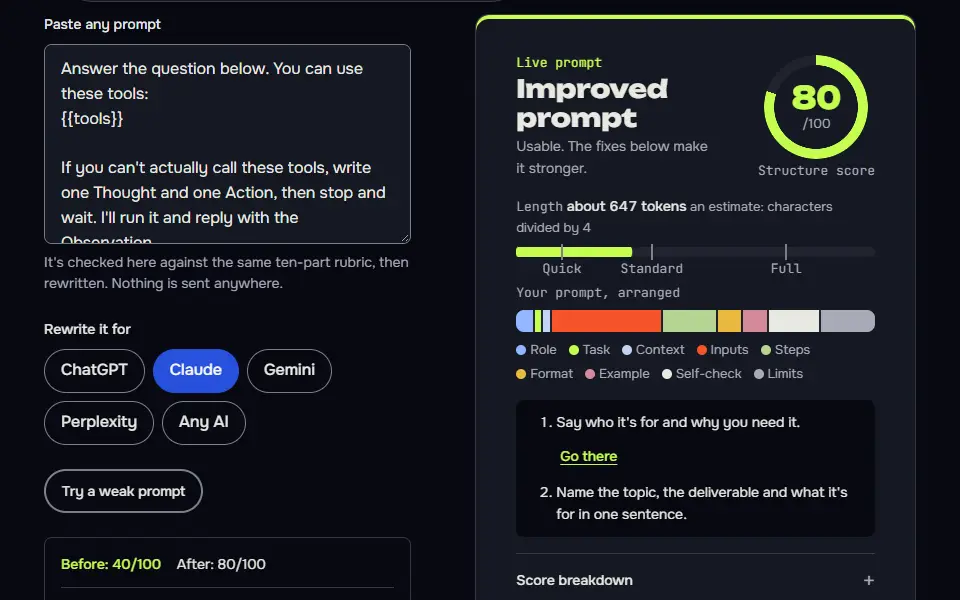
Answer the question below. You can use these tools:
{{tools}}

If you can't actually call these tools, write one Thought and one Action, then stop and wait. I'll run it and reply with the Observation.

Use exactly this format, and repeat the Thought, Action, Observation block as many times as needed:
Thought: one sentence on what you need to find out next
Action: tool_name[input]
Observation: (the tool result will be inserted here, don't write it yourself)

When you have enough to answer, write:
Final answer: the answer, plus which observations you relied on.

Rules: never state a fact that isn't from an Observation or from the question itself. If a tool returns nothing useful, try a different query once, then say what you couldn't find. Stop after {{limit}} actions.

Question: {{question}}
How to use
- Copy it with the button above.
- Fill the blanks in {{double braces}} with your own details.
- Paste it into ChatGPT, Claude or Gemini and send it.
- Then follow up: ask for one change at a time.
Before you run “ReAct template for an agent with tools” for the first time, the lesson on how to use AI prompts step by step walks through copying, filling and sending it.
ReAct in plain chat, where you play the tools
It uses the pattern without tools by turning you into the tool, which keeps the model from inventing lookups.
We'll answer a question together using a Thought, Action, Observation loop. You can't search or open anything yourself, so I'll act as your tools.

Question: {{question}}

Each turn, write only:
Thought: what you need to find out next, in one sentence.
Action: the exact search or lookup you want me to run (a query, a page to check, or a calculation).
Then stop. I'll reply with Observation: and the result. Never fill in an Observation yourself. When you have enough, write Final answer: with the answer and the observations it rests on. If I paste something that contradicts an earlier Observation, point it out before continuing.Audit a ReAct trace for unsupported claims
The trace is visible, so you can check every claim against an observation instead of trusting the answer.
Below is a Thought, Action, Observation trace and the final answer it produced.

<trace>
{{trace}}
</trace>

Check the final answer line by line. For each claim, quote it and label it: supported (name the Observation number), unsupported (no observation backs it), or contradicted (an observation says otherwise). Then give a verdict on whether the answer is safe to use, and list any extra Action that would close the gaps. Don't add any new facts yourself.Lesson 22 of 22Loops and agents9 min
Lesson: ReAct and agents
ReAct is a loop of Thought, Action and Observation: the AI says what it needs, takes or requests an action, reads the result, and repeats until it can answer. It's how tool-using agents work, and you can run it by hand in a chat.
Use it when
- The answer needs looking things up or running steps, not just knowledge.
- An AI with tools: browsing, code, Deep Research.
- You want to see why an agent did what it did.
Skip it when
- The answer is in the prompt or the model already knows it.
- You can't check the observations: an agent with bad inputs is confidently wrong.
We'll answer a question together using a Thought, Action, Observation loop. You can't search or open anything yourself, so I'll act as your tools.

Question: Does the plugin I use work with the newest WordPress version?

Each turn, write only:
Thought: what you need to find out next, in one sentence.
Action: the exact search or lookup you want me to run (a query, a page to check, or a calculation).
Then stop. I'll reply with Observation: and the result. Never fill in an Observation yourself. When you have enough, write Final answer: with the answer and the observations it rests on. If I paste something that contradicts an earlier Observation, point it out before continuing.
Thought: I don't yet know which plugin you use or which WordPress version is newest, so I need the plugin's name first.

Action: Ask you for the exact plugin name (and its installed version, if you know it), then look up the latest WordPress release number and the plugin's "Tested up to" value on its wordpress.org plugin page.
What to notice: It didn't invent an observation, and it spotted that the question never names the plugin. Our grader's criticism: the Action packs three separate lookups into one turn instead of one action at a time. In a real agent, one action per turn keeps each observation clean.
Try it in Prompt StudioOpens the studio with the Agent or ReAct technique already selected.
Quick check: 3 questions
Practice: write your own
Write a ReAct prompt for a question you'd need to look up, where you act as the tools. Set the turn format, a rule against invented observations, and a final answer line.
Prompt Studio's rubric scores it right here. Nothing's sent anywhere.
Your progress is saved in this browser only. No sign-up.
When is ReAct prompting the right fit?
ReAct prompting is the right fit for questions that need fresh or outside facts and for multi-step lookups where each step depends on the last result. It isn't worth it when everything the model needs is already in the prompt, or for plain writing and rewriting, where there's nothing to look up.
A question that breaks into smaller ones, each answered before the next, may suit least-to-most prompting in AI better than a tool loop. And once the trace shows a wrong turn, steer it with follow-up prompts instead of starting over. Prompt chaining is simpler when the steps are known in advance, and more techniques are on types of prompting.
ReAct prompting FAQ
Still stuck? Build it in Prompt Studio. It'll score each part as you go.
What does ReAct stand for in prompting?
ReAct stands for Reasoning and Acting, a prompting loop of thought, action and observation steps. The name comes from the 2022 paper by Yao and colleagues.
Is ReAct prompting related to the React JavaScript library?
No, ReAct prompting isn't related to the React JavaScript library; they're a homonym and only share a name. React is a library for building user interfaces, and ReAct is a prompting method for models that use tools.
Can you use ReAct prompting in a normal chat app?
Yes, you can use ReAct prompting in a normal chat app by playing the tools yourself and pasting each result back. The plain-chat worked prompt sets that up, and it doesn't need any code.
What tools can a ReAct prompt call?
A ReAct prompt can call the actions you list in it, such as a web search, a calculator or a database lookup. List each one with its input format, and tell the model it can't use anything else.