
Prompt library: save, version and share your prompts
A prompt library is a place to keep the prompts you reuse, so you don't rewrite them every time.
Live prompt
Write
Fill in the first box. The prompt builds and scores live.
0/100
My prompts
Nothing saved yet. Save a prompt and it's kept in this browser, with up to 20 versions.
Open the full Prompt Studio (Loop, Chain and Check).
Your shelf: every prompt you save in the tool, sorted by tag
Tags come from the pack and the model you saved with. Press one to filter.
Nothing on the shelf yet. Build a prompt in the tool and press Save, and it stands here as a book.
A taller book has a higher structure score. Press a book to see its details.
The short answer
A prompt library is a place to keep the prompts you reuse, so you don't rewrite them every time. This one saves them in your browser, keeps up to 20 versions of each (compared with a before and after diff), exports a JavaScript Object Notation (JSON) backup, and shares a prompt as a link. It needs no login.
How to use it
Open the studio and build something
Use any mode: Build, Improve or Loop. Prompts you make there can be saved.
Save it with a clear name
Click Save and name it for the job, not the date. Saving again after an edit adds a new version.
Compare versions when something changes
Open My prompts, choose the prompt and use Compare with newest to see what's different.
Export a backup
Download the JSON file now and then. Import it to move your library to another browser.
Prompt library examples
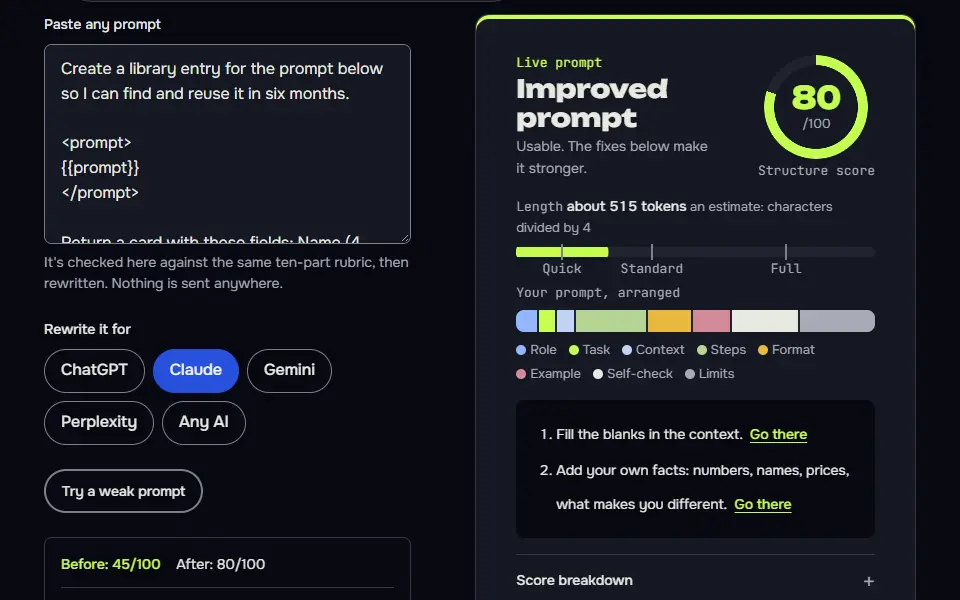
Turn a prompt into a documented library entry
A fixed card format makes entries searchable, and "unknown" stops the AI inventing a weakness.
Create a library entry for the prompt below so I can find and reuse it in six months.

<prompt>
{{prompt}}
</prompt>

Return a card with these fields: Name (4 words or fewer), Job (one sentence), Written for (which AI), Variables (list each one with an example value), Inputs it needs, Output it gives, Known weakness (one honest line), and Tags (3 to 5). Don't change the prompt itself. If something can't be told from the prompt, write "unknown" instead of guessing.How to use
- Copy it with the button above.
- Fill the blanks in {{double braces}} with your own details.
- Paste it into ChatGPT, Claude or Gemini and send it.
- Then follow up: ask for one change at a time.
Before you run “Turn a prompt into a documented library entry” for the first time, the lesson on how to use the prompts this tool writes walks through copying, filling and sending it.
Write test inputs for a saved prompt
A fixed set of six inputs lets you compare version 1 and version 2 fairly.
I keep this prompt in my library and I want to re-test it whenever I change it:

<prompt>
{{prompt}}
</prompt>

Write 6 test inputs for it, in a table with the columns Input, What it tests and What a good answer must include. Include two normal cases, two awkward ones (missing details or odd formatting), one that asks for something out of scope and one that pushes the rules. Keep each input realistic, as a real user would type it.Summarize what changed between two versions
Checking for accidentally dropped rules is the most common thing a manual diff misses.
Compare these two versions of a prompt I use.

Version 1:
<v1>
{{old_version}}
</v1>

Version 2:
<v2>
{{new_version}}
</v2>

Write a changelog entry of no more than 4 lines in this shape: what changed, why it should help, and one risk. Then say whether any rule in version 1 was dropped by accident. Quote the dropped line if there is one.
How the prompt library works
The prompt library works in your browser: you save a prompt, edit it into new versions, compare a version with the newest one in a diff, and export or share it without an account. It's the My prompts panel of the Prompt Studio, and it keeps everything in your browser's local storage, with no sync to a server.
- SaveFrom Build, Improve or Loop, under a name you choose.
- VersionEach save after an edit adds a version, up to 20.
- CompareA before and after diff against the newest version.
- Share or exportA settings link for one prompt, or a JSON backup of all.
- Save. Save a prompt, and saving again after an edit adds a new version instead of replacing the old one.
- Versions. Each prompt keeps its last 20 versions as a version history (older ones drop out), with a link to compare any version with the newest one.
- Share. Link sharing carries the settings in the web address (URL), not the output, so your colleague opens the same studio setup. Pasted tool exports never go into a link. There's no account and no server copy, so a link can't be recalled.
- Export and import. Download everything as a JSON file, and import it in another browser or on another computer.
- Not included. There's no cloud sync and no team folders, and clearing your browser data deletes the library, so export a backup now and then. It isn't hard to forget.
Prompt library limits chart
The prompt library limits are 60 prompts and 20 versions per prompt, with a JSON file for backups and one prompt per share link. It keeps 12 recent entries too, all in your browser's local storage, and the numbers come from the library's own code.
- 60saved promptsA new prompt past 60 pushes out the earliest saved one.
- 20versions per promptOlder versions drop off.
- 12recent entriesCopied and opened prompts.
- 80characters in a nameLonger names are cut.
- 60,000characters per versionCut at the limit.
- 20,000characters per recent entryCut at the limit.
Read from the Prompt Studio's saved prompts code on 16 November 2026. Browser storage is the only place the library keeps data.
A prompt name can run to 80 characters (the smallest cap), one saved version to 60,000 characters and one recent entry to 20,000. The library keeps only the latest 5 versions (of each prompt) and 5 recent entries, then saves again, if the browser's storage is full. An import adds prompts and stops at the 60 prompt cap, and it never overwrites a prompt that has the same ID.
How should you version and test a prompt?
Version a prompt by saving a new version for each single change, then test both versions on the same input and keep the one with the better answer, with a note on what changed. That's prompt versioning and prompt evaluation in one habit, and you won't need a separate prompt tester for it.
Keep 3 test inputs with each prompt: a normal one, an awkward one and a rule-breaking one. Run them on the old and the new version, compare the two answers, and keep the winner. The version list then tells you which edit broke a prompt that used to work, and the prompt optimizer is a quick way to make that first improved version.
What should a prompt library entry include?
A prompt library entry should include 6 fields: a title, the prompt text, the model it was written for, tags, a note on when to use it and its version history. With those, you'll find the right prompt in six months and know whether it still fits.
The library saves the title, the text and the history for you; write the model, the tags and the note into the prompt's name or its first lines. Put variables in double curly braces so they're easy to spot. Ask an AI to fill in the card from the first example prompt here, and read the thinking behind reusable prompts in prompt templates.
Which ready-made prompts should you add to your library first?
Add the ready-made prompts you'll reuse weekly first, such as a resume rewrite, an email reply and an image style line, from the site's ChatGPT and image prompt pages. Each one opens in the studio with one click, so you can save it straight away.
Good first entries are the task prompts under ChatGPT prompt pages, from resumes to code reviews. Style lines worth keeping for pictures come from AI image prompt examples. Save the ones you use, change one line, and save again; after a month you'll have a short list that's yours.
Prompt library FAQ
Still stuck? Build it in Prompt Studio. It'll score each part as you go.
What is a prompt library?
A prompt library is a collection of prompts you can find and reuse, usually with a name, a purpose and the AI each one is written for. A good one keeps older versions, so you can see what changed when a prompt stops working as well as it used to.
Is this prompt library free?
Yes, this prompt library is free, with no account and no paid tier. Saving, versions, export and share links all cost nothing.
What happens to my saved prompts if I clear my browser data?
Your saved prompts are deleted when you clear your browser data, since they live only in this browser; export a JSON backup first and import it afterwards. A library that's been cleared can't be recovered.
Can I use the prompt library on two devices?
Yes, you can use the prompt library on two devices by exporting a JSON backup on one and importing it on the other; there's no automatic sync. Import adds the prompts to what's already there, stops at 60 and gives a duplicate ID a new one, so nothing's overwritten.
Can I share one prompt without sharing the whole library?
Yes, a share link carries one prompt only, and the rest of your library stays in your browser. The link holds the studio settings after the # sign, not the output, and pasted tool exports never go into it.
What is the best prompt library?
The best prompt library depends on the job: browsable collections suit finding ideas, and a personal library suits reuse and versioning. This page is the personal kind, with links to our ready-made collections for ChatGPT, Claude, Midjourney, Nano Banana and video, so you can save the ones you like.