
Suno negative prompts and how to exclude sounds
A Suno negative prompt is the text you type in the Exclude field to name what the song should leave out, such as "drums, electric guitar", next to a Styles line that says what you want.
Music pack
15
- Suno
- Udio
Copy each pair, field by field
Show every prompt for
Ambient piano with no drums
Naming the whole drum family catches more than "drums" alone.
Suno
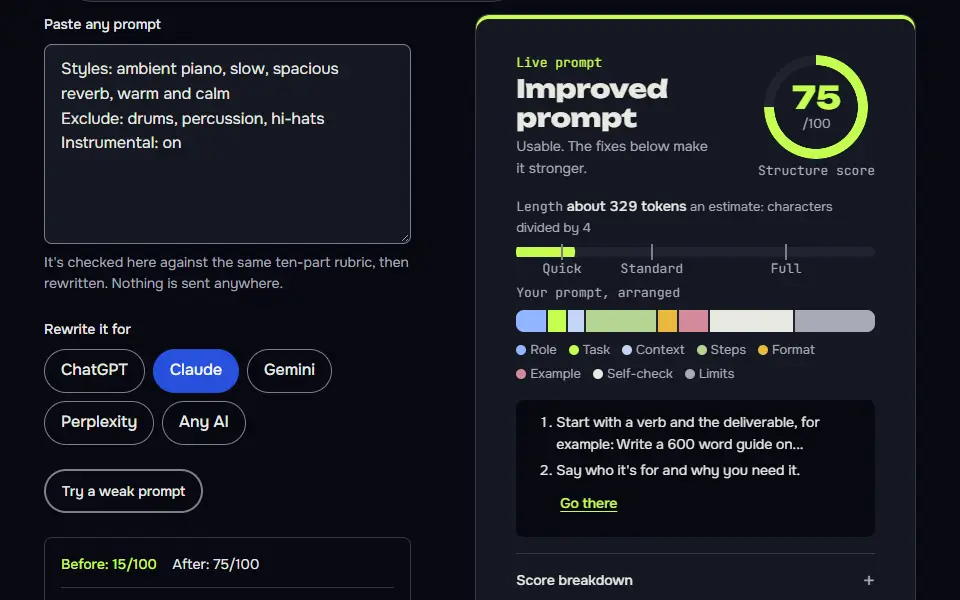
Styles: ambient piano, slow, spacious reverb, warm and calm
Exclude: drums, percussion, hi-hats
Instrumental: on
Udio
Slow ambient solo piano piece, spacious and warm, with soft reverb and long sustained notes.
How to use
- Copy it with the button above.
- Fill the blanks in {{double braces}} with your own details.
- Paste it into Suno or Udio (the style box for the tags).
- Then change one tag per try and compare takes.
Before you run “Ambient piano with no drums” for the first time, the lesson on how to use AI music prompts walks through copying, filling and sending it.
Lo-fi study beat with no vocals
The Styles line says what to build; Exclude removes the usual lo-fi vocal samples.
Suno
Styles: lo-fi hip hop, dusty vinyl crackle, mellow electric piano, relaxed tempo
Exclude: vocals, singing, spoken word, choir
Udio
Instrumental lo-fi hip hop beat with dusty vinyl crackle, mellow electric piano and a relaxed tempo.
Acoustic folk without electric guitar
Excluding both electric guitar and distortion stops a drift toward folk rock.
Suno
Styles: acoustic folk, fingerpicked nylon-string guitar, intimate male vocal, warm room sound
Exclude: electric guitar, distortion, synthesizer
Udio
Intimate acoustic folk song with fingerpicked nylon-string guitar and a close, warm male vocal in a small room.
Indie pop with a natural vocal
Four related terms for processed vocals cover the different ways a model might describe the same sound.
Suno
Styles: indie pop, natural female vocal, close microphone, live-room warmth, jangly guitar
Exclude: auto-tune, vocoder, heavy vocal effects, robotic vocals
Udio
Indie pop with a natural, unprocessed female vocal recorded close to the microphone, plus jangly guitar and live-room warmth.
Cinematic strings with no choir
A choir is a common default in epic orchestral styles, so it's worth excluding on purpose.
Suno
Styles: cinematic orchestral, strings and low brass, slow build, tense and spacious
Exclude: choir, vocals, electronic drums, synth bass
Instrumental: on
Udio
Cinematic orchestral piece for strings and low brass with a slow, tense build and plenty of space between phrases.
Late-night jazz trio without horns
Listing the horns you don't want keeps the trio a trio.
Suno
Styles: late-night jazz trio, upright bass, brushed drums, piano lead, smoky and slow
Exclude: saxophone, trumpet, vocals, electric guitar
Instrumental: on
Udio
Late-night jazz trio with a piano lead, upright bass and brushed drums, smoky and slow.
Classic country without pop gloss
Genre-drift terms go in Exclude, while the sound you want stays in Styles.
Suno
Styles: classic country, pedal steel, twangy clean electric guitar, shuffle beat, warm male vocal
Exclude: trap hi-hats, 808 bass, EDM drop, auto-tune
Udio
Classic country song with pedal steel, twangy clean electric guitar, a shuffle beat and a warm male vocal.
Melodic rock with clean singing only
It names the exact vocal style to leave out instead of a vague "no aggression".
Suno
Styles: melodic alternative rock, driving drums, bright guitars, clean singing, big chorus
Exclude: screaming, growls, harsh vocals, breakdowns
Udio
Melodic alternative rock with driving drums, bright guitars, clean singing and a big chorus.
Deep house without a big drop
Risers are often what signals a drop, so they go in the list too.
Suno
Styles: deep house, steady four-on-the-floor groove, warm bassline, soft pads, hypnotic
Exclude: big drop, risers, vocal chops, dubstep
Instrumental: on
Udio
Deep house with a steady four-on-the-floor groove, a warm bassline, soft pads and a hypnotic feel that builds slowly without a big drop.
Gentle lullaby with no sudden sounds
For calm tracks, excluding sudden or loud elements matters as much as choosing the soft ones.
Suno
Styles: gentle lullaby, music box, soft humming, slow and soothing
Exclude: drums, electric guitar, shouting, sudden loud sounds
Udio
Gentle lullaby with a music box melody, soft humming and a slow, soothing pace.
Boom bap beat with no singing
The Instrumental toggle and the Exclude field work together to keep the beat clean.
Suno
Styles: boom bap beat, dusty drums, deep bass, jazzy sample, head-nod tempo
Exclude: singing, choir, strings, pop hooks
Instrumental: on
Udio
Instrumental boom bap beat with dusty drums, deep bass and a jazzy sample at a head-nod tempo.
Roots reggae without rock drift
Three specific sounds that pull reggae toward other genres are easier to keep out than 'less rock'.
Suno
Styles: roots reggae, offbeat guitar skank, deep warm bass, vintage organ, laid-back groove
Exclude: distorted guitar, electronic drums, rap vocals
Udio
Roots reggae with an offbeat guitar skank, deep warm bass, vintage organ and a laid-back groove.
Smooth R&B ballad without a rap verse
It keeps the decade in Styles and removes the modern production habits in Exclude.
Suno
Styles: smooth 90s R&B ballad, warm electric piano, silky lead vocal, slow groove, lush backing harmonies
Exclude: rap verse, auto-tune, trap hi-hats
Udio
Smooth 90s R&B ballad with warm electric piano, a silky lead vocal, a slow groove and lush backing harmonies.
Short podcast intro jingle
'Long fade-out' in Exclude helps the track end where you need it to.
Suno
Styles: short upbeat podcast intro, ukulele, hand claps, bright and friendly, ends cleanly
Exclude: vocals, long fade-out, heavy bass
Instrumental: on
Udio
Short upbeat podcast intro with ukulele and hand claps, bright and friendly, ending cleanly.
8-bit chiptune without realistic instruments
Excluding realistic instruments keeps the retro sound consistent.
Suno
Styles: 8-bit chiptune, bouncy square-wave lead, simple bass, upbeat game-level loop
Exclude: realistic drums, vocals, orchestral strings
Instrumental: on
Udio
Upbeat 8-bit chiptune loop with a bouncy square-wave lead and a simple bass line, like a game level.
What is a Suno negative prompt?
A Suno negative prompt is the text you type in the Exclude field to name what the song should leave out, such as "drums, electric guitar", next to a Styles line that says what you want. Each of the 15 cards on this page gives you both halves, so you'll paste them field by field and won't mix them up.
Where is the Exclude field in Suno?
The Exclude field in Suno sits under Advanced Options in Custom Mode: switch to Custom, open Advanced Options and type what you don't want. Suno's help page "How do I exclude elements of a song?" gives these steps:
- Start your song in Custom Mode as you normally would.
- Click Advanced Options and find the Exclude box.
- Enter the instruments, styles or other elements you don't want, fill in Styles and the rest, then click Create.
The same help page suggests rating the tracks you make with the thumbs up and thumbs down icons, which helps Suno give you better results next time. It's a small step, but it's the one Suno itself recommends.
Suno negative prompts list: 15 Styles and Exclude pairs
This Suno negative prompts list has 15 pairs, each with a Styles line and an Exclude line, including ambient piano with no drums, lo-fi with no vocals and folk without electric guitar. Each card has a Udio tab too, and here's what each pair keeps out:
- Drums and beats: ambient piano with no drums, gentle lullaby with no sudden sounds and deep house without a big drop.
- Vocals and rap: lo-fi study beat with no vocals, boom bap beat with no singing and smooth r&b ballad without a rap verse.
- One instrument: acoustic folk without electric guitar, late-night jazz trio without horns and cinematic strings with no choir.
- A production style: indie pop with a natural vocal, classic country without pop gloss, melodic rock with clean singing only and roots reggae without rock drift.
- Length and sound palette: short podcast intro jingle and 8-bit chiptune without realistic instruments.
How do you exclude an instrument in Suno?
To exclude an instrument in Suno, type its name in the Exclude field and describe the sound you want instead in Styles, for example Exclude "drums" with Styles "ambient piano, soft pads". Giving Suno a replacement matters: an empty slot in the arrangement tends to get filled with whatever the genre usually has.
Name the whole family when one word won't catch it. For no drums, "drums, percussion, hi-hats" covers more than "drums" on its own. For no vocals, Suno's Custom Mode has an Instrumental toggle, so turn that on as well as listing vocals in Exclude.
Does Suno's Exclude always remove the sound?
No, Suno's Exclude doesn't always remove the sound: it lowers the chance, so regenerate and rate each result with the thumbs icons until a take leaves it out. Suno's help page doesn't promise that an excluded term will never appear, and feedback is the method it names: rate each take with the thumbs icons.
Run a quick test. Make two takes of the same Styles line, one with Exclude filled and one without. You'll know the exclusion is working when the difference is audible; if it isn't, try a more specific word, such as "hi-hats" instead of "percussion".
One unverified tip says to type "no drums" inside the Styles box. Suno's own help pages describe the Exclude field for this job and don't mention that trick, so this page lists only behaviour the help pages confirm: the pairs leave Styles for what you want and put every exclusion in Exclude, where it's documented.
How do you write an exclusion Suno follows?
Write an exclusion Suno follows as 1 to 3 short nouns separated by commas, such as "choir, brass", and keep the same sound out of your Styles line. A clash, where Styles asks for rock and Exclude bans drums, is the first thing to fix when a take ignores you.
- Nouns, not sentences: "electric guitar" works; "please don't use any guitar" doesn't help.
- One change at a time: you'll know which word did the work.
- Match the words: use the same term in Exclude that a Styles line would use, such as "808s" instead of "heavy low end".
Udio works differently. We couldn't find an exclude option in Udio's own help pages, so each card's Udio tab describes only what should be in the track; check Udio's current help page before you rely on a field name there.
To write the Styles half from your own idea, the prompt generator for Suno builds it, then paste the matching Exclude line from this page. How Suno reads each tag in the Styles box is covered step by step in the 2026 Suno prompt guide, and the ready style lines without exclusions are on the Suno prompts hub.
Suno negative prompt FAQ
Still stuck? Build it in Prompt Studio. It'll score each part as you go.
How can I exclude styles in Suno AI?
Exclude styles in Suno AI by typing the style names in the Exclude field in Custom Mode, such as "EDM, trap", and keep your Styles line free of them. The field sits under Advanced Options. Rate the takes with the thumbs icons so Suno learns what you're after.
How do I get Suno to not use drums?
To get Suno to not use drums, type "drums" in the Exclude field and describe a beat-free sound in Styles, such as "ambient piano, slow pads, no rhythm section"; regenerate if a take still has a beat. Adding "percussion, hi-hats" to the Exclude line catches the parts that "drums" alone can miss.
Why is Suno ignoring my Exclude prompt?
Suno ignores an Exclude prompt most often when the Styles line asks for the same sound, such as "rock" with "drums" excluded; remove the clash and try again. Keep the Exclude list to 1 to 3 words, too, so you can hear which one Suno skipped.
How do I use these Suno pairs in Udio?
Use the Udio version under each pair on this page, written for Udio's own prompt field; check Udio's current help page for the field name before you rely on it. The Udio wording describes only what you want in the track, so it works whether or not your account shows an exclude option.