
Prompts for old photo restoration
An old photo restoration prompt should list the exact damage to fix, tell the AI to keep every face exactly as it is, and forbid beautifying or invented detail.
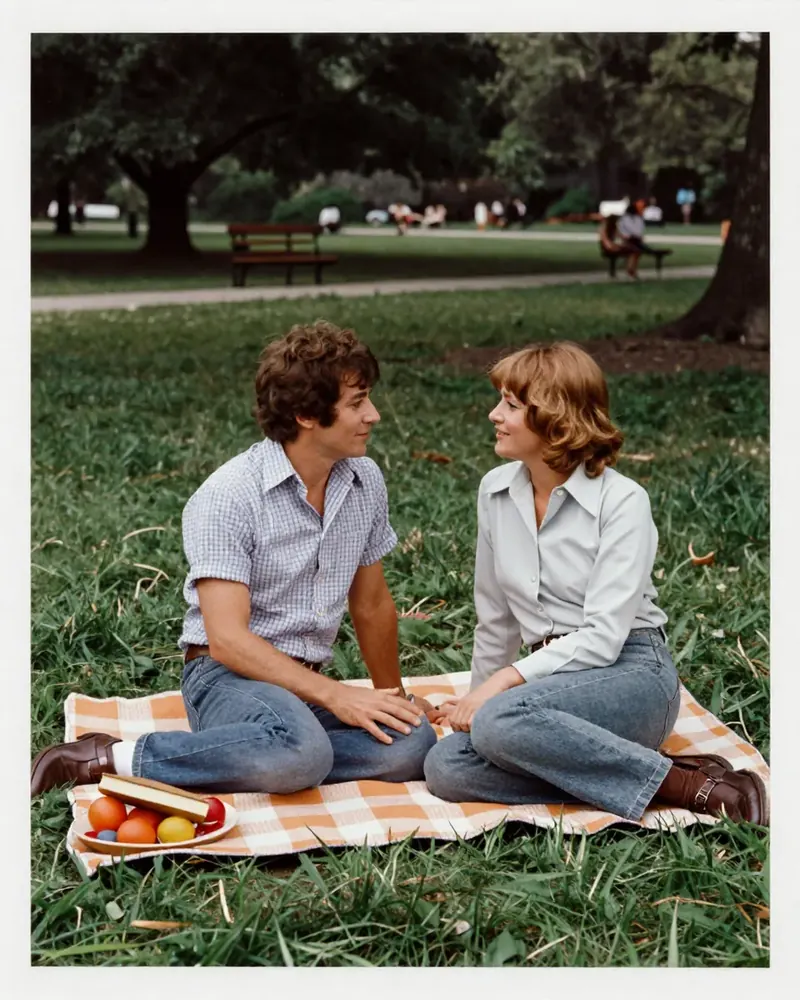
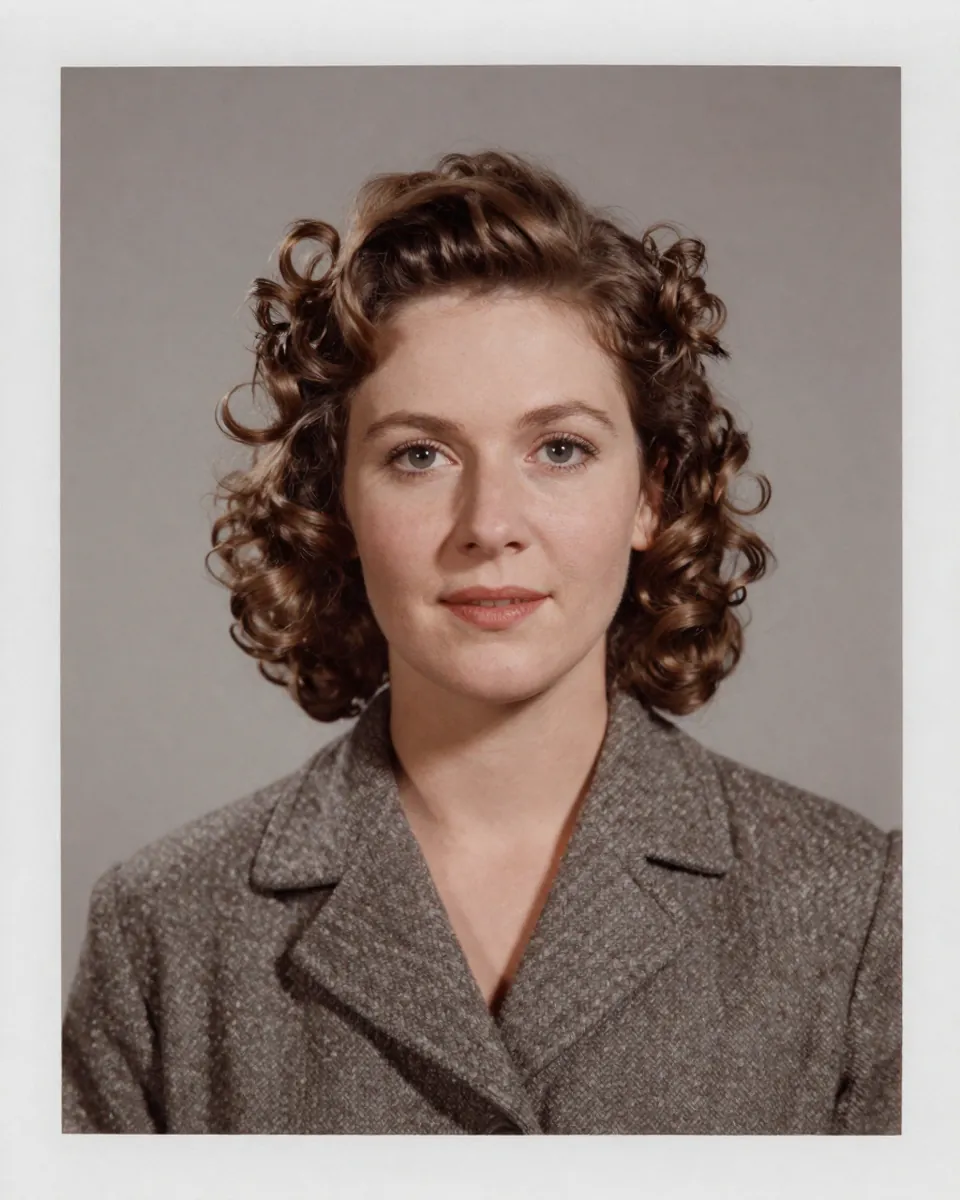
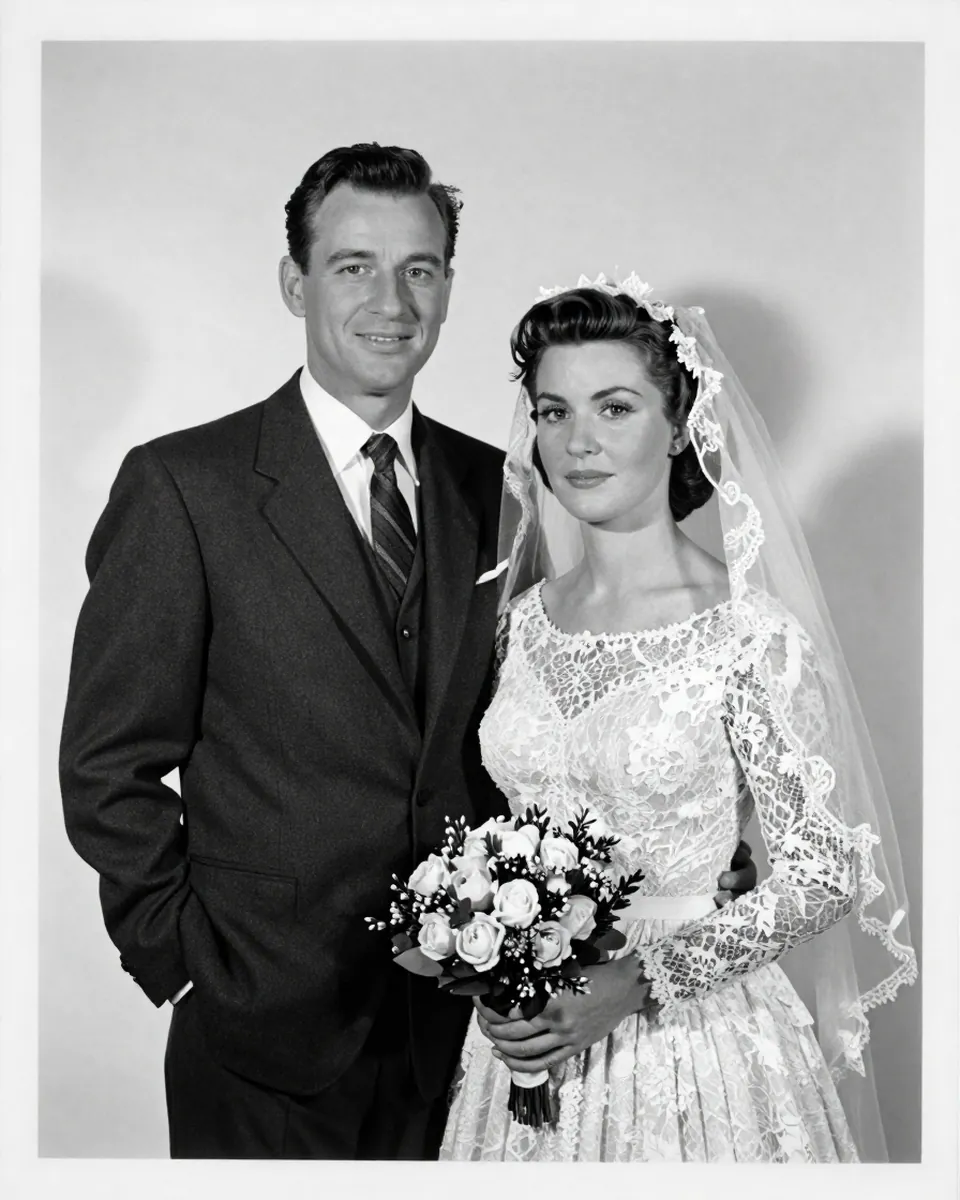
Image pack22 image prompts
22 old photo restoration prompts to copy
Show every prompt for
Style
Light
Ratio
General restore, face untouched
The "do not" line is what stops the over-smoothed, different-person result.
Attach your photo first. “General restore, face untouched” edits a photo you upload, so it won't work without one.
Any model
If no photo is attached or you can't edit images, say so in one sentence and stop. Restore the old photo I uploaded. Fix: remove scratches, dust, creases and stains, repair faded contrast, and sharpen gently. Keep: every face exactly as it is in the uploaded photo (same features, expression and age), the clothing, pose, background and the original black and white tone. Do not: beautify, smooth skin, change expressions, add smiles or modernise anything. Output: one restored image at the original aspect ratio. If any area is too damaged to repair with certainty, leave it soft instead of inventing detail. No text, letters, numbers, logos or watermarks.
ChatGPT
If no photo is attached or you can't edit images, say so in one sentence and stop. Please restore the old photo I uploaded. Here's what to fix: remove scratches, dust, creases and stains, repair faded contrast, and sharpen gently. Please keep every face exactly as it is in the uploaded photo (same features, expression and age), the clothing, pose, background and the original black and white tone. Don't beautify, smooth skin, change expressions, add smiles or modernise anything. Give me one restored image at the original aspect ratio. If any area is too damaged to repair with certainty, leave it soft instead of inventing detail. No text, letters, numbers, logos or watermarks.
Gemini
If no photo is attached or you can't edit images, say so in one sentence and stop. Restore the old photo I uploaded. Fix this: remove scratches, dust, creases and stains, repair faded contrast, and sharpen gently. Keep every face exactly as it is in the uploaded photo (same features, expression and age), the clothing, pose, background and the original black and white tone. Do not beautify, smooth skin, change expressions, add smiles or modernise anything. Return one restored image at the original aspect ratio. If any area is too damaged to repair with certainty, leave it soft instead of inventing detail. No text, letters, numbers, logos or watermarks.
Nano Banana
If no photo is attached or you can't edit images, say so in one sentence and stop. Edit the uploaded image. Restore the old photo I uploaded. Change only this: remove scratches, dust, creases and stains, repair faded contrast, and sharpen gently. Leave unchanged: every face exactly as it is in the uploaded photo (same features, expression and age), the clothing, pose, background and the original black and white tone. Do not beautify, smooth skin, change expressions, add smiles or modernise anything. Output one restored image at the original aspect ratio. If any area is too damaged to repair with certainty, leave it soft instead of inventing detail. No text, letters, numbers, logos or watermarks.
How to use
- Copy it with the button above.
- Fill the blanks in {{double braces}} with your own details.
- Paste it under your photo in your image AI and generate.
- Then ask for one change at a time, not a new prompt.
Before you run “General restore, face untouched” for the first time, the lesson on how to use photo edit prompts walks through copying, filling and sending it.
Scratches and dust only
A narrow task makes the fix cleaner than "restore everything".
Attach your photo first. “Scratches and dust only” edits a photo you upload, so it won't work without one.
Any model
If no photo is attached or you can't edit images, say so in one sentence and stop. Clean up the scratches and dust on the old photo I uploaded. Fix: remove only white scratches, black dust specks and small hairline cracks. Keep: every face exactly as it is in the uploaded photo (same features, expression, age and skin tone), all fine detail, film grain, tones and the framing. Do not: sharpen, recolour, crop or change any shapes. Output: one restored image at the original aspect ratio. If any area is too damaged to repair with certainty, leave it soft instead of inventing detail. No text, letters, numbers, logos or watermarks.
ChatGPT
If no photo is attached or you can't edit images, say so in one sentence and stop. Please clean up the scratches and dust on the old photo I uploaded. Here's what to fix: remove only white scratches, black dust specks and small hairline cracks. Please keep every face exactly as it is in the uploaded photo (same features, expression, age and skin tone), all fine detail, film grain, tones and the framing. Don't sharpen, recolour, crop or change any shapes. Give me one restored image at the original aspect ratio. If any area is too damaged to repair with certainty, leave it soft instead of inventing detail. No text, letters, numbers, logos or watermarks.
Gemini
If no photo is attached or you can't edit images, say so in one sentence and stop. Clean up the scratches and dust on the old photo I uploaded. Fix this: remove only white scratches, black dust specks and small hairline cracks. Keep every face exactly as it is in the uploaded photo (same features, expression, age and skin tone), all fine detail, film grain, tones and the framing. Do not sharpen, recolour, crop or change any shapes. Return one restored image at the original aspect ratio. If any area is too damaged to repair with certainty, leave it soft instead of inventing detail. No text, letters, numbers, logos or watermarks.
Nano Banana
If no photo is attached or you can't edit images, say so in one sentence and stop. Edit the uploaded image. Clean up the scratches and dust on the old photo I uploaded. Change only this: remove only white scratches, black dust specks and small hairline cracks. Leave unchanged: every face exactly as it is in the uploaded photo (same features, expression, age and skin tone), all fine detail, film grain, tones and the framing. Do not sharpen, recolour, crop or change any shapes. Output one restored image at the original aspect ratio. If any area is too damaged to repair with certainty, leave it soft instead of inventing detail. No text, letters, numbers, logos or watermarks.
Faded 1970s colour print
Naming the colour cast tells the AI which correction to apply.
Attach your photo first. “Faded 1970s colour print” edits a photo you upload, so it won't work without one.
Any model
If no photo is attached or you can't edit images, say so in one sentence and stop. Restore the faded colour photo I uploaded, a print from the 1970s with a magenta cast. Fix: remove the magenta cast, bring back natural colour balance and skin tones, and recover contrast in the shadows. Keep: every face exactly as it is in the uploaded photo (same features, expression and age), the era look, the clothing colours and the film grain. Do not: over-saturate or add a modern high-dynamic-range look. Output: one restored image at the original aspect ratio. If any area is too damaged to repair with certainty, leave it soft instead of inventing detail. No text, letters, numbers, logos or watermarks.
ChatGPT
If no photo is attached or you can't edit images, say so in one sentence and stop. Please restore the faded colour photo I uploaded, a print from the 1970s with a magenta cast. Here's what to fix: remove the magenta cast, bring back natural colour balance and skin tones, and recover contrast in the shadows. Please keep every face exactly as it is in the uploaded photo (same features, expression and age), the era look, the clothing colours and the film grain. Don't over-saturate or add a modern high-dynamic-range look. Give me one restored image at the original aspect ratio. If any area is too damaged to repair with certainty, leave it soft instead of inventing detail. No text, letters, numbers, logos or watermarks.
Gemini
If no photo is attached or you can't edit images, say so in one sentence and stop. Restore the faded colour photo I uploaded, a print from the 1970s with a magenta cast. Fix this: remove the magenta cast, bring back natural colour balance and skin tones, and recover contrast in the shadows. Keep every face exactly as it is in the uploaded photo (same features, expression and age), the era look, the clothing colours and the film grain. Do not over-saturate or add a modern high-dynamic-range look. Return one restored image at the original aspect ratio. If any area is too damaged to repair with certainty, leave it soft instead of inventing detail. No text, letters, numbers, logos or watermarks.
Nano Banana
If no photo is attached or you can't edit images, say so in one sentence and stop. Edit the uploaded image. Restore the faded colour photo I uploaded, a print from the 1970s with a magenta cast. Change only this: remove the magenta cast, bring back natural colour balance and skin tones, and recover contrast in the shadows. Leave unchanged: every face exactly as it is in the uploaded photo (same features, expression and age), the era look, the clothing colours and the film grain. Do not over-saturate or add a modern high-dynamic-range look. Output one restored image at the original aspect ratio. If any area is too damaged to repair with certainty, leave it soft instead of inventing detail. No text, letters, numbers, logos or watermarks.
Colourise a black and white portrait
Colour is a guess, so ask for believable, not exact; add hints if you know them.
Attach your photo first. “Colourise a black and white portrait” edits a photo you upload, so it won't work without one.
Any model
If no photo is attached or you can't edit images, say so in one sentence and stop. Colourise the black and white portrait I uploaded. Fix: add natural, realistic colours with believable skin, hair and eye colours and period-appropriate clothing tones. Keep: every face exactly as it is in the uploaded photo (same features, expression and age), all detail, expressions, tones and shadows exactly. Do not: change the lighting or the composition, or add objects. Output: one restored image at the original aspect ratio. If any area is too damaged to repair with certainty, leave it soft instead of inventing detail. Where the true colour isn't known, choose muted, common shades for the period. No text, letters, numbers, logos or watermarks.
ChatGPT
If no photo is attached or you can't edit images, say so in one sentence and stop. Please colourise the black and white portrait I uploaded. Here's what to fix: add natural, realistic colours with believable skin, hair and eye colours and period-appropriate clothing tones. Please keep every face exactly as it is in the uploaded photo (same features, expression and age), all detail, expressions, tones and shadows exactly. Don't change the lighting or the composition, or add objects. Give me one restored image at the original aspect ratio. If any area is too damaged to repair with certainty, leave it soft instead of inventing detail. Where the true colour isn't known, choose muted, common shades for the period. No text, letters, numbers, logos or watermarks.
Gemini
If no photo is attached or you can't edit images, say so in one sentence and stop. Colourise the black and white portrait I uploaded. Fix this: add natural, realistic colours with believable skin, hair and eye colours and period-appropriate clothing tones. Keep every face exactly as it is in the uploaded photo (same features, expression and age), all detail, expressions, tones and shadows exactly. Do not change the lighting or the composition, or add objects. Return one restored image at the original aspect ratio. If any area is too damaged to repair with certainty, leave it soft instead of inventing detail. Where the true colour isn't known, choose muted, common shades for the period. No text, letters, numbers, logos or watermarks.
Nano Banana
If no photo is attached or you can't edit images, say so in one sentence and stop. Edit the uploaded image. Colourise the black and white portrait I uploaded. Change only this: add natural, realistic colours with believable skin, hair and eye colours and period-appropriate clothing tones. Leave unchanged: every face exactly as it is in the uploaded photo (same features, expression and age), all detail, expressions, tones and shadows exactly. Do not change the lighting or the composition, or add objects. Output one restored image at the original aspect ratio. If any area is too damaged to repair with certainty, leave it soft instead of inventing detail. Where the true colour isn't known, choose muted, common shades for the period. No text, letters, numbers, logos or watermarks.
Torn corner, rebuild the background only
Limiting the rebuild to the background protects people.
Attach your photo first. “Torn corner, rebuild the background only” edits a photo you upload, so it won't work without one.
Any model
If no photo is attached or you can't edit images, say so in one sentence and stop. Repair the torn corner of the photo I uploaded. Fix: rebuild the missing corner by extending the existing background pattern, and mend the tear lines. Keep: every face exactly as it is in the uploaded photo (same features, expression, age and skin tone), all people, their faces and everything outside the tear. Do not: redraw or invent any person or face. Output: one restored image at the original aspect ratio. If any area is too damaged to repair with certainty, leave it soft instead of inventing detail. No text, letters, numbers, logos or watermarks.
ChatGPT
If no photo is attached or you can't edit images, say so in one sentence and stop. Please repair the torn corner of the photo I uploaded. Here's what to fix: rebuild the missing corner by extending the existing background pattern, and mend the tear lines. Please keep every face exactly as it is in the uploaded photo (same features, expression, age and skin tone), all people, their faces and everything outside the tear. Don't redraw or invent any person or face. Give me one restored image at the original aspect ratio. If any area is too damaged to repair with certainty, leave it soft instead of inventing detail. No text, letters, numbers, logos or watermarks.
Gemini
If no photo is attached or you can't edit images, say so in one sentence and stop. Repair the torn corner of the photo I uploaded. Fix this: rebuild the missing corner by extending the existing background pattern, and mend the tear lines. Keep every face exactly as it is in the uploaded photo (same features, expression, age and skin tone), all people, their faces and everything outside the tear. Do not redraw or invent any person or face. Return one restored image at the original aspect ratio. If any area is too damaged to repair with certainty, leave it soft instead of inventing detail. No text, letters, numbers, logos or watermarks.
Nano Banana
If no photo is attached or you can't edit images, say so in one sentence and stop. Edit the uploaded photo: repair the torn corner of it. Change only this: rebuild the missing corner by extending the existing background pattern, and mend the tear lines. Leave unchanged: every face exactly as it is in the uploaded photo (same features, expression, age and skin tone), all people, their faces and everything outside the tear. Do not redraw or invent any person or face. Output one restored image at the original aspect ratio. If any area is too damaged to repair with certainty, leave it soft instead of inventing detail. No text, letters, numbers, logos or watermarks.
Water stain removal
Asking to rebalance the tone prevents a visible patch.
Attach your photo first. “Water stain removal” edits a photo you upload, so it won't work without one.
Any model
If no photo is attached or you can't edit images, say so in one sentence and stop. Remove the water stain from the photo I uploaded. Fix: remove the brown tide marks and blotches, and rebalance the tone where the stain lightened or darkened the image. Keep: every face exactly as it is in the uploaded photo (same features, expression, age and skin tone), the original texture, sharpness and the people exactly. Do not: blur the area, or paint over details with a flat colour. Output: one restored image at the original aspect ratio. If any area is too damaged to repair with certainty, leave it soft instead of inventing detail. No text, letters, numbers, logos or watermarks.
ChatGPT
If no photo is attached or you can't edit images, say so in one sentence and stop. Please remove the water stain from the photo I uploaded. Here's what to fix: remove the brown tide marks and blotches, and rebalance the tone where the stain lightened or darkened the image. Please keep every face exactly as it is in the uploaded photo (same features, expression, age and skin tone), the original texture, sharpness and the people exactly. Don't blur the area, or paint over details with a flat colour. Give me one restored image at the original aspect ratio. If any area is too damaged to repair with certainty, leave it soft instead of inventing detail. No text, letters, numbers, logos or watermarks.
Gemini
If no photo is attached or you can't edit images, say so in one sentence and stop. Remove the water stain from the photo I uploaded. Fix this: remove the brown tide marks and blotches, and rebalance the tone where the stain lightened or darkened the image. Keep every face exactly as it is in the uploaded photo (same features, expression, age and skin tone), the original texture, sharpness and the people exactly. Do not blur the area, or paint over details with a flat colour. Return one restored image at the original aspect ratio. If any area is too damaged to repair with certainty, leave it soft instead of inventing detail. No text, letters, numbers, logos or watermarks.
Nano Banana
If no photo is attached or you can't edit images, say so in one sentence and stop. Edit the uploaded photo: remove the water stain from it. Change only this: remove the brown tide marks and blotches, and rebalance the tone where the stain lightened or darkened the image. Leave unchanged: every face exactly as it is in the uploaded photo (same features, expression, age and skin tone), the original texture, sharpness and the people exactly. Do not blur the area, or paint over details with a flat colour. Output one restored image at the original aspect ratio. If any area is too damaged to repair with certainty, leave it soft instead of inventing detail. No text, letters, numbers, logos or watermarks.
Fold lines and creases
Naming folds across faces prevents a smeared stripe.
Attach your photo first. “Fold lines and creases” edits a photo you upload, so it won't work without one.
Any model
If no photo is attached or you can't edit images, say so in one sentence and stop. Fix the fold lines and creases in the photo I uploaded. Fix: remove the white fold lines, cracked emulsion lines and creases, matching the surrounding texture. Keep: every face exactly as it is in the uploaded photo (same features, expression, age and skin tone), faces, hands and clothing detail across the fold exactly. Do not: smooth faces where the crease crosses them beyond what is needed. Output: one restored image at the original aspect ratio. If any area is too damaged to repair with certainty, leave it soft instead of inventing detail. No text, letters, numbers, logos or watermarks.
ChatGPT
If no photo is attached or you can't edit images, say so in one sentence and stop. Please fix the fold lines and creases in the photo I uploaded. Here's what to fix: remove the white fold lines, cracked emulsion lines and creases, matching the surrounding texture. Please keep every face exactly as it is in the uploaded photo (same features, expression, age and skin tone), faces, hands and clothing detail across the fold exactly. Don't smooth faces where the crease crosses them beyond what is needed. Give me one restored image at the original aspect ratio. If any area is too damaged to repair with certainty, leave it soft instead of inventing detail. No text, letters, numbers, logos or watermarks.
Gemini
If no photo is attached or you can't edit images, say so in one sentence and stop. Fix the fold lines and creases in the photo I uploaded. Fix this: remove the white fold lines, cracked emulsion lines and creases, matching the surrounding texture. Keep every face exactly as it is in the uploaded photo (same features, expression, age and skin tone), faces, hands and clothing detail across the fold exactly. Do not smooth faces where the crease crosses them beyond what is needed. Return one restored image at the original aspect ratio. If any area is too damaged to repair with certainty, leave it soft instead of inventing detail. No text, letters, numbers, logos or watermarks.
Nano Banana
If no photo is attached or you can't edit images, say so in one sentence and stop. Edit the uploaded photo: fix the fold lines and creases in it. Change only this: remove the white fold lines, cracked emulsion lines and creases, matching the surrounding texture. Leave unchanged: every face exactly as it is in the uploaded photo (same features, expression, age and skin tone), faces, hands and clothing detail across the fold exactly. Do not smooth faces where the crease crosses them beyond what is needed. Output one restored image at the original aspect ratio. If any area is too damaged to repair with certainty, leave it soft instead of inventing detail. No text, letters, numbers, logos or watermarks.
Sepia to neutral black and white
A clean neutral grey base is the best start for colourising too later.
Attach your photo first. “Sepia to neutral black and white” edits a photo you upload, so it won't work without one.
Any model
If no photo is attached or you can't edit images, say so in one sentence and stop. Convert the yellowed sepia photo I uploaded into a clean neutral black and white photo. Fix: remove the yellow-brown cast, recover deep blacks and clean whites, and repair small stains. Keep: every face exactly as it is in the uploaded photo (same features, expression and age), the detail, grain and every face exactly. Do not: add colour or change the contrast to look dramatic. Output: one restored image at the original aspect ratio. If any area is too damaged to repair with certainty, leave it soft instead of inventing detail. No text, letters, numbers, logos or watermarks.
ChatGPT
If no photo is attached or you can't edit images, say so in one sentence and stop. Please convert the yellowed sepia photo I uploaded into a clean neutral black and white photo. Here's what to fix: remove the yellow-brown cast, recover deep blacks and clean whites, and repair small stains. Please keep every face exactly as it is in the uploaded photo (same features, expression and age), the detail, grain and every face exactly. Don't add colour or change the contrast to look dramatic. Give me one restored image at the original aspect ratio. If any area is too damaged to repair with certainty, leave it soft instead of inventing detail. No text, letters, numbers, logos or watermarks.
Gemini
If no photo is attached or you can't edit images, say so in one sentence and stop. Convert the yellowed sepia photo I uploaded into a clean neutral black and white photo. Fix this: remove the yellow-brown cast, recover deep blacks and clean whites, and repair small stains. Keep every face exactly as it is in the uploaded photo (same features, expression and age), the detail, grain and every face exactly. Do not add colour or change the contrast to look dramatic. Return one restored image at the original aspect ratio. If any area is too damaged to repair with certainty, leave it soft instead of inventing detail. No text, letters, numbers, logos or watermarks.
Nano Banana
If no photo is attached or you can't edit images, say so in one sentence and stop. Edit the uploaded image. Convert the yellowed sepia photo I uploaded into a clean neutral black and white photo. Change only this: remove the yellow-brown cast, recover deep blacks and clean whites, and repair small stains. Leave unchanged: every face exactly as it is in the uploaded photo (same features, expression and age), the detail, grain and every face exactly. Do not add colour or change the contrast to look dramatic. Output one restored image at the original aspect ratio. If any area is too damaged to repair with certainty, leave it soft instead of inventing detail. No text, letters, numbers, logos or watermarks.
Low resolution scan upscale
Upscaling can add false detail, so the "do not invent" line matters most here.
Attach your photo first. “Low resolution scan upscale” edits a photo you upload, so it won't work without one.
Any model
If no photo is attached or you can't edit images, say so in one sentence and stop. Upscale and clean the small, low resolution scan of an old photo that I uploaded. Fix: increase the apparent resolution, reduce scan noise and compression blocks, and gently sharpen edges. Keep: every face exactly as it is in the uploaded photo (same features, expression, age and skin tone), the framing, tones and every face exactly. Do not: invent facial detail, change features or add text. Output: one restored image at the original aspect ratio. If any area is too damaged to repair with certainty, leave it soft instead of inventing detail. No text, letters, numbers, logos or watermarks.
ChatGPT
If no photo is attached or you can't edit images, say so in one sentence and stop. Please upscale and clean the small, low resolution scan of an old photo that I uploaded. Here's what to fix: increase the apparent resolution, reduce scan noise and compression blocks, and gently sharpen edges. Please keep every face exactly as it is in the uploaded photo (same features, expression, age and skin tone), the framing, tones and every face exactly. Don't invent facial detail, change features or add text. Give me one restored image at the original aspect ratio. If any area is too damaged to repair with certainty, leave it soft instead of inventing detail. No text, letters, numbers, logos or watermarks.
Gemini
If no photo is attached or you can't edit images, say so in one sentence and stop. Upscale and clean the small, low resolution scan of an old photo that I uploaded. Fix this: increase the apparent resolution, reduce scan noise and compression blocks, and gently sharpen edges. Keep every face exactly as it is in the uploaded photo (same features, expression, age and skin tone), the framing, tones and every face exactly. Do not invent facial detail, change features or add text. Return one restored image at the original aspect ratio. If any area is too damaged to repair with certainty, leave it soft instead of inventing detail. No text, letters, numbers, logos or watermarks.
Nano Banana
If no photo is attached or you can't edit images, say so in one sentence and stop. Edit the uploaded image. Upscale and clean the small, low resolution scan of an old photo that I uploaded. Change only this: increase the apparent resolution, reduce scan noise and compression blocks, and gently sharpen edges. Leave unchanged: every face exactly as it is in the uploaded photo (same features, expression, age and skin tone), the framing, tones and every face exactly. Do not invent facial detail, change features or add text. Output one restored image at the original aspect ratio. If any area is too damaged to repair with certainty, leave it soft instead of inventing detail. No text, letters, numbers, logos or watermarks.
Blurry group portrait
Keeping the head count fixed reduces odd extra faces in groups.
Attach your photo first. “Blurry group portrait” edits a photo you upload, so it won't work without one.
Any model
If no photo is attached or you can't edit images, say so in one sentence and stop. Sharpen the blurry group portrait I uploaded. Fix: reduce the blur and soft focus, recover edge definition in faces and clothes, and lift the contrast a little. Keep: every face exactly as it is in the uploaded photo (same features, expression, age and skin tone), the number of people, their positions, and every face exactly. Do not: swap or merge faces, or invent new people. Output: one restored image at the original aspect ratio. If any area is too damaged to repair with certainty, leave it soft instead of inventing detail. No text, letters, numbers, logos or watermarks.
ChatGPT
If no photo is attached or you can't edit images, say so in one sentence and stop. Please sharpen the blurry group portrait I uploaded. Here's what to fix: reduce the blur and soft focus, recover edge definition in faces and clothes, and lift the contrast a little. Please keep every face exactly as it is in the uploaded photo (same features, expression, age and skin tone), the number of people, their positions, and every face exactly. Don't swap or merge faces, or invent new people. Give me one restored image at the original aspect ratio. If any area is too damaged to repair with certainty, leave it soft instead of inventing detail. No text, letters, numbers, logos or watermarks.
Gemini
If no photo is attached or you can't edit images, say so in one sentence and stop. Sharpen the blurry group portrait I uploaded. Fix this: reduce the blur and soft focus, recover edge definition in faces and clothes, and lift the contrast a little. Keep every face exactly as it is in the uploaded photo (same features, expression, age and skin tone), the number of people, their positions, and every face exactly. Do not swap or merge faces, or invent new people. Return one restored image at the original aspect ratio. If any area is too damaged to repair with certainty, leave it soft instead of inventing detail. No text, letters, numbers, logos or watermarks.
Nano Banana
If no photo is attached or you can't edit images, say so in one sentence and stop. Edit the uploaded image. Sharpen the blurry group portrait I uploaded. Change only this: reduce the blur and soft focus, recover edge definition in faces and clothes, and lift the contrast a little. Leave unchanged: every face exactly as it is in the uploaded photo (same features, expression, age and skin tone), the number of people, their positions, and every face exactly. Do not swap or merge faces, or invent new people. Output one restored image at the original aspect ratio. If any area is too damaged to repair with certainty, leave it soft instead of inventing detail. No text, letters, numbers, logos or watermarks.
Mould and foxing spots
Naming real features to keep protects freckles from being erased.
Attach your photo first. “Mould and foxing spots” edits a photo you upload, so it won't work without one.
Any model
If no photo is attached or you can't edit images, say so in one sentence and stop. Remove the mould spots and brown foxing from the photo I uploaded. Fix: remove the spots and blotches, and fill the areas with matching texture and tone. Keep: every face exactly as it is in the uploaded photo (same features, expression, age and skin tone), all faces, clothing and background shapes exactly. Do not: remove real features like freckles, moles or jewellery. Output: one restored image at the original aspect ratio. If any area is too damaged to repair with certainty, leave it soft instead of inventing detail. No text, letters, numbers, logos or watermarks.
ChatGPT
If no photo is attached or you can't edit images, say so in one sentence and stop. Please remove the mould spots and brown foxing from the photo I uploaded. Here's what to fix: remove the spots and blotches, and fill the areas with matching texture and tone. Please keep every face exactly as it is in the uploaded photo (same features, expression, age and skin tone), all faces, clothing and background shapes exactly. Don't remove real features like freckles, moles or jewellery. Give me one restored image at the original aspect ratio. If any area is too damaged to repair with certainty, leave it soft instead of inventing detail. No text, letters, numbers, logos or watermarks.
Gemini
If no photo is attached or you can't edit images, say so in one sentence and stop. Remove the mould spots and brown foxing from the photo I uploaded. Fix this: remove the spots and blotches, and fill the areas with matching texture and tone. Keep every face exactly as it is in the uploaded photo (same features, expression, age and skin tone), all faces, clothing and background shapes exactly. Do not remove real features like freckles, moles or jewellery. Return one restored image at the original aspect ratio. If any area is too damaged to repair with certainty, leave it soft instead of inventing detail. No text, letters, numbers, logos or watermarks.
Nano Banana
If no photo is attached or you can't edit images, say so in one sentence and stop. Edit the uploaded photo: remove the mould spots and brown foxing from it. Change only this: remove the spots and blotches, and fill the areas with matching texture and tone. Leave unchanged: every face exactly as it is in the uploaded photo (same features, expression, age and skin tone), all faces, clothing and background shapes exactly. Do not remove real features like freckles, moles or jewellery. Output one restored image at the original aspect ratio. If any area is too damaged to repair with certainty, leave it soft instead of inventing detail. No text, letters, numbers, logos or watermarks.
Sun-bleached highlights
Hazy highlight loss needs contrast, not just brightness.
Attach your photo first. “Sun-bleached highlights” edits a photo you upload, so it won't work without one.
Any model
If no photo is attached or you can't edit images, say so in one sentence and stop. Restore the sun-bleached photo I uploaded. Fix: recover washed-out highlights, restore contrast and colour depth, and reduce the pale haze. Keep: every face exactly as it is in the uploaded photo (same features, expression, age and skin tone), the original mood and every face exactly. Do not: darken the image so much that detail is lost in the shadows. Output: one restored image at the original aspect ratio. If any area is too damaged to repair with certainty, leave it soft instead of inventing detail. No text, letters, numbers, logos or watermarks.
ChatGPT
If no photo is attached or you can't edit images, say so in one sentence and stop. Please restore the sun-bleached photo I uploaded. Here's what to fix: recover washed-out highlights, restore contrast and colour depth, and reduce the pale haze. Please keep every face exactly as it is in the uploaded photo (same features, expression, age and skin tone), the original mood and every face exactly. Don't darken the image so much that detail is lost in the shadows. Give me one restored image at the original aspect ratio. If any area is too damaged to repair with certainty, leave it soft instead of inventing detail. No text, letters, numbers, logos or watermarks.
Gemini
If no photo is attached or you can't edit images, say so in one sentence and stop. Restore the sun-bleached photo I uploaded. Fix this: recover washed-out highlights, restore contrast and colour depth, and reduce the pale haze. Keep every face exactly as it is in the uploaded photo (same features, expression, age and skin tone), the original mood and every face exactly. Do not darken the image so much that detail is lost in the shadows. Return one restored image at the original aspect ratio. If any area is too damaged to repair with certainty, leave it soft instead of inventing detail. No text, letters, numbers, logos or watermarks.
Nano Banana
If no photo is attached or you can't edit images, say so in one sentence and stop. Edit the uploaded image. Restore the sun-bleached photo I uploaded. Change only this: recover washed-out highlights, restore contrast and colour depth, and reduce the pale haze. Leave unchanged: every face exactly as it is in the uploaded photo (same features, expression, age and skin tone), the original mood and every face exactly. Do not darken the image so much that detail is lost in the shadows. Output one restored image at the original aspect ratio. If any area is too damaged to repair with certainty, leave it soft instead of inventing detail. No text, letters, numbers, logos or watermarks.
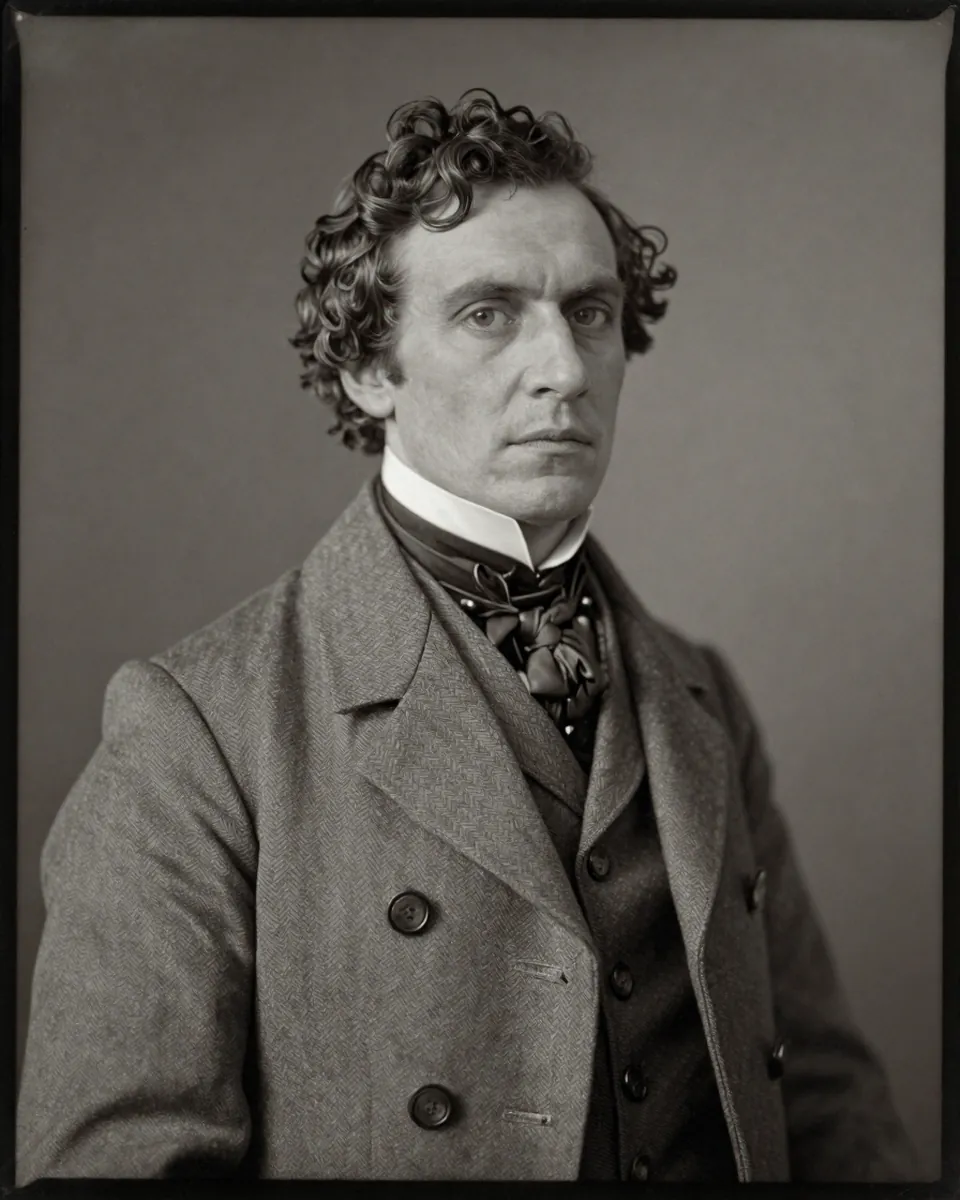
Tintype or very old portrait
Keeping the antique tone prevents a fake modern look.
Attach your photo first. “Tintype or very old portrait” edits a photo you upload, so it won't work without one.
Any model
If no photo is attached or you can't edit images, say so in one sentence and stop. Restore the very old tintype-style portrait I uploaded. Fix: reduce scratches, bring back mid-tones, and gently clean the background while keeping the metallic look. Keep: every face exactly as it is in the uploaded photo (same features, expression, age and skin tone), the antique tone, the sitter's face and clothing exactly. Do not: modernise the colour, add smiles, or make it look like a digital photo. Output: one restored image at the original aspect ratio. If any area is too damaged to repair with certainty, leave it soft instead of inventing detail. No text, letters, numbers, logos or watermarks.
ChatGPT
If no photo is attached or you can't edit images, say so in one sentence and stop. Please restore the very old tintype-style portrait I uploaded. Here's what to fix: reduce scratches, bring back mid-tones, and gently clean the background while keeping the metallic look. Please keep every face exactly as it is in the uploaded photo (same features, expression, age and skin tone), the antique tone, the sitter's face and clothing exactly. Don't modernise the colour, add smiles, or make it look like a digital photo. Give me one restored image at the original aspect ratio. If any area is too damaged to repair with certainty, leave it soft instead of inventing detail. No text, letters, numbers, logos or watermarks.
Gemini
If no photo is attached or you can't edit images, say so in one sentence and stop. Restore the very old tintype-style portrait I uploaded. Fix this: reduce scratches, bring back mid-tones, and gently clean the background while keeping the metallic look. Keep every face exactly as it is in the uploaded photo (same features, expression, age and skin tone), the antique tone, the sitter's face and clothing exactly. Do not modernise the colour, add smiles, or make it look like a digital photo. Return one restored image at the original aspect ratio. If any area is too damaged to repair with certainty, leave it soft instead of inventing detail. No text, letters, numbers, logos or watermarks.
Nano Banana
If no photo is attached or you can't edit images, say so in one sentence and stop. Edit the uploaded image. Restore the very old tintype-style portrait I uploaded. Change only this: reduce scratches, bring back mid-tones, and gently clean the background while keeping the metallic look. Leave unchanged: every face exactly as it is in the uploaded photo (same features, expression, age and skin tone), the antique tone, the sitter's face and clothing exactly. Do not modernise the colour, add smiles, or make it look like a digital photo. Output one restored image at the original aspect ratio. If any area is too damaged to repair with certainty, leave it soft instead of inventing detail. No text, letters, numbers, logos or watermarks.
1950s wedding photo, protect the dress
Whites such as dresses need explicit detail protection.
Attach your photo first. “1950s wedding photo, protect the dress” edits a photo you upload, so it won't work without one.
Any model
If no photo is attached or you can't edit images, say so in one sentence and stop. Restore the 1950s wedding photo I uploaded. Fix: repair damage, recover the lace and veil detail, and balance bright whites without clipping. Keep: every face exactly as it is in the uploaded photo (same features, expression, age and skin tone), the dress, bouquet, suit and both faces exactly. Do not: remove the lace pattern or smooth the fabric detail. Output: one restored image at the original aspect ratio. If any area is too damaged to repair with certainty, leave it soft instead of inventing detail. No text, letters, numbers, logos or watermarks.
ChatGPT
If no photo is attached or you can't edit images, say so in one sentence and stop. Please restore the 1950s wedding photo I uploaded. Here's what to fix: repair damage, recover the lace and veil detail, and balance bright whites without clipping. Please keep every face exactly as it is in the uploaded photo (same features, expression, age and skin tone), the dress, bouquet, suit and both faces exactly. Don't remove the lace pattern or smooth the fabric detail. Give me one restored image at the original aspect ratio. If any area is too damaged to repair with certainty, leave it soft instead of inventing detail. No text, letters, numbers, logos or watermarks.
Gemini
If no photo is attached or you can't edit images, say so in one sentence and stop. Restore the 1950s wedding photo I uploaded. Fix this: repair damage, recover the lace and veil detail, and balance bright whites without clipping. Keep every face exactly as it is in the uploaded photo (same features, expression, age and skin tone), the dress, bouquet, suit and both faces exactly. Do not remove the lace pattern or smooth the fabric detail. Return one restored image at the original aspect ratio. If any area is too damaged to repair with certainty, leave it soft instead of inventing detail. No text, letters, numbers, logos or watermarks.
Nano Banana
If no photo is attached or you can't edit images, say so in one sentence and stop. Edit the uploaded image. Restore the 1950s wedding photo I uploaded. Change only this: repair damage, recover the lace and veil detail, and balance bright whites without clipping. Leave unchanged: every face exactly as it is in the uploaded photo (same features, expression, age and skin tone), the dress, bouquet, suit and both faces exactly. Do not remove the lace pattern or smooth the fabric detail. Output one restored image at the original aspect ratio. If any area is too damaged to repair with certainty, leave it soft instead of inventing detail. No text, letters, numbers, logos or watermarks.
Small ID or passport photo
Tiny faces are where AI tends to invent, so lock it down.
Attach your photo first. “Small ID or passport photo” edits a photo you upload, so it won't work without one.
Any model
If no photo is attached or you can't edit images, say so in one sentence and stop. Clean up the small ID-style photo I uploaded. Fix: remove the dust, fix the fade, and increase clarity of the face at small size. Keep: every face exactly as it is in the uploaded photo (same features, expression, age and skin tone), the exact face, hairstyle, collar and the plain background. Do not: change the expression, hair or clothing, or add a new background. Output: one restored image at the original aspect ratio. If any area is too damaged to repair with certainty, leave it soft instead of inventing detail. No text, letters, numbers, logos or watermarks.
ChatGPT
If no photo is attached or you can't edit images, say so in one sentence and stop. Please clean up the small ID-style photo I uploaded. Here's what to fix: remove the dust, fix the fade, and increase clarity of the face at small size. Please keep every face exactly as it is in the uploaded photo (same features, expression, age and skin tone), the exact face, hairstyle, collar and the plain background. Don't change the expression, hair or clothing, or add a new background. Give me one restored image at the original aspect ratio. If any area is too damaged to repair with certainty, leave it soft instead of inventing detail. No text, letters, numbers, logos or watermarks.
Gemini
If no photo is attached or you can't edit images, say so in one sentence and stop. Clean up the small ID-style photo I uploaded. Fix this: remove the dust, fix the fade, and increase clarity of the face at small size. Keep every face exactly as it is in the uploaded photo (same features, expression, age and skin tone), the exact face, hairstyle, collar and the plain background. Do not change the expression, hair or clothing, or add a new background. Return one restored image at the original aspect ratio. If any area is too damaged to repair with certainty, leave it soft instead of inventing detail. No text, letters, numbers, logos or watermarks.
Nano Banana
If no photo is attached or you can't edit images, say so in one sentence and stop. Edit the uploaded image. Clean up the small ID-style photo I uploaded. Change only this: remove the dust, fix the fade, and increase clarity of the face at small size. Leave unchanged: every face exactly as it is in the uploaded photo (same features, expression, age and skin tone), the exact face, hairstyle, collar and the plain background. Do not change the expression, hair or clothing, or add a new background. Output one restored image at the original aspect ratio. If any area is too damaged to repair with certainty, leave it soft instead of inventing detail. No text, letters, numbers, logos or watermarks.
Newspaper clipping halftone
Halftone dots confuse upscalers, so name them.
Attach your photo first. “Newspaper clipping halftone” edits a photo you upload, so it won't work without one.
Any model
If no photo is attached or you can't edit images, say so in one sentence and stop. Improve the old newspaper photo I uploaded. Fix: reduce the dot pattern, clean the noise and recover the continuous tones as far as the source allows. Keep: every face exactly as it is in the uploaded photo (same features, expression, age and skin tone), the people, their faces and the composition exactly. Do not: add colour, or invent detail not present in the print. Output: one restored image at the original aspect ratio. If any area is too damaged to repair with certainty, leave it soft instead of inventing detail. No text, letters, numbers, logos or watermarks.
ChatGPT
If no photo is attached or you can't edit images, say so in one sentence and stop. Please improve the old newspaper photo I uploaded. Here's what to fix: reduce the dot pattern, clean the noise and recover the continuous tones as far as the source allows. Please keep every face exactly as it is in the uploaded photo (same features, expression, age and skin tone), the people, their faces and the composition exactly. Don't add colour, or invent detail not present in the print. Give me one restored image at the original aspect ratio. If any area is too damaged to repair with certainty, leave it soft instead of inventing detail. No text, letters, numbers, logos or watermarks.
Gemini
If no photo is attached or you can't edit images, say so in one sentence and stop. Improve the old newspaper photo I uploaded. Fix this: reduce the dot pattern, clean the noise and recover the continuous tones as far as the source allows. Keep every face exactly as it is in the uploaded photo (same features, expression, age and skin tone), the people, their faces and the composition exactly. Do not add colour, or invent detail not present in the print. Return one restored image at the original aspect ratio. If any area is too damaged to repair with certainty, leave it soft instead of inventing detail. No text, letters, numbers, logos or watermarks.
Nano Banana
If no photo is attached or you can't edit images, say so in one sentence and stop. Edit the uploaded image. Improve the old newspaper photo I uploaded. Change only this: reduce the dot pattern, clean the noise and recover the continuous tones as far as the source allows. Leave unchanged: every face exactly as it is in the uploaded photo (same features, expression, age and skin tone), the people, their faces and the composition exactly. Do not add colour, or invent detail not present in the print. Output one restored image at the original aspect ratio. If any area is too damaged to repair with certainty, leave it soft instead of inventing detail. No text, letters, numbers, logos or watermarks.
Yellowed instant print
Keeping the frame preserves the object as well as the image.
Attach your photo first. “Yellowed instant print” edits a photo you upload, so it won't work without one.
Any model
If no photo is attached or you can't edit images, say so in one sentence and stop. Restore the yellowed instant print I uploaded. Fix: remove the yellow cast, recover natural colour and clean the faded edges, keeping the white frame. Keep: every face exactly as it is in the uploaded photo (same features, expression and age), the instant film look, the frame and every face exactly. Do not: crop out the frame or turn it into a modern photo. Output: one restored image at the original aspect ratio. If any area is too damaged to repair with certainty, leave it soft instead of inventing detail. No text, letters, numbers, logos or watermarks.
ChatGPT
If no photo is attached or you can't edit images, say so in one sentence and stop. Please restore the yellowed instant print I uploaded. Here's what to fix: remove the yellow cast, recover natural colour and clean the faded edges, keeping the white frame. Please keep every face exactly as it is in the uploaded photo (same features, expression and age), the instant film look, the frame and every face exactly. Don't crop out the frame or turn it into a modern photo. Give me one restored image at the original aspect ratio. If any area is too damaged to repair with certainty, leave it soft instead of inventing detail. No text, letters, numbers, logos or watermarks.
Gemini
If no photo is attached or you can't edit images, say so in one sentence and stop. Restore the yellowed instant print I uploaded. Fix this: remove the yellow cast, recover natural colour and clean the faded edges, keeping the white frame. Keep every face exactly as it is in the uploaded photo (same features, expression and age), the instant film look, the frame and every face exactly. Do not crop out the frame or turn it into a modern photo. Return one restored image at the original aspect ratio. If any area is too damaged to repair with certainty, leave it soft instead of inventing detail. No text, letters, numbers, logos or watermarks.
Nano Banana
If no photo is attached or you can't edit images, say so in one sentence and stop. Edit the uploaded image. Restore the yellowed instant print I uploaded. Change only this: remove the yellow cast, recover natural colour and clean the faded edges, keeping the white frame. Leave unchanged: every face exactly as it is in the uploaded photo (same features, expression and age), the instant film look, the frame and every face exactly. Do not crop out the frame or turn it into a modern photo. Output one restored image at the original aspect ratio. If any area is too damaged to repair with certainty, leave it soft instead of inventing detail. No text, letters, numbers, logos or watermarks.
A phone photo of a printed photo
It treats the photo of a print as two jobs: capture then restore.
Attach your photo first. “A phone photo of a printed photo” edits a photo you upload, so it won't work without one.
Any model
If no photo is attached or you can't edit images, say so in one sentence and stop. Fix the phone photo of a printed photograph that I uploaded. Fix: remove the glare and reflections, straighten the perspective, crop the print edges and correct the colour. Keep: every face exactly as it is in the uploaded photo (same features, expression, age and skin tone), the print's content and every face exactly. Do not: add or remove any people or objects. Output: one restored image at the original aspect ratio. If any area is too damaged to repair with certainty, leave it soft instead of inventing detail. No text, letters, numbers, logos or watermarks.
ChatGPT
If no photo is attached or you can't edit images, say so in one sentence and stop. Please fix the phone photo of a printed photograph that I uploaded. Here's what to fix: remove the glare and reflections, straighten the perspective, crop the print edges and correct the colour. Please keep every face exactly as it is in the uploaded photo (same features, expression, age and skin tone), the print's content and every face exactly. Don't add or remove any people or objects. Give me one restored image at the original aspect ratio. If any area is too damaged to repair with certainty, leave it soft instead of inventing detail. No text, letters, numbers, logos or watermarks.
Gemini
If no photo is attached or you can't edit images, say so in one sentence and stop. Fix the phone photo of a printed photograph that I uploaded. Fix this: remove the glare and reflections, straighten the perspective, crop the print edges and correct the colour. Keep every face exactly as it is in the uploaded photo (same features, expression, age and skin tone), the print's content and every face exactly. Do not add or remove any people or objects. Return one restored image at the original aspect ratio. If any area is too damaged to repair with certainty, leave it soft instead of inventing detail. No text, letters, numbers, logos or watermarks.
Nano Banana
If no photo is attached or you can't edit images, say so in one sentence and stop. Edit the uploaded image. Fix the phone photo of a printed photograph that I uploaded. Change only this: remove the glare and reflections, straighten the perspective, crop the print edges and correct the colour. Leave unchanged: every face exactly as it is in the uploaded photo (same features, expression, age and skin tone), the print's content and every face exactly. Do not add or remove any people or objects. Output one restored image at the original aspect ratio. If any area is too damaged to repair with certainty, leave it soft instead of inventing detail. No text, letters, numbers, logos or watermarks.
Repair only the damaged background
Restricting edits to the background gives zero risk to the face.
Attach your photo first. “Repair only the damaged background” edits a photo you upload, so it won't work without one.
Any model
If no photo is attached or you can't edit images, say so in one sentence and stop. Repair the damaged background of the portrait I uploaded. Fix: rebuild only the cracked and missing parts of the studio backdrop. Keep: every face exactly as it is in the uploaded photo (same features, expression, age and skin tone), the subject, their face, hair, clothes and edges untouched, pixel for pixel where possible. Do not: touch the subject. Output: one restored image at the original aspect ratio. If any area is too damaged to repair with certainty, leave it soft instead of inventing detail. No text, letters, numbers, logos or watermarks.
ChatGPT
If no photo is attached or you can't edit images, say so in one sentence and stop. Please repair the damaged background of the portrait I uploaded. Here's what to fix: rebuild only the cracked and missing parts of the studio backdrop. Please keep every face exactly as it is in the uploaded photo (same features, expression, age and skin tone), the subject, their face, hair, clothes and edges untouched, pixel for pixel where possible. Don't touch the subject. Give me one restored image at the original aspect ratio. If any area is too damaged to repair with certainty, leave it soft instead of inventing detail. No text, letters, numbers, logos or watermarks.
Gemini
If no photo is attached or you can't edit images, say so in one sentence and stop. Repair the damaged background of the portrait I uploaded. Fix this: rebuild only the cracked and missing parts of the studio backdrop. Keep every face exactly as it is in the uploaded photo (same features, expression, age and skin tone), the subject, their face, hair, clothes and edges untouched, pixel for pixel where possible. Do not touch the subject. Return one restored image at the original aspect ratio. If any area is too damaged to repair with certainty, leave it soft instead of inventing detail. No text, letters, numbers, logos or watermarks.
Nano Banana
If no photo is attached or you can't edit images, say so in one sentence and stop. Edit the uploaded image. Repair the damaged background of the portrait I uploaded. Change only this: rebuild only the cracked and missing parts of the studio backdrop. Leave unchanged: every face exactly as it is in the uploaded photo (same features, expression, age and skin tone), the subject, their face, hair, clothes and edges untouched, pixel for pixel where possible. Do not touch the subject. Output one restored image at the original aspect ratio. If any area is too damaged to repair with certainty, leave it soft instead of inventing detail. No text, letters, numbers, logos or watermarks.
Minimal intervention restore
For archival copies, less is more.
Attach your photo first. “Minimal intervention restore” edits a photo you upload, so it won't work without one.
Any model
If no photo is attached or you can't edit images, say so in one sentence and stop. Do a conservative restoration of the old photo I uploaded. Fix: remove only obvious damage such as large scratches and stains, and adjust the contrast slightly. Keep: every face exactly as it is in the uploaded photo (same features, expression, age and skin tone), everything else, including the grain, softness and every face exactly. Do not: sharpen, upscale, recolour or retouch anything beyond the damage. Output: one restored image at the original aspect ratio. If any area is too damaged to repair with certainty, leave it soft instead of inventing detail. No text, letters, numbers, logos or watermarks.
ChatGPT
If no photo is attached or you can't edit images, say so in one sentence and stop. Please do a conservative restoration of the old photo I uploaded. Here's what to fix: remove only obvious damage such as large scratches and stains, and adjust the contrast slightly. Please keep every face exactly as it is in the uploaded photo (same features, expression, age and skin tone), everything else, including the grain, softness and every face exactly. Don't sharpen, upscale, recolour or retouch anything beyond the damage. Give me one restored image at the original aspect ratio. If any area is too damaged to repair with certainty, leave it soft instead of inventing detail. No text, letters, numbers, logos or watermarks.
Gemini
If no photo is attached or you can't edit images, say so in one sentence and stop. Do a conservative restoration of the old photo I uploaded. Fix this: remove only obvious damage such as large scratches and stains, and adjust the contrast slightly. Keep every face exactly as it is in the uploaded photo (same features, expression, age and skin tone), everything else, including the grain, softness and every face exactly. Do not sharpen, upscale, recolour or retouch anything beyond the damage. Return one restored image at the original aspect ratio. If any area is too damaged to repair with certainty, leave it soft instead of inventing detail. No text, letters, numbers, logos or watermarks.
Nano Banana
If no photo is attached or you can't edit images, say so in one sentence and stop. Edit the uploaded image. Do a conservative restoration of the old photo I uploaded. Change only this: remove only obvious damage such as large scratches and stains, and adjust the contrast slightly. Leave unchanged: every face exactly as it is in the uploaded photo (same features, expression, age and skin tone), everything else, including the grain, softness and every face exactly. Do not sharpen, upscale, recolour or retouch anything beyond the damage. Output one restored image at the original aspect ratio. If any area is too damaged to repair with certainty, leave it soft instead of inventing detail. No text, letters, numbers, logos or watermarks.
Colourise using my colour hints
Your memory is a better source than the AI's guess.
Attach your photo first. “Colourise using my colour hints” edits a photo you upload, so it won't work without one.
Any model
If no photo is attached or you can't edit images, say so in one sentence and stop. Colourise the black and white photo I uploaded using my colour notes. Fix: add colour using these notes: the dress was {{colour}}, the car was {{detail}}, and use natural skin and sky tones elsewhere. Keep: every face exactly as it is in the uploaded photo (same features, expression and age), all detail, tones and every face exactly. Do not: guess bright colours where I gave none, or change the lighting. Output: one restored image at the original aspect ratio. If any area is too damaged to repair with certainty, leave it soft instead of inventing detail. Where the true colour isn't known, choose muted, common shades for the period. No text, letters, numbers, logos or watermarks.
ChatGPT
If no photo is attached or you can't edit images, say so in one sentence and stop. Please colourise the black and white photo I uploaded using my colour notes. Here's what to fix: add colour using these notes: the dress was {{colour}}, the car was {{detail}}, and use natural skin and sky tones elsewhere. Please keep every face exactly as it is in the uploaded photo (same features, expression and age), all detail, tones and every face exactly. Don't guess bright colours where I gave none, or change the lighting. Give me one restored image at the original aspect ratio. If any area is too damaged to repair with certainty, leave it soft instead of inventing detail. Where the true colour isn't known, choose muted, common shades for the period. No text, letters, numbers, logos or watermarks.
Gemini
If no photo is attached or you can't edit images, say so in one sentence and stop. Colourise the black and white photo I uploaded using my colour notes. Fix this: add colour using these notes: the dress was {{colour}}, the car was {{detail}}, and use natural skin and sky tones elsewhere. Keep every face exactly as it is in the uploaded photo (same features, expression and age), all detail, tones and every face exactly. Do not guess bright colours where I gave none, or change the lighting. Return one restored image at the original aspect ratio. If any area is too damaged to repair with certainty, leave it soft instead of inventing detail. Where the true colour isn't known, choose muted, common shades for the period. No text, letters, numbers, logos or watermarks.
Nano Banana
If no photo is attached or you can't edit images, say so in one sentence and stop. Edit the uploaded image. Colourise the black and white photo I uploaded using my colour notes. Change only this: add colour using these notes: the dress was {{colour}}, the car was {{detail}}, and use natural skin and sky tones elsewhere. Leave unchanged: every face exactly as it is in the uploaded photo (same features, expression and age), all detail, tones and every face exactly. Do not guess bright colours where I gave none, or change the lighting. Output one restored image at the original aspect ratio. If any area is too damaged to repair with certainty, leave it soft instead of inventing detail. Where the true colour isn't known, choose muted, common shades for the period. No text, letters, numbers, logos or watermarks.
Restore but keep the film grain
Grain is part of an old photo's character, so it is named as a keep.
Attach your photo first. “Restore but keep the film grain” edits a photo you upload, so it won't work without one.
Any model
If no photo is attached or you can't edit images, say so in one sentence and stop. Restore the old film photo I uploaded. Fix: remove scratches, dust and stains, and recover contrast. Keep: every face exactly as it is in the uploaded photo (same features, expression, age and skin tone), the natural film grain, the soft focus of the lens and every face exactly. Do not: denoise so much that the photo looks plastic. Output: one restored image at the original aspect ratio. If any area is too damaged to repair with certainty, leave it soft instead of inventing detail. No text, letters, numbers, logos or watermarks.
ChatGPT
If no photo is attached or you can't edit images, say so in one sentence and stop. Please restore the old film photo I uploaded. Here's what to fix: remove scratches, dust and stains, and recover contrast. Please keep every face exactly as it is in the uploaded photo (same features, expression, age and skin tone), the natural film grain, the soft focus of the lens and every face exactly. Don't denoise so much that the photo looks plastic. Give me one restored image at the original aspect ratio. If any area is too damaged to repair with certainty, leave it soft instead of inventing detail. No text, letters, numbers, logos or watermarks.
Gemini
If no photo is attached or you can't edit images, say so in one sentence and stop. Restore the old film photo I uploaded. Fix this: remove scratches, dust and stains, and recover contrast. Keep every face exactly as it is in the uploaded photo (same features, expression, age and skin tone), the natural film grain, the soft focus of the lens and every face exactly. Do not denoise so much that the photo looks plastic. Return one restored image at the original aspect ratio. If any area is too damaged to repair with certainty, leave it soft instead of inventing detail. No text, letters, numbers, logos or watermarks.
Nano Banana
If no photo is attached or you can't edit images, say so in one sentence and stop. Edit the uploaded image. Restore the old film photo I uploaded. Change only this: remove scratches, dust and stains, and recover contrast. Leave unchanged: every face exactly as it is in the uploaded photo (same features, expression, age and skin tone), the natural film grain, the soft focus of the lens and every face exactly. Do not denoise so much that the photo looks plastic. Output one restored image at the original aspect ratio. If any area is too damaged to repair with certainty, leave it soft instead of inventing detail. No text, letters, numbers, logos or watermarks.
What should an old photo restoration prompt say?
An old photo restoration prompt should list the exact damage to fix, tell the AI to keep every face exactly as it is, and forbid beautifying or invented detail. Upload a clear scan of your own photo, then compare faces with the original.
Before you start
**This page has 22 old photo restoration prompts by damage type**, including scratches and dust only, water stain removal, fold lines and creases and a newspaper clipping halftone. The cards run from surface damage (scratches, dust, mould and foxing) through colour damage (fading, sun bleaching, yellowing) and missing parts (tears) to low resolution and special formats: tintype, newspaper, instant print and a small ID photo. Every card has a keep line for faces and a do-not line, like this one: "Remove scratches, dust and fold lines. Keep every face, expression and age as in the original. Don't smooth skin, add smiles or invent detail." They're for your own photos, or photos you've the right to use, and they can't rebuild tiny or heavily damaged faces.
Old photo restoration prompts by damage type
This page has 22 old photo restoration prompts by damage type, including scratches and dust only, water stain removal, fold lines and creases and a newspaper clipping halftone.
They're grouped as surface damage, colour damage, missing parts, low resolution and special formats such as a tintype, a small ID photo and a yellowed instant print. Match the card to the worst damage you can see, and don't stack three fixes into one run.
How do you restore an old photo without changing the face?
To restore an old photo without changing the face, add "leave every face, expression and age exactly as in the original" and start with the minimal intervention card, which fixes only obvious damage. AI restoration can change a face, so compare the result with the original before you share it. Blurry faces, hands and text are where invented detail creeps in, which is why every prompt asks the AI to leave unclear areas soft. A soft area is safer than a confident guess.
Midjourney isn't an image editor, so there are no Midjourney versions here.
Don't judge by the first glance. Put the two side by side and check the eyes, the mouth and the age, since that's where it's easiest to go wrong. It's quick, and you'll know at once.
How should you scan an old photo before restoring it?
Scan an old photo flat at 600 dots per inch (dpi) or more with no glare before you restore it, or use the phone-photo-of-a-print card when you've no scanner. That's about 236 dots per centimetre. Prepare the print in four steps:
- Scan it flat at high resolution.
- Check there's no glare on the surface.
- Crop the frame so only the picture is left.
- Save the original file and work on a copy.
AI can't recover detail that isn't there, so don't expect a sharp face from a few pixels. For general sharpening, see the image quality prompts, and for more reference-photo wording, the Gemini photo prompts hub.
Don't scrub the print clean first; you'll risk new scratches. It's safer to scan it as it is and let the prompt do the fixing.
Should you colourise an old black and white photo?
No, not by default: colourise an old black and white photo only when you know some real colours, then give them as hints and keep the original black and white copy. Colour you add is an educated guess, not a record, so name only what you know, such as a dress or eye colour. Say the photo was restored with AI if you plan to share or archive it.
To make a new photo look like an old instant print instead of repairing one, try a Gemini Polaroid prompt. Scenes made from text with no photo to repair are listed under best prompts for image generation.
It's your call, and there's no wrong answer. Don't colourise a photo you can't identify the colours in, since you'd just be guessing.
Prompt for old photo restoration FAQ
Still stuck? Build it in Prompt Studio. It'll score each part as you go.
How do I ask Gemini to restore an old photo?
To ask Gemini to restore an old photo, upload the scan and paste a card that names the damage, such as "remove the fold lines, keep faces unchanged". Gemini follows keep and do-not lists well, and it doesn't need long instructions.
How do I make an old photo clearer with AI?
To make an old photo clearer, use the low resolution scan card, which sharpens edges and removes noise without redrawing faces. Clarity is limited by the source, so a few pixels won't turn into a sharp face.
Can AI rebuild a torn part of a photo?
Yes, AI can rebuild a torn corner of a photo's background, but any missing face area will be invented, so the torn corner card repairs the background only.
Will AI restoration damage my original photo?
No, AI restoration won't damage your original photo: it works on a copy of the scan, so the original print and file stay as they are. Keep both.
How to ask ChatGPT to restore old photos?
To ask ChatGPT to restore old photos, upload a clear scan, name the damage, and tell ChatGPT to keep every face as it is. The general restore card is a ready-made version, and it asks for the original aspect ratio.