
ChatGPT prompts about yourself, stated vs guessed
To make ChatGPT tell you about yourself, ask it to describe you from your chats and to label every point stated, inferred or guessed, so you see what's real.
Task prompt
1+3
- ChatGPT
- Claude
- Gemini
The prompt
Fill in the fields and the prompt updates as you type.
What can you tell about me, and what are you only guessing?
Splitting 'known', 'inferred' and 'guessed' shows you how little the model really knows about you and stops flattering fiction.
Your details
Type in any field. The prompt fills in as you go. Leave one empty? It stays a highlighted blank.
Your prompt
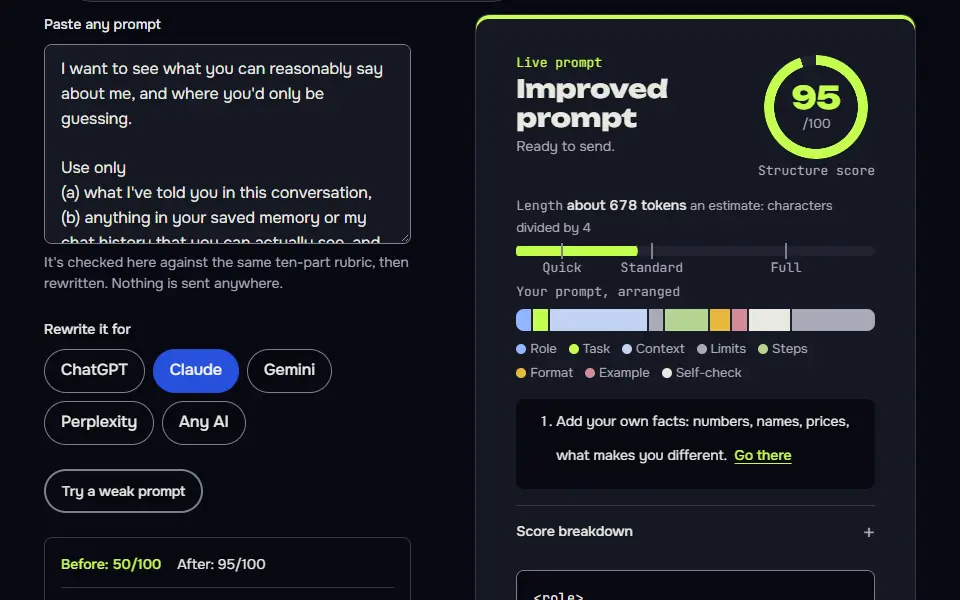
I want to see what you can reasonably say about me, and where you'd only be guessing.

Use only
(a) what I've told you in this conversation,
(b) anything in your saved memory or my chat history that you can actually see, and
(c) the notes below.
If you don't have enough to go on, say so instead of filling the gap.

Notes I'm adding: {{notes}}
What I want to explore: {{focus}}
How direct to be: {{tone}}

Answer in this format
1. What you know: facts I've actually told you, as bullets. Mark each "stated by me" and say where you saw it if you can.
2. What you're inferring: patterns you notice. Mark each [inference], give the evidence behind it and a confidence level (low, medium or high).
3. What you'd only be guessing: things you can't know from what you have. Say it plainly.
4. Three questions that would help you see me more clearly, each one I can answer in a sentence.
5. One thing I might be underestimating about myself and one I might be overestimating, each labelled as a guess.

Rules
- No diagnoses, no medical or psychological labels, and no personality-type verdicts stated as fact.
- Don't flatter me and don't invent anything.
- Don't use em dashes or en dashes.
How to use
- Copy it with the button above.
- Fill the blanks in {{double braces}} with your own details.
- Paste it into ChatGPT, Claude or Gemini and send it.
- Then follow up: ask for one change at a time.
Before you run “What can you tell about me, and what are you only guessing?” for the first time, the lesson on how to use ChatGPT prompts walks through copying, filling and sending it.
How do you make ChatGPT tell you about yourself?
To make ChatGPT tell you about yourself, ask it to describe you from your chats and to label every point stated, inferred or guessed, so you see what's real. Four prompts sit below the answer: the main one, plus an interview, a memory audit and a bio writer. You paste your notes, and the AI shows its evidence.
Not therapy, medical or mental health advice. An AI can only reflect back what you tell it, and its guesses about you can be wrong.
ChatGPT prompts about yourself variations
Interview me, then write a short self-profile
Building the profile from your own answers, in your own words, means it can't drift into generic self-help language.
Interview me so you can write a short, honest self-profile from my own answers.

Purpose of the profile: {{purpose}}

How it works
1. Ask me 10 questions, one at a time, and wait for each answer. Start with concrete things (what I did last week, what I'd miss if it vanished) and move to values (what I won't compromise on, what I'm tired of).
2. After my tenth answer, write the profile in the first person, in about 150 words, using only what I told you. Keep my own words where they're good.
3. Then give me a three-line version.
4. Finish with a list of two or three things I said that contradict each other or surprised you, as questions, not conclusions.

Rules: Don't add traits I didn't mention. Don't use psychology or personality labels. Don't flatter me. Don't use em dashes or en dashes.

Ask the first question now.Audit what ChatGPT has saved about me
It turns a vague 'what does ChatGPT know about me?' into a checklist you can act on, including what to delete.
I want to audit what you have saved about me. Don't guess. If you can see saved memories or notes about me, list them. If you can't see any, say so plainly and tell me where in my settings I can review and delete saved memories and my chat history controls. Name a menu path only if you're sure it's right for the app I'm using; otherwise describe where to look in general terms.

If you can see saved items, do this
1. List them as a numbered list, grouped under work, health, family and relationships, money, location, opinions and preferences, and other.
2. Mark any item that is sensitive (health, finances, family details, a home address, anything about another person), so I can decide whether to keep it.
3. Mark any item that looks out of date or that I might have said only once.
4. For each marked item, tell me how to ask you to forget it.
5. Finish with the three items that shape your answers to me the most.

Don't add anything I haven't told you, and don't mention system or environment details (operating system, file paths, account emails) unless they're saved memories about me. Don't use em dashes or en dashes.
About me bio in three lengths, from facts you supply
Three lengths cover the website, social profiles and speaker bios in one go, and the facts-only rule keeps it honest.
Write an "About me" bio from the facts below, in three lengths: about 50 words, about 100 words and about 200 words.

Where it will appear: {{where}}
Voice: {{voice}}
Person: {{person}} (write in the first person if I say "I", otherwise third person)
Facts. Use only these:
{{facts}}

Rules
- Start with what I do for whom, not with my name or a job title.
- Include one human detail from the facts, so it doesn't read like a brochure.
- No claims, awards, numbers or clients that aren't in the facts. If a fact would help but is missing, write [add detail] where it would go.
- No stock phrases such as "passionate about", "dedicated professional" or "on a mission to".
- End with one line telling the reader what to do next: {{next_step}}.
- Don't use em dashes or en dashes.
What a good answer looks like
A good answer to “What can you tell about me, and what are you only guessing?” looks like a finished piece in the format that prompt asks for, built only from your details. Yours will follow your own details.
Underestimating [guess]: that careful attention to a reader's experience, which your email habit may reflect, is a core instructional design skill. You may be treating it as a flaw when it could be a strength that just needs a time limit. - Overestimating [guess]: how much extra email polish changes outcomes. If your overthinking is mostly protective, the later drafts probably help less than they feel like they do. Both are guesses, and your answers to the questions above would let me firm them up or drop them.
Notes for each model
ChatGPT
if memory is on, the first section may list items from earlier chats. If it's off, the AI should say it only has this conversation. Check that it says so.
Claude
usually reports it has no memory of past chats unless you're in a Project with files. Paste notes to get a real answer.
Gemini
works as pasted. Check your settings for what it can use from past chats.
All models
don't treat inferred traits as facts about you. They are guesses from small samples.
Before you use it
Viral prompts such as 'based on everything you know about me' are fun and often flattering. They're easy to over-trust too. The prompts here keep the fun but make the AI show its evidence.
What does ChatGPT actually know about you?
ChatGPT knows only what you've shared in chats and what it saved to memory, and it can't look up other information about you on its own unless you ask it to search.
That means the current conversation plus saved memories and past chats you allow, nothing else. It doesn't have your browsing history, your phone or your files unless you share them, so a confident description of your personality is mostly pattern-matching on a little text. The main prompt on this page labels each statement stated by you, inferred or a guess, with a confidence level on the inferences.
The memory audit prompt is the quickest check: it returns a list of what ChatGPT holds about you and where it came from, marks the sensitive items and tells you how to ask it to forget them. Keep other people's details, account numbers, passwords and your address out of the chat, and check your data controls before you allow saved memories.
Fun ChatGPT prompts to ask about yourself
Fun ChatGPT prompts to ask about yourself include your 3 strengths from your chats, a blind spot it noticed and the job it would pick for you, each with a note on how sure it is.
Other light asks are which movie genre your life resembles, what you'd be known for and what a friend would call your signature habit. Viral prompts such as "based on everything you know about me" are fun and often flattering, and they're easy to over-trust. Keep the fun and add one rule: label every point stated, inferred or guessed, so you can see the evidence.
ChatGPT prompts to learn about yourself through reflection
ChatGPT prompts to learn about yourself work best as questions you answer, such as what drained you this week and what you'd repeat, with ChatGPT summarizing your own words.
The interview prompt on this page asks 10 questions, one at a time, then writes a short profile from your answers only. The rule is simple: questions you answer, not a personality verdict. Add a few notes in your own words, answer what the AI asks back, take what's useful and leave the rest. It reflects what you wrote, and it won't diagnose anything. These prompts aren't a replacement for a counsellor or doctor, so talk to a person if you're struggling.
Write an About Me section with ChatGPT
To write an About Me section with ChatGPT, give it your role, 3 true facts, the audience and a word count, and tell it to add nothing you didn't say.
The bio prompt returns 50, 100 and 200 word versions in first or third person, opens with what you do for whom and refuses to invent awards, numbers or clients. Add one human detail so it sounds like you, not a brochure. Once you know your own voice, the ChatGPT prompt for an Instagram post uses it for captions. For a playful read that's clearly entertainment, try the ChatGPT prompt for astrology.
For deeper reflection, try the questions to ask ChatGPT. For work uses, the resume prompt turns the same facts into something useful, and the ChatGPT prompts hub has more.
ChatGPT prompts about yourself FAQ
Still stuck? Build it in Prompt Studio. It'll score each part as you go.
Does ChatGPT know things about me I haven't told it?
No, ChatGPT doesn't know things about you that you haven't told it, only what you've shared in chats or memory. It has no private file on you, and anything else it says about you is a guess, which the main prompt makes it label.
How do I see what ChatGPT remembers about me?
To see what ChatGPT remembers about you, open the memory settings in ChatGPT or run the memory audit prompt, which lists what it holds and lets you delete what you don't want kept. Menu names change, so look for memory and data controls in your settings.
Can these prompts write an About Me for a website?
Yes, the bio writer prompt drafts an About Me for a website from your facts, in first or third person, at the length you set. Trim the result to fit the space.
Is it private to ask ChatGPT about myself?
No, it isn't fully private to ask ChatGPT about yourself, so check your data controls in ChatGPT settings and leave out details you wouldn't want stored.